How do I *update* My Brizy Custom 404 error page?

I already had set up a custom 404 page (w/ the templates etc). And I set it up to redirect to a specific ("coming soon") page. Now, however I want to create a different custom 404 error page (that I then want to redirect all 404s to). How do I do that correctly?
(PS: I would highly appreciate a written explanation + maybe screenshots. I can't watch videos that much as they are very tiring and straining for me. I only found a Brizy video for this subject. Thank you!)
-

Hi Jenna,
To create a custom 404 page, please follow these steps:
1. In your WP Dashboard, go to Brizy.
2. Click on "Templates".
3. Click the "Add New" button.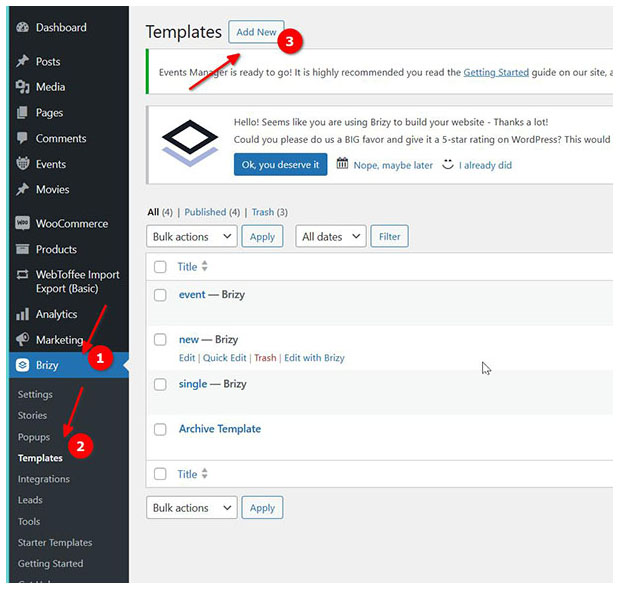
4. Add a name for your 404 page.
5. Under "Display Conditions", choose "Single".
6. In "Add New Conditions", select "Include", and choose "404 page" from the dropdown menu.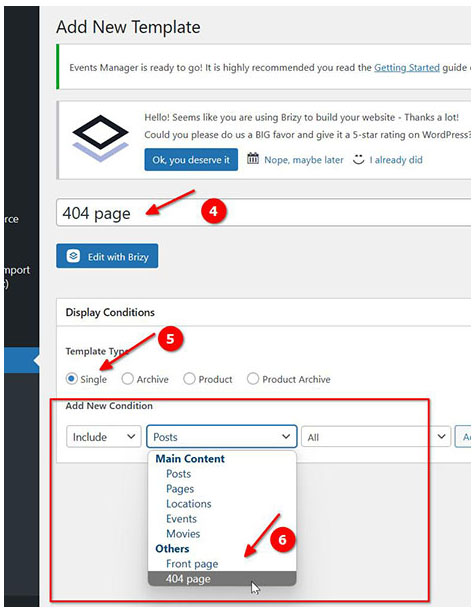
7. Click "Add" after filling out the above details.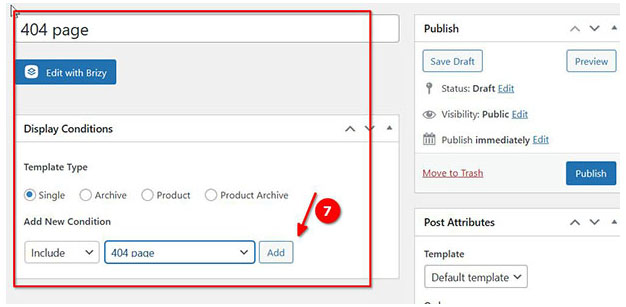
8. Under "Where do You Want to Display it", you should see your template display conditions.
9. Click the "Publish" button.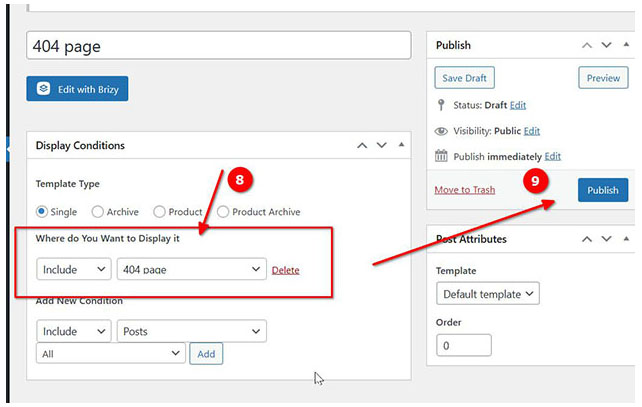
10. Click "Edit with Brizy Builder" and start designing your custom 404 page.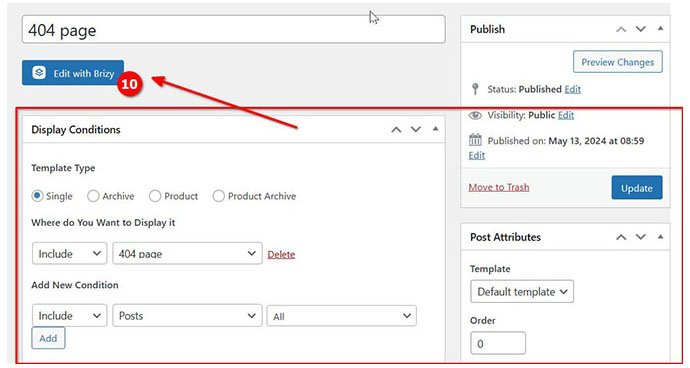
11. After you have built your custom 404 page, click the "Update" button to publish it.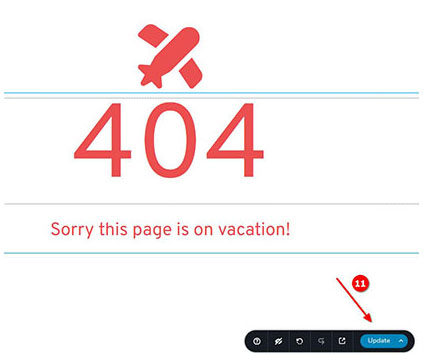
Now, when a visitor encounters a 404 error on your website, they will be redirected to your custom 404 page.
I hope this helps.
Best regards,
Ariel H.0
Please sign in to leave a comment.
Comments
1 comment