page path

Hi, could you tell me how I can create a page path for the section other than my landing page? my domain is (VRL): "www.ersell.it" and I would like to create 2 sections. One for the shopper "www.ersell.it/shopper" and one "www.ersell.it/tank-you-page". how can I create them?
thank you very much!
-

Hi Massimiliano,
You can import the designs you have created for the Shop page and the tank you page to your https://www.ersell.it/ project. For instance, follow the below steps to add a www.ersell.it/shopper page to your project. Follow a similar process to add www.ersell.it/tank-you-page" page to the same project.
- Open the project "Er-sell ultimo" in the Brizy Cloud Editor
- At the bottom right corner, select the option 'Save Layout" This will save the entire page as a design layout
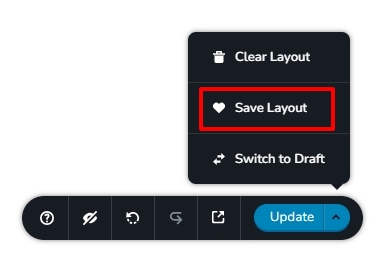
- Open the project "er-sell"
- Add a new page and name it "shopper"
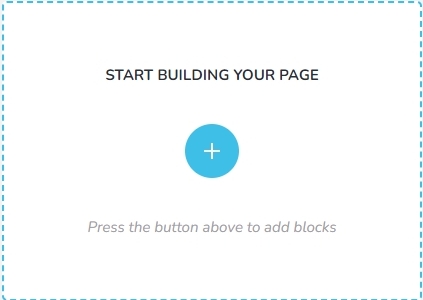
- Edit the newly created page by selecting "START BUILDING YOUR PAGE"
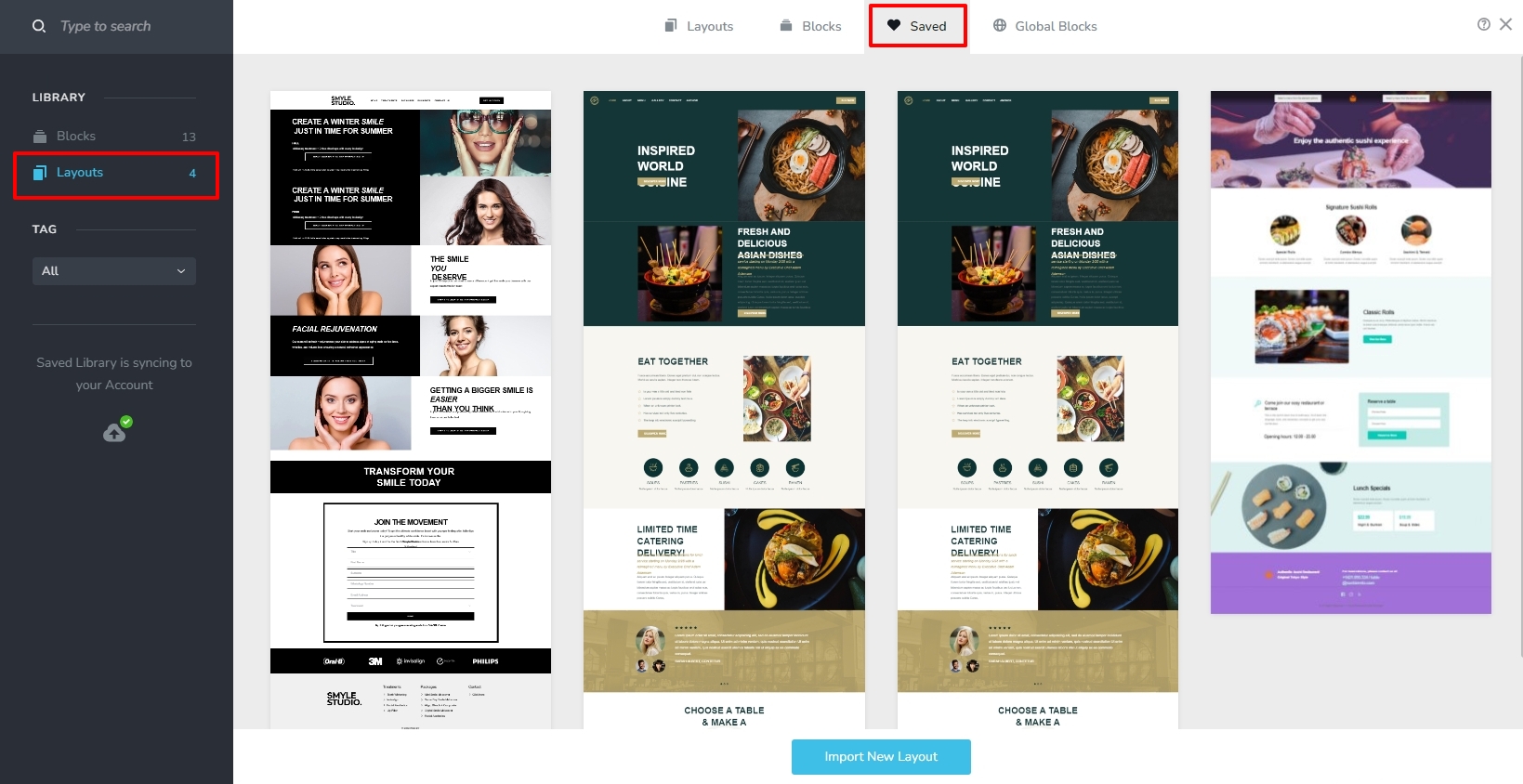
- Import the design layout you have saved at Step 2 by selecting the 'Saved' tab and then selecting the 'Layout' option on the left sidebar.
If you want us to record a video with the procedure, kindly get back to us. We will make a video for you.
0
Please sign in to leave a comment.
Comments
1 comment