How to change the default workspace in brizy cloud account?

Hello,
Whenever we create websites with AI then they go to a default workspace and whenever we open brizy cloud then a default workspace opens. My question is How can I change that default workspace in brizy cloud?
I tried to change the name of the workspace but whenever i open that brizy cloud, it automatically selects that workspace.
Kindly guide me about the solution.
Best Regards
zmnaqvi
0
-

Hi Zahid,
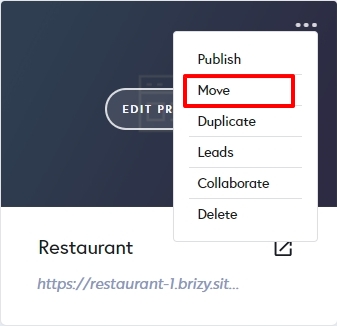
Regrettably, Brizy Cloud does not have a provision to change the default workspace. After generating a website using the Brizy AI builder, kindly move it to a desired workspace by clicking on the 'Move' option in the project thumbnail.
 0
0
Please sign in to leave a comment.
Comments
1 comment