Missing image on live page

Hello,
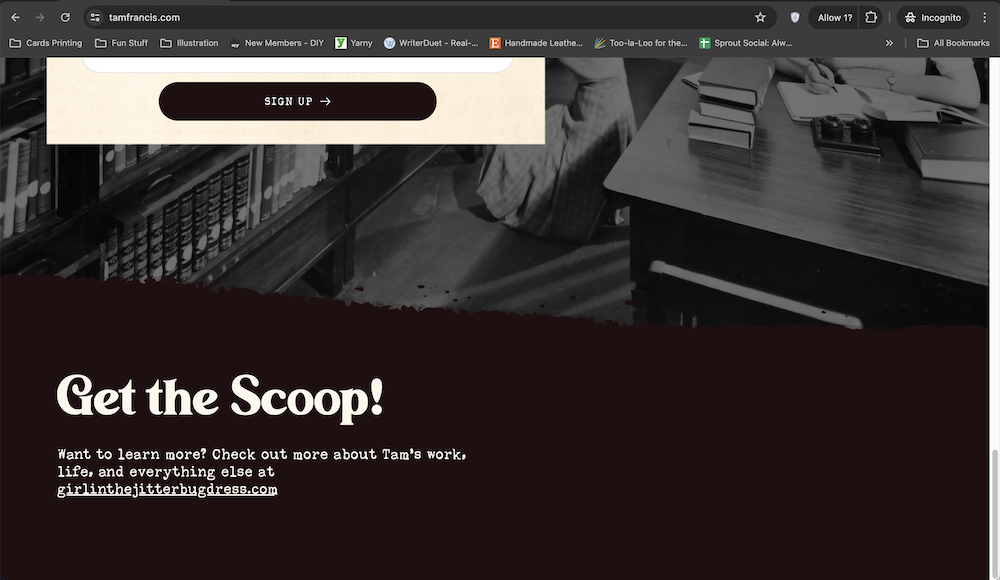
I have an image that's not appearing on my live site. It's appearing in the editor, but then going to the site it's missing. I've tried deleting and re-adding the image, I've set the z-index to 10, cleared my cache and cookies, and tried multiple browsers.
I'm using the latest version of Brizy Pro (2.4.38).
The site is: http://www.tamfrancis.com
Editor:
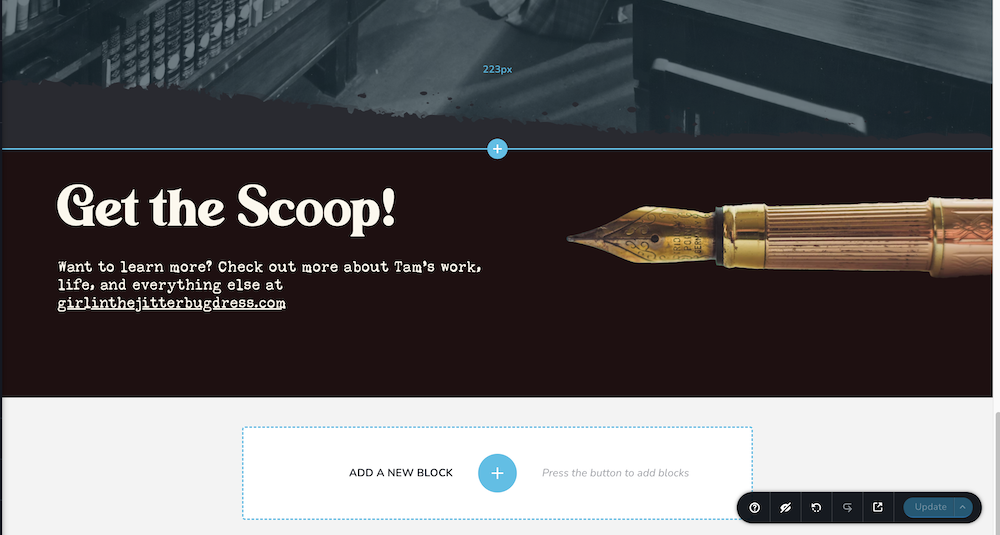
Live Site (pen image is missing):
Let me know if you can help!
-

Hi Sara,
Looks like the pen image is not being downloaded in the frontend. Have you tried clearing server cache? If you are hosting with Bluehost, kindly follow instructions in this video to clear server cache and check if that helps. Optimizing Your Website's Server Cache Management You could also take the help of your hosting company to fix this issue.
If nothing works, kindly get back to us. We will need access to your WordPress Dashboard to offer further help.
0 -
Hi there,
I've cleared the server cache for this URL and it's still not appearing. Is there a way I can send you a private message with login details?
Thanks,
Sara
0 -
Hi Sara,
Please add a new user to your WordPress Dashboard and send the following details to our email: communitysupport@brizy.io
- Community Post link: https://support.brizy.io/hc/en-us/community/posts/18700128261010
- WordPress Admin URL:
- Username
- Password
Please let us know in this forum when you send us the email. We are happy to troubleshoot this issue for you.
0 -
Hello,
I wanted to check in to see if anyone had gotten my email with login information and could provide me with any kind of update.
Thank you!
Sara Barr
0 -
Hi Sara,
We are sorry for the late reply. Your email was in our SPAM folder and hence we missed it.
The pen image is hidden on your homepage due to the embed code you have added below the text Get the Scoop!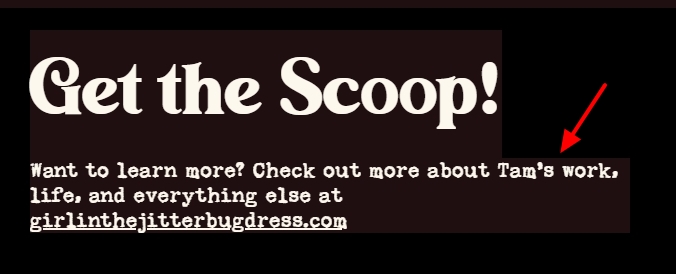
Kindly replace the HTML code in the Embed element with this code and check if the image displays well.<p style="font-family:'Sunflower'; color:#fcf8ed; font-size: 1.25em; background-color:#200F11;">
Want to learn more? Check out more about Tam’s work, life, and everything else at
<br>
<a href="http://www.girlinthejitterbugdress.com" style="color:#fcf8ed; text-decoration:underline;"aria-label="The Girl in the Jitterbug Dress Website, Opens in New Tab" target="_blank">girlinthejitterbugdress.com</a>
</p>0 -
Okay, great, thank you! It looks like that fixed it - assuming a background color just needed to be added.
Thank you,
Sara Barr
0
Please sign in to leave a comment.
Comments
6 comments