Can't get rid of Gloabl block

Hi there,
We're having an issue whereby we can't get rid of Gloabl block. See attached.
We've removed it from the Global blocks but when we edit Brizy templates, where we've also manually removed it, it reappears and we have to remove it again.
Any thoughts? Is it a glictch perhaps?
Thanks,
Darren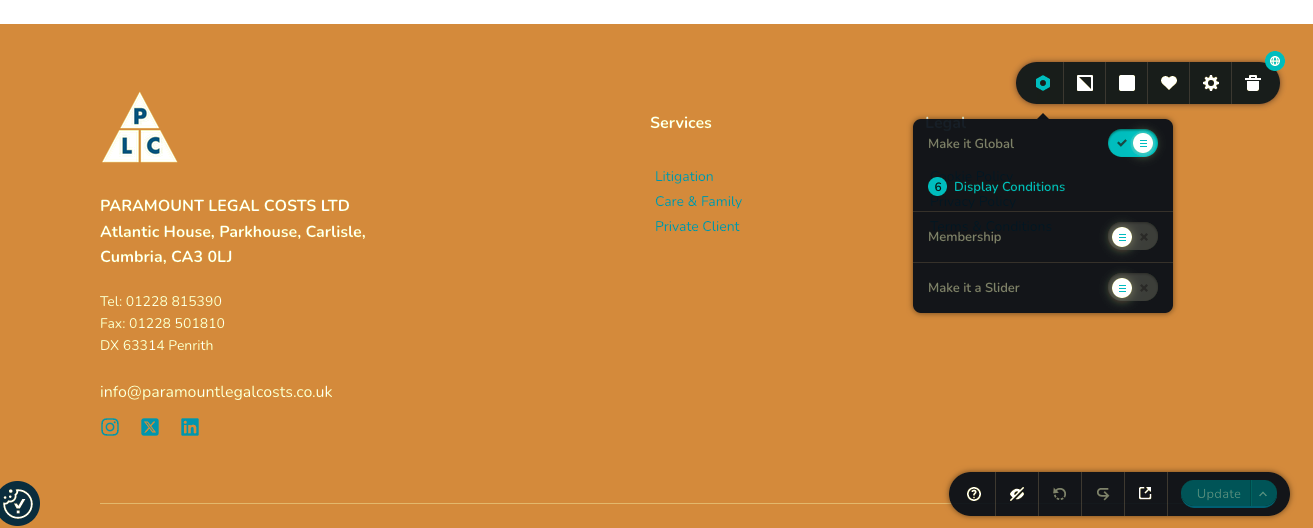
-

Hi Darren,
Thank you for contacting us.
Please click on the Display conditions and hit the Trash icon to remove it from a specific page. If you want to remove it permanently, you can click the trash icon on all pages where it is included. Alternatively, you can exclude it from specific pages.
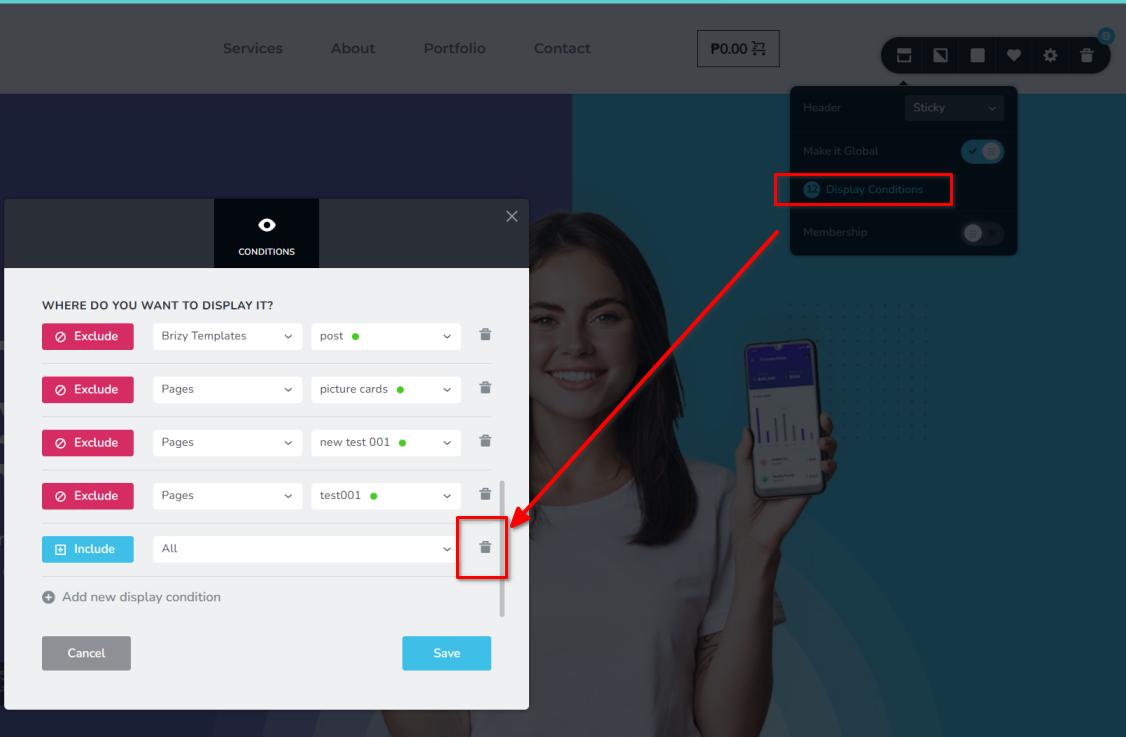
If you have any further questions, please let us know.
Best regards,
Ariel H.0 -
Hi Ariel,
Yes, we've done that as well. But as I say, when we go back to edit a template the block reappears.
Thanks,
Darren
0 -

Hi Darren,
If you remove the display condition, "Include - Brizy Templates - All", ideally the global block should disappear from all Brizy templates. We will need access to your project in order to provide more assistance if this isn't working for you.
If you want us to take a look, please add a new user to your WordPress Dashboard and send the following details to our email: communitysupport@brizy.io
- Community Post link: https://support.brizy.io/hc/en-us/community/posts/18631418896530
- WordPress Admin URL:
- Username
- Password
Please let us know in this forum when you send us the email.
0 -
Hi KC,
Eilidh sorted it!Just as your email came in.
Thanks for your help.
Darren
0
Please sign in to leave a comment.
Comments
4 comments