Data icon next to image select

when adding an image, there's this data icon next to it. It appears in other places too. Is the a tutorial or explanation on the use of this?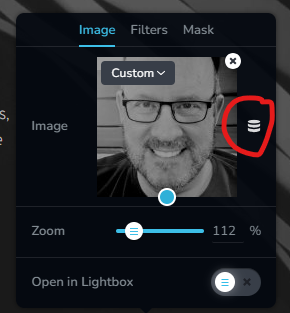
0
-

Hi Paul,
The database icon next to the image element is used for adding dynamic images to a page. For example, you can add the Featured Image to a page by selecting the 'Custom' option under the 'Featured Image'.
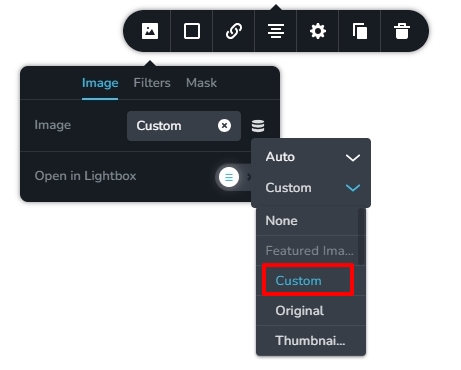
Kindly ignore this icon when adding static images to your pages
0 -
any tutorials on how to make the most of this? Does it work with text too?
0 -

Hi Paul,
Thank you for the update.
For a more detailed explanation of this feature, you can refer to this YouTube video: https://youtu.be/QFa6RLurGwE
I hope this helps.
Best regards,
Ariel H.0
Please sign in to leave a comment.
Comments
3 comments