stuck on load screening

editor is stuck on loading screen. I need help because this prevent my clients from editing their site :) Can you create a private ticket?
-

Hi Anton,
Thank you for contacting us.
Have you already tried isolating this issue by disabling all other plugins besides Brizy and Brizy Pro to check if this is a conflict? Have you also tried using another theme?
If you have already taken these steps, could you kindly provide us with temporary access to your WP Admin details? This will allow us to further investigate the issue. Please add us as an Admin user to your WordPress Dashboard and send the following details to: communitysupport@brizy.io.
Community Post link: https://support.brizy.io/hc/en-us/community/posts/18576638728082
WordPress Admin URL:
Username:
Password:Please make a full backup of your site as a precaution.
Best regards,
Ariel H.0 -
Hi Anton,
Thank you for the update.
I received the invite. However, when I attempt to login to your website, I encounter an error message.
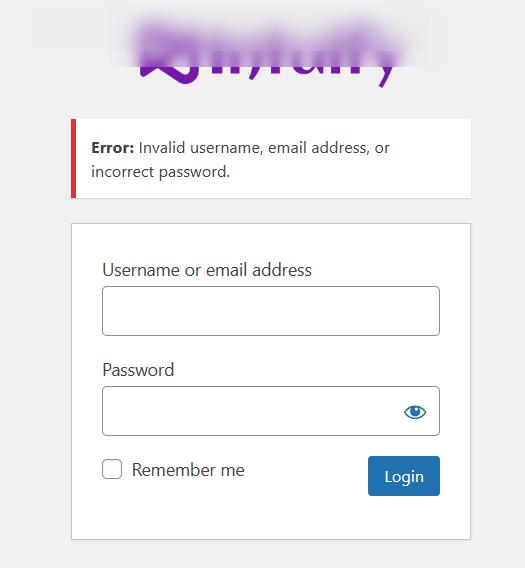
Please revise the credentials and send it again.
Best regards,
Ariel H.0 -
Hi thanks for reply, I just sent new password
0 -
Hi Anton,
Thank you for the update.
Unfortunately, the new credentials also don't work.
Could you please install the "Temporary Login Without Password" plugin and share the link with us instead? Kindly grant access for 72 hours.
You can find the plugin here: https://wordpress.org/plugins/temporary-login-without-password/.Once the issue is resolved, feel free to delete the plugin.
Please send the link to communitysupport@brizy.io
I am looking forward to your response.
Best regards,
Ariel H.0 -
Hi Anton,
Thank you for your cooperation.
We have inspected your site however, we were unable to disable the following plugins, which could potentially be causing a conflict:
1. Smush Pro
2. Cloudflare
3. GridPane Redis Object Cache
4. Redis Object CacheWe kindly request that you temporarily disable these plugins to see if it makes any difference.
Additionally, we recommend raising the current PHP memory limit for this website from 256M to 512M or higher for best results.
Please try this and let me know how it goes.
Best regards,
Ariel H.0 -
Hi Ariel,
Thanks for suggestions. I disabled all the plugins you said and raised php memory limit but it's still not owkring. However is has been working all the time on other subsites on the network with all plugins enabled so I know this is not the reason. Can you look into it again? Thanks
Best,
Anton0 -
Hi Anton,
Thank you for the update.
I will need to escalate this issue to our next level of support. I have created a private ticket for this specific issue. If needed, they may request your Network Admin credentials.
You should receive a response from them as soon as possible.
Best regards,
Ariel H.0
Please sign in to leave a comment.
Comments
7 comments