(Not working again) Brizy to Brevo intergration - Brizy Cloud Form Fields not mapping correctly to Brevo contact

Hi,
Recently the Brizy Cloud form submissions have not been mapping correctly to Brevo contact fields using the inbuilt intergration. Recently multiple Brizy form fields are being squashed into the Brevo 'Lastname' field.
I've worked this out because of using brackets () on a field name on a Brizy Cloud form - the data mapped incorrectly to Brevo
ie:
- Brizy Cloud Form Field: Address (1st line only) pushed the label and other data into:
- Brevo Contact Field: Lastname
I have attached screenshots of an example with test data.
This may be an anomoly but I think it's worth putting some documentation out there to advise users not to do it.
On a related note, are there plans to improve form validation beyond 'required' i.e:
- Being able to use regex
- Being able to stop spam by not allowing urls/email addresses into 'Paragraph' form fields
Many thanks,
Matt
Brizy Cloud Form Fields sent via email:
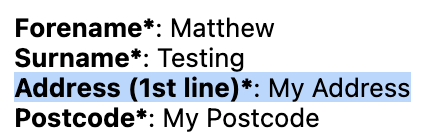
Brizy Cloud Form Fields mapped to Brevo:
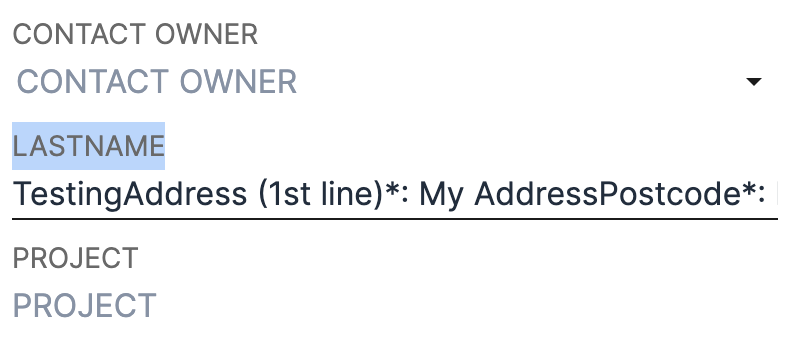
-

Hi Matt,
Let me summarize what I have understood. If a form field name has both an opening and a closing bracket, Brizy Form fields will not map correctly to Brevo's Contact Database fields.
I appreciate you discovering this bug. I'll bring this up with our development team, and we'll investigate.
0 -
Exactly thanks George.
Look forward to when this is resolved and any future form validation improvements.
0 -
Hi George,
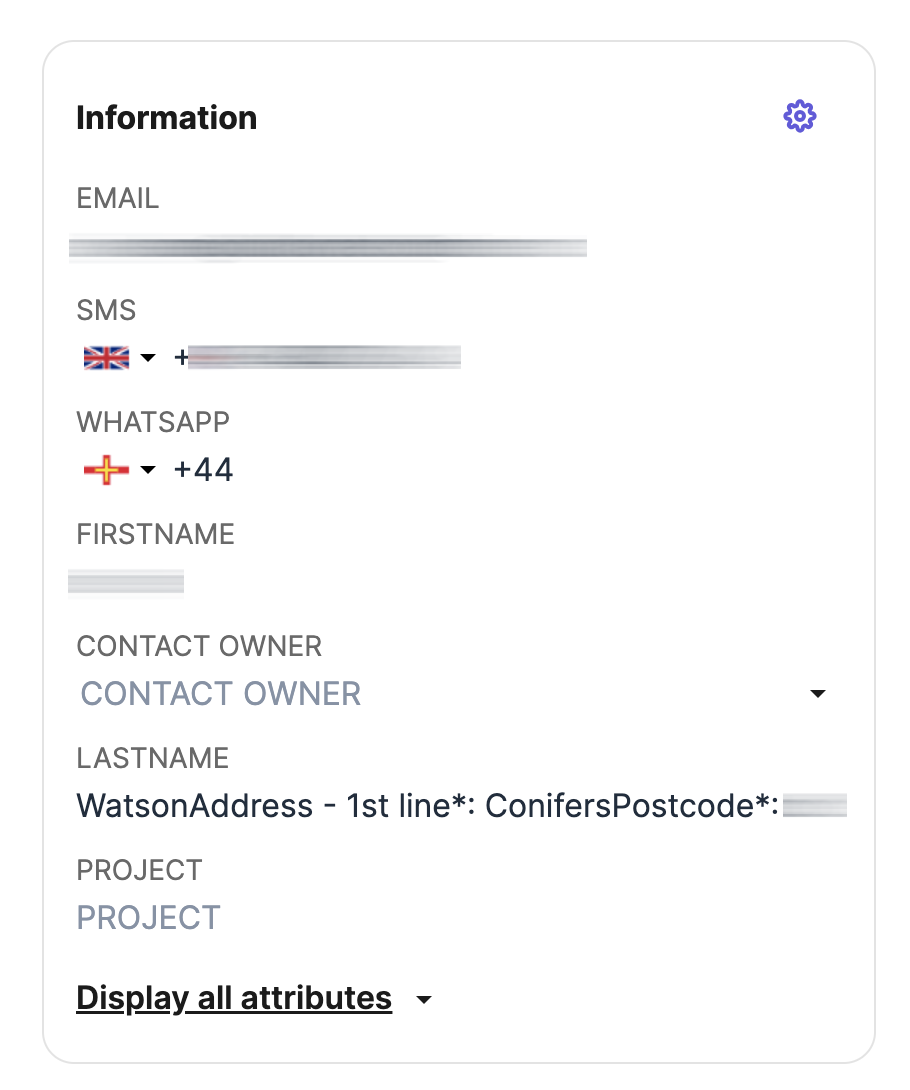
After changing the field names to remove the () brackets - I've just had another form submission where the problem has repeated (see screenshots, edited for privacy).
Could you please look into this as urgency as possible as this is an important process in the tech stack.
Many thanks,
Matt
 0
0 -
Hi Matt,
I just tested the Brizy Form integration with Brevo. Looks like Brizy form does not add contacts to Brevo Contacts database. I will report this bug and we will work on fixing it.
In the meantime, kindly use the Email notifications to receive leads from the form.
0
Please sign in to leave a comment.
Comments
4 comments