Mobile Menu not showing up - I tried the other posts but did not see a solution

Is there a way I can get my menu to show up when I am looking at it via mobile?
Thanks!
-

Hi Helene,
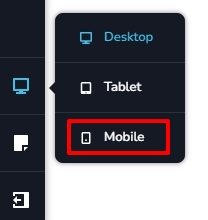
Are you referring to the project at https://up2here.com/? Kindly check if you have hidden the menu in the mobile design view. Switch to the mobile design view by clicking on the Mobile option in the left sidebar.
On the bottom right corner, click on the 'Hide' icon to see hidden elements on the page

If an element is hidden, you will see it blurry.

Click on the element or its container and click on the eye icon to unhide it.
 0
0 -
No, I am talking about the construct-forward.com site.
The web version has this menu

The mobile shows this:

only the logo stays. how do i get the location and contact number boxes to show again?
Thanks in advance!!!
0 -
Also!!
Kc George!!
I couldn't find where this thread went so I am putting it here..
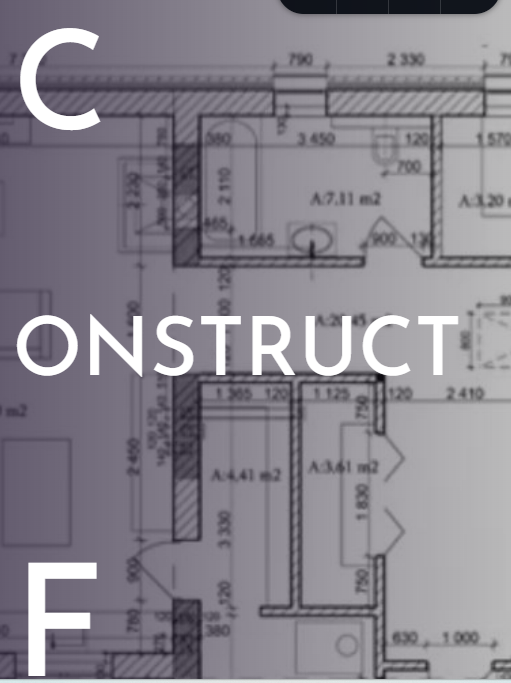
I went back on the client's site and was able to change the font to all capitals but different sizes using the column feature as you suggested. However, When looking on the mobile, it is completely jacked up. how do I fix this?

mobile looks like this:
Thank you!
0 -
Hi Helene,
Kindly watch the screen recording at https://jmp.sh/YxWMEvlG for the procedure to recreate the design in the mobile design view.
0
Please sign in to leave a comment.
Comments
4 comments