Columns and column items behaving weird

Hey,
After updating WordPress and plugins recently, some items in some columns started behaving weirdly. They are still part of the parent but show up outside of the background and are not clickable. Also, in the Brizy page builder, I can't access the items because the other columns below are overlapping these items. This does not seem right to me. I also could not find any CSS snippets from us that might cause this issue.
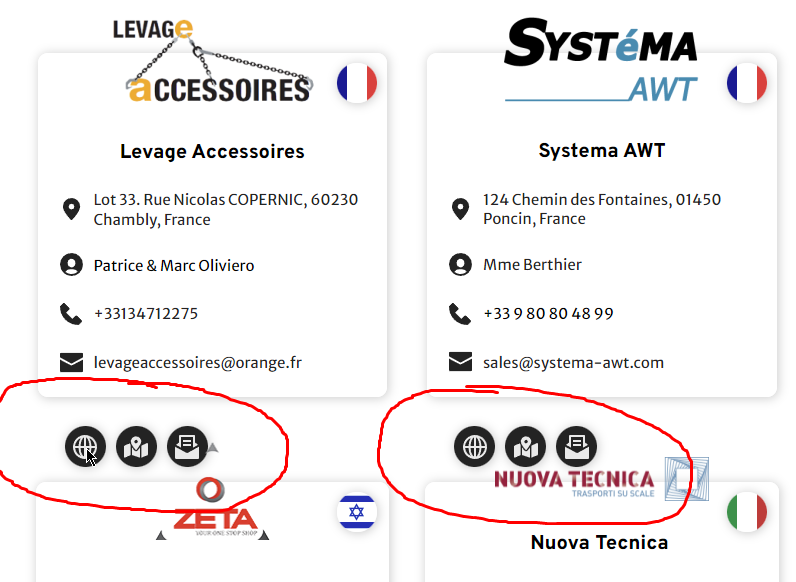
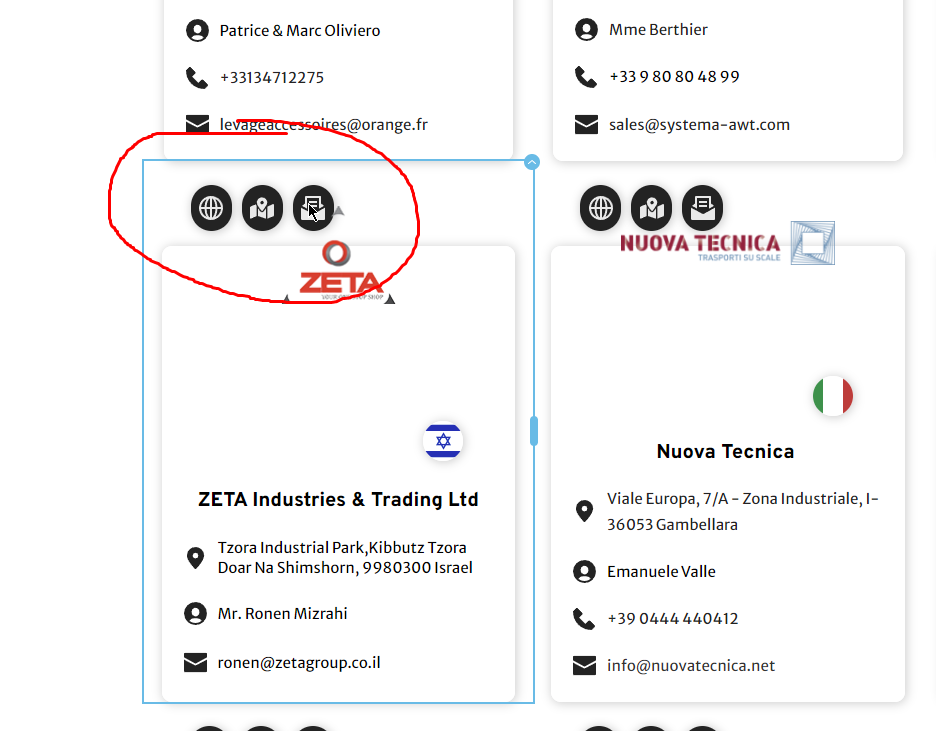
Do you have an idea of what might be the issue?
Here is the page with the issue: https://powerattack.biz/powerattack-haendler/
If needed, I can provide you access to the site.
Cheers,
Frederik
-

Hi Frederick,
Thank you for reaching out to us.
Have you already attempted to isolate the issue by disabling all other plugins except for Brizy and Brizy Pro? Have you tried using a different theme to see if the issue persists?
Additionally, do you by any chance have custom code embedded on these pages? If so, could you please try temporarily removing them to see if it helps resolve the issue?
Lastly, if you have any optimization plugins, also try to flush the cache and see if this helps.
If you've already done these steps, could you kindly give us temporary access to your WP Admin details? This will allow us to futher check the issue. Please add us as an Admin user to your WordPress Dashboard and send the following details to: communitysupport@brizy.io
Community Post link: https://support.brizy.io/hc/en-us/community/posts/18060601727250
WordPress Admin URL:
Username:
Password:Please make a full backup of your site as a precaution.
Best regards,
Ariel H0 -
Hey Ariel H,
I tried to isolate it by deactivating other plugins including caching/optimization plugin, snippet plugin (woody snippets) and others. I also tried switching to other themes. The issue still persists.
I created an admin account and sent it to communitysupport@brizy.io (subject: 18060601727250).
Best regards
Frederik0 -
Hi Frederik,
Thank you for your cooperation.
I have inspected your site, but unfortunately, I am unable to determine what is causing the issue.
I see that you currently have backups on your website. I suggest that you restore it to the last working backup to ensure your website functions properly. After doing so, please create a separate staging site where the issue can be replicated. Then, provide us with the login details so we can investigate this issue further.
I look forward to your response.
Best regards,
Ariel H.0
Please sign in to leave a comment.
Comments
3 comments