no change after editing page name breadcrumbs

Hi I have a problem with the wigget of breadcrumbs. I renamed the home page to "Strona Główna" in Polish but it still shows me "Home" I don't have any cache plugin. I am working on wordpress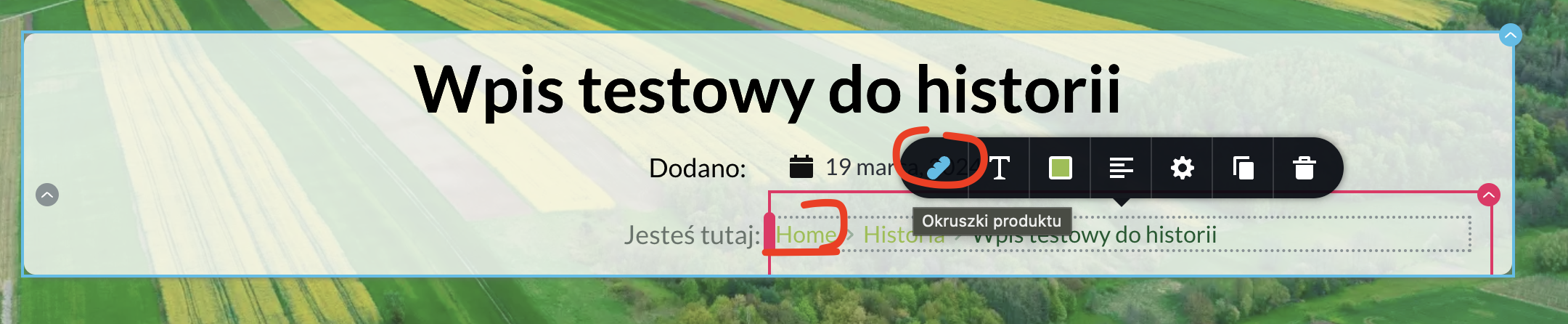
-

Hi Artur,
Thank you for reaching out to us.
We have previously received a report regarding this issue, and unfortunately, there is no option available to change or translate the 'Home' link in the breadcrumbs element.
As a temporary solution, we recommend using a third-party plugin. Please follow these steps to address the issue:
1. Install a Breadcrumb plugin such as Breadcrumb NavXT - you can find it at https://wordpress.org/plugins/breadcrumb-navxt/
2. Once installed, customize the breadcrumb text in the plugin settings.
3. Add the Breadcrumb NavXT to one of the widgets under Appearance - Widgets. You can refer to this link for more information: https://jmp.sh/X01XLZN
4. Delete the breadcrumb element and replace it with the Brizy sidebar element. Then, select the sidebar that contains the Breadcrumb NavXT breadcrumb.
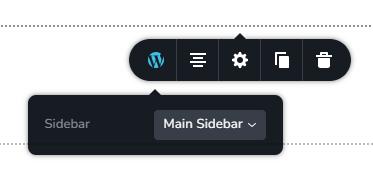
I hope these steps help resolve the issue. If you have any further questions, please let us know.
Best regards,
Ariel H.0
Please sign in to leave a comment.
Comments
1 comment