Canonical link

Hi
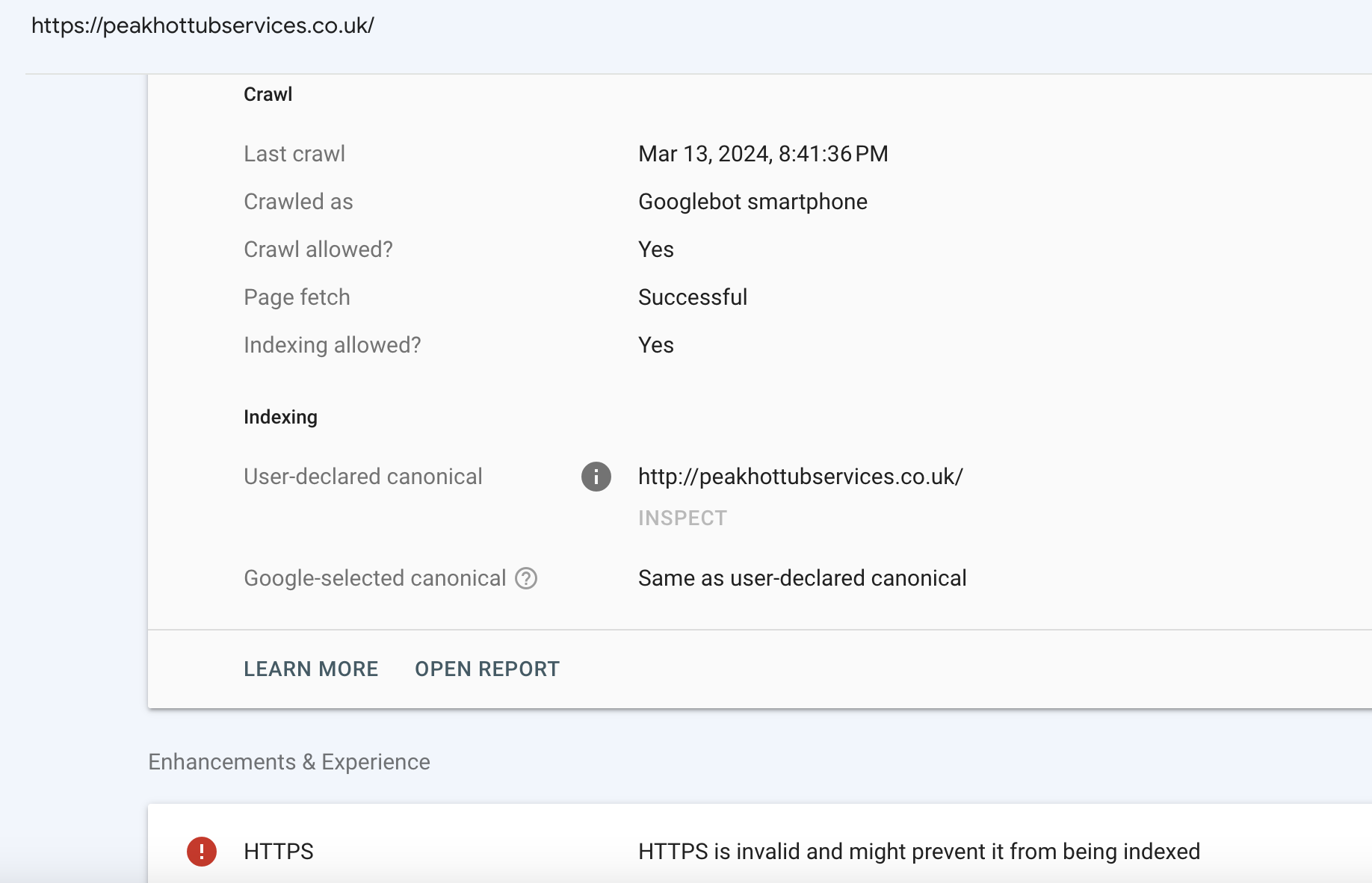
I have a problem with peakhottubserices.co.uk and the canonical tag is currently set to http://
I need to change it to https:// please
How do I do this?
Thanks
Chris Spencer
Peak Media Marketing
0
-

Hi Chris,
Kindly check the canonical URL set for your homepage in the Yoast SEO plugin.
1. Open the homepage in the Gutenberg Editor by clicking on the Edit option.

2. In the sidebar under the Yoast SEO tab, click on the "Improve your post with Yoast SEO" button
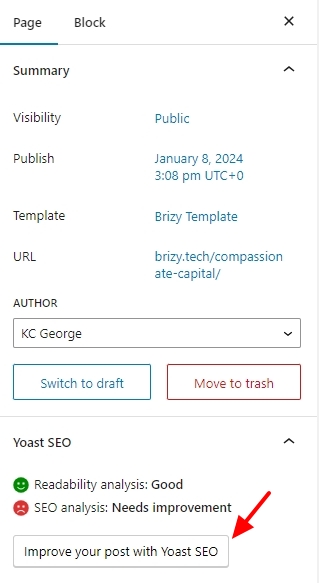
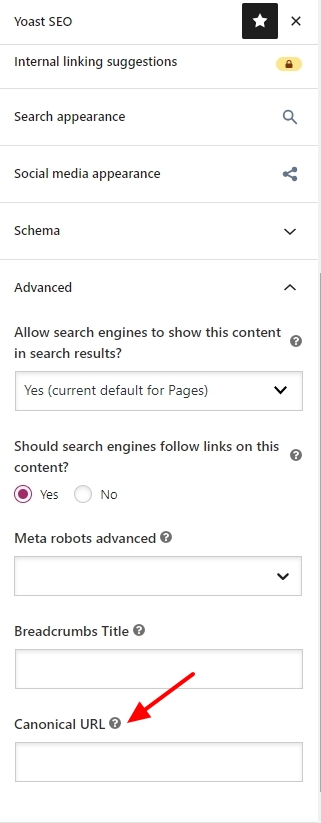
3. Under the Advanced tab, check the canonical URL set for your homepage. You could add the appropriate canonical URL for your homepage here.
 0
0 -
Most excellent, thank you :) (y)
0
Please sign in to leave a comment.
Comments
2 comments