Move Older Website To the New Builder?

RE: Cloud Builder
One of my websites is using the original Brizy feature set. Is there any way move that into the new builder? Thanks
-

Hi Ed,
There isn't an automated process in place to migrate projects from the previous format to the present one. However you can recreate the projects in the current Brizy Cloud project format, following a manual procedure.
- Save each page as a layout in the old project (see the attached image)
- Create a new project and add pages one by one and import the page layouts saved in step 1
- Copy paste the global styles and typography from the old to the new project
- Recreate menu, setup global blocks and display conditions
- Re-setup the email notifications for Brizy forms in the new project
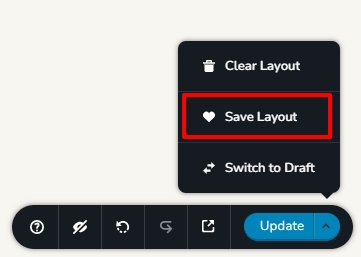 0
0 -
I tried saving in the old system per your suggestion. However, when I open in the new system they do not show.
0 -

Hi Ed,
Thank you for the update.
To troubleshoot the issue you're experiencing, could you please try clearing your browser cache? Alternatively, you can also try using a different browser to see if that makes any difference.
Please try this and let me know how it goes.
Best regards,
Ariel H.0 -

I have the same issue. Where are the saved layouts supposed to show? In the "All" sections of the layouts or is there supposed to be a "My Layouts" section?
0 -
Hi Brandon,
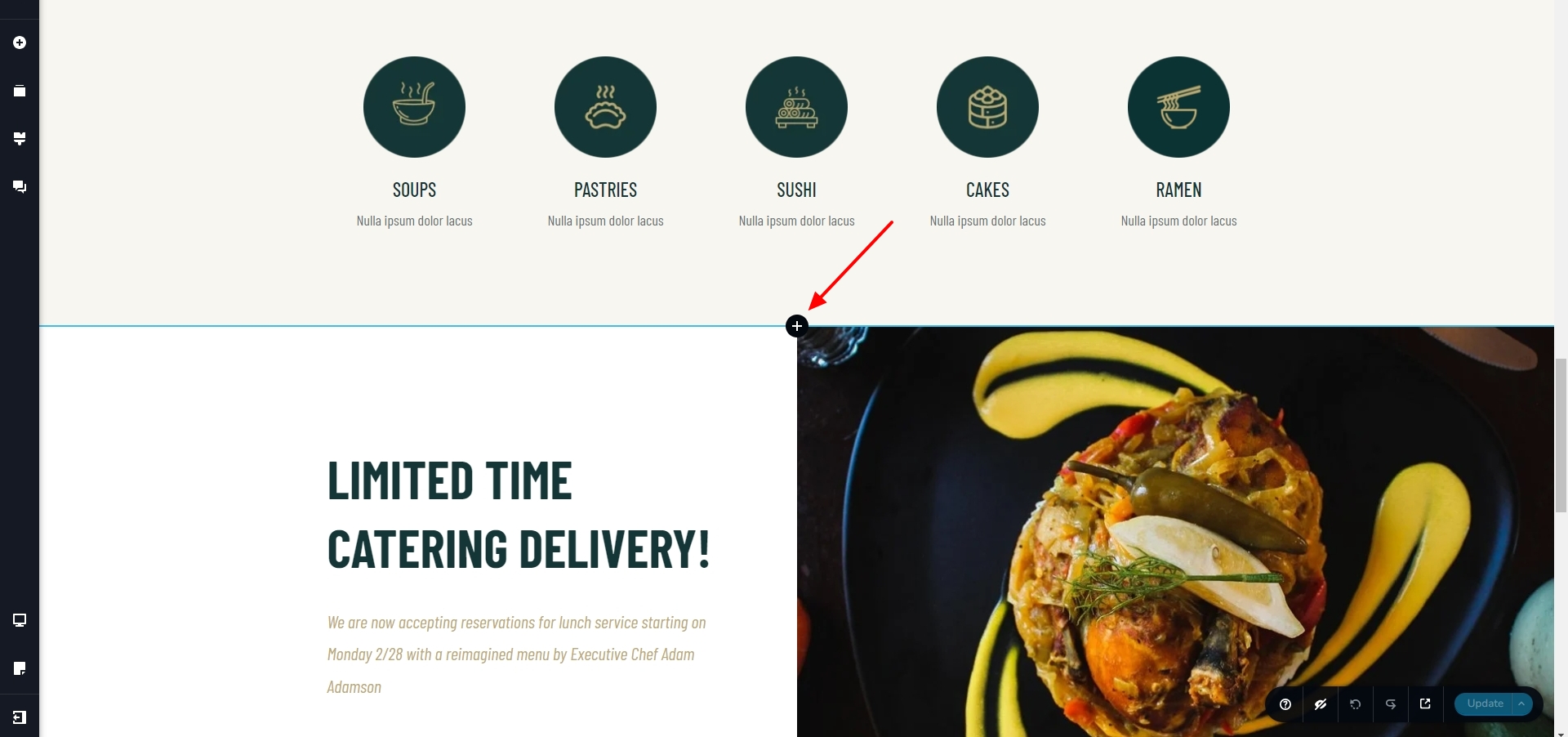
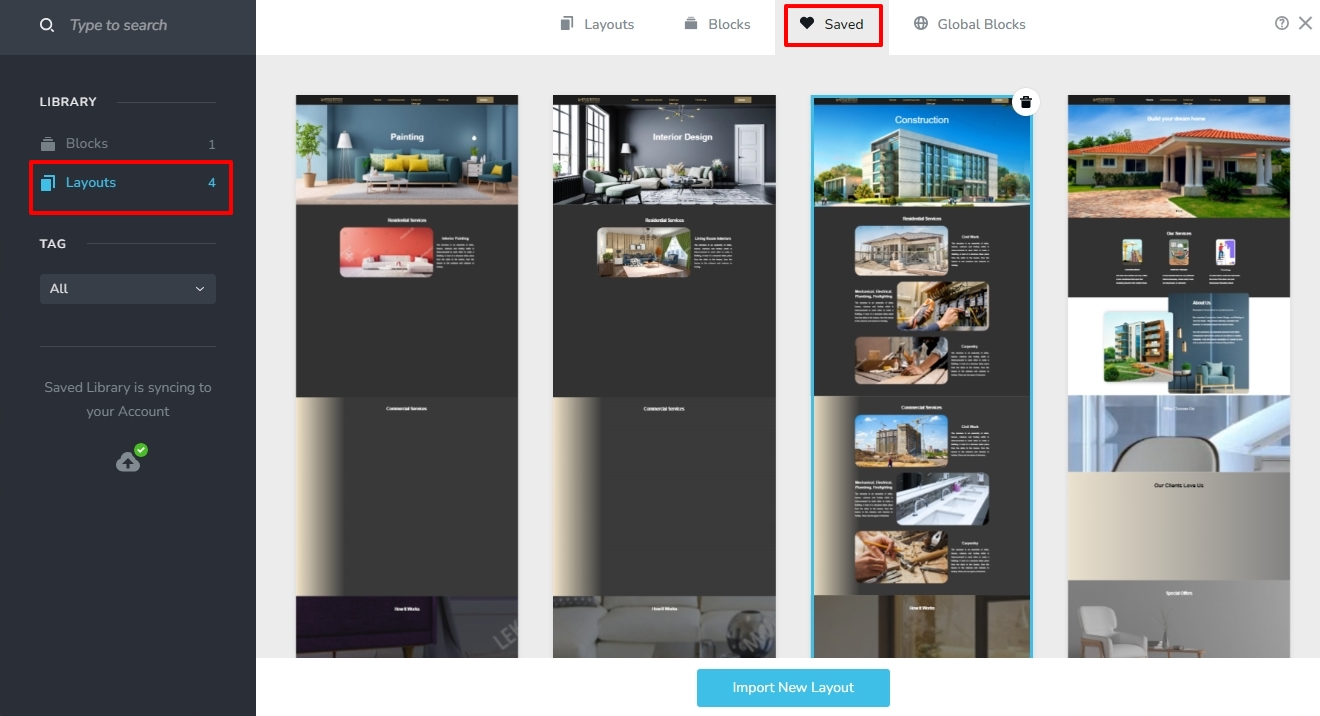
Once you save a page as a design layout, it becomes available in the 'Blocks and Layouts library". In the Brizy Editor, click on the + sign in between two blocks, to access the Blocks and Layouts library.
Select the 'Saved' tab of the 'Blocks and Layouts library' and the 'Layouts' option on the left sidebar to access the saved layouts
 0
0
Please sign in to leave a comment.
Comments
5 comments