Windows Defender claims export zip file has Trojan

When I attempt to export a zip file (from any project in my account) Windows Defender says it is infected by a Trojan.
Please fix this error so that I can save my exported websites.
Thank you!
-

Hi Ada,
I downloaded a ZIP file from one of your projects in an attempt to reproduce the issue you are facing. The file was downloaded, but Windows Defender did not show any alert. Kindly have a look at this screen recording https://jmp.sh/XvAbbmOy
What steps should we follow to reproduce the issue at our end?
0 -
Hi KC,
Thanks for your reply! I'm looking to download the entire project from the publish menu. Below is a screenshot of that menu on my computer. I've highlighted the link that I click to download the files on the image.
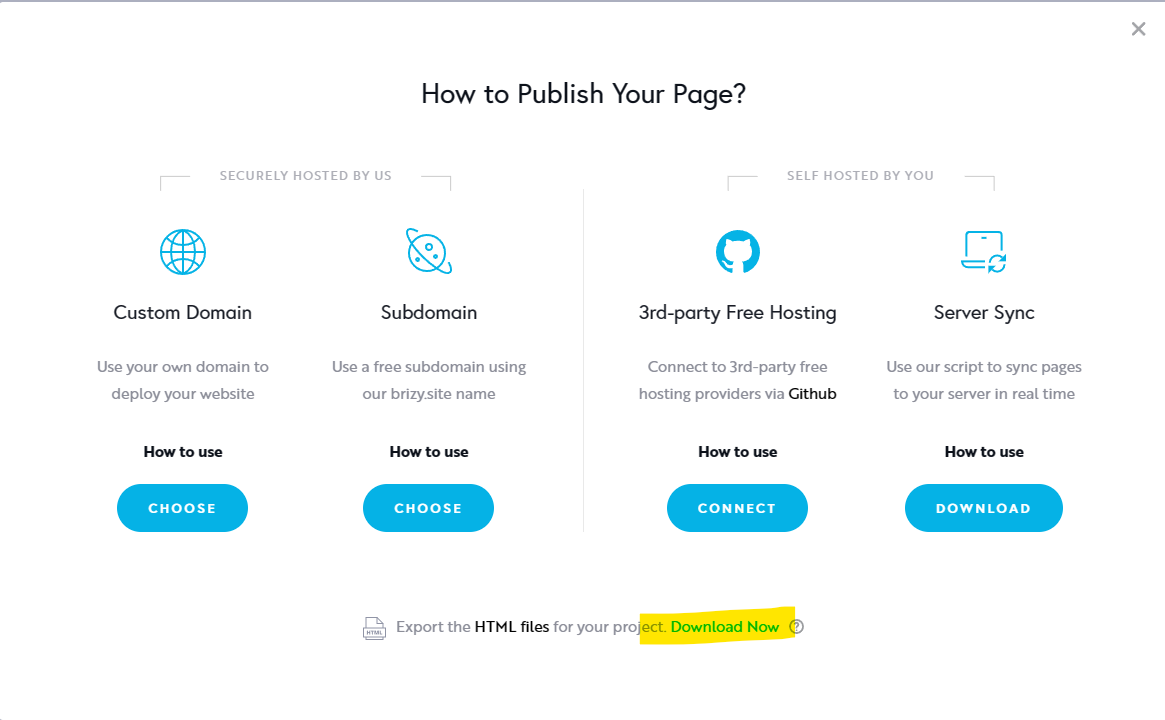 Thank you! I look forward to hearing from you again soon!0
 -
Hi Ada,
I exported the HTML of one of your projects, 'Happy Mindset App' and I could download the file without any issue on my window laptop with Windows Defender Firewall enabled. You can see the downloaded file at ........ Kindly check if you receive the same error message when downloading this file.
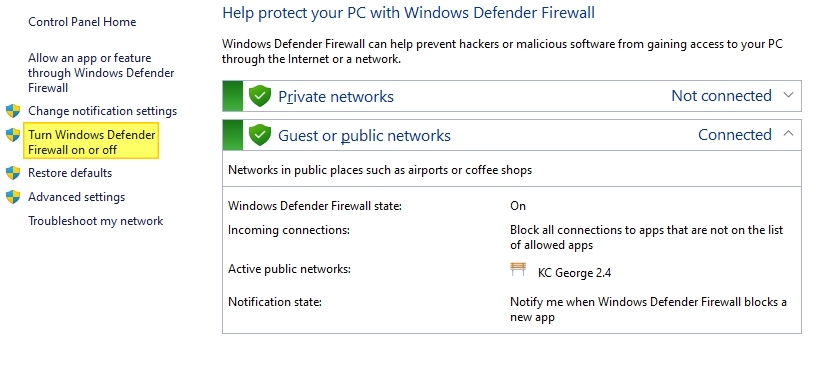
If you continues to see the same error, you may need to turn off Windows Defender Firewall
 0
0 -
Ok thank you -- I was able to download that file without any issues.
I'm very grateful to get the files on my computer -- so thank you for creating that link!Now that I've downloaded the files and please disable that link. I don't like the idea of having a public link with my entire website for people to download.
It is odd that when I download the files from Brizy Cloud I get the error, but I was able to download them from that link. Do you have any ideas on what could be causing this?0 -
I'm happy the link allowed you to download the ZIP file. I'm not sure why you were unable to download the same file directly from Brizy Cloud.
0 -
Ok, thank you. Have a great day!
0
Please sign in to leave a comment.
Comments
6 comments