Blog Navigation element

Hi, I tried to add the new blog navigation element but I can't find any option to adjust the titles padding or to add the post image. How can I do this?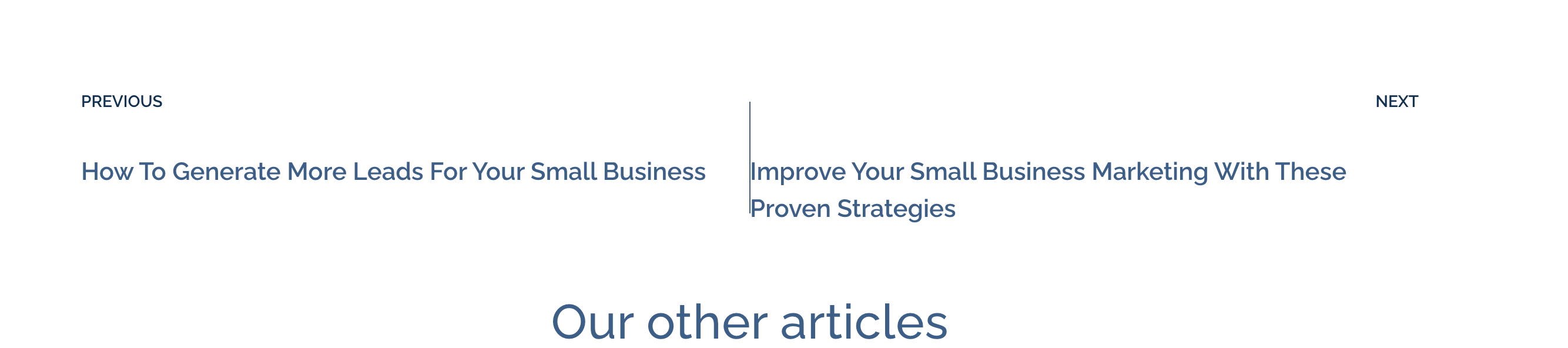
-

Hi Jean-Pierre,
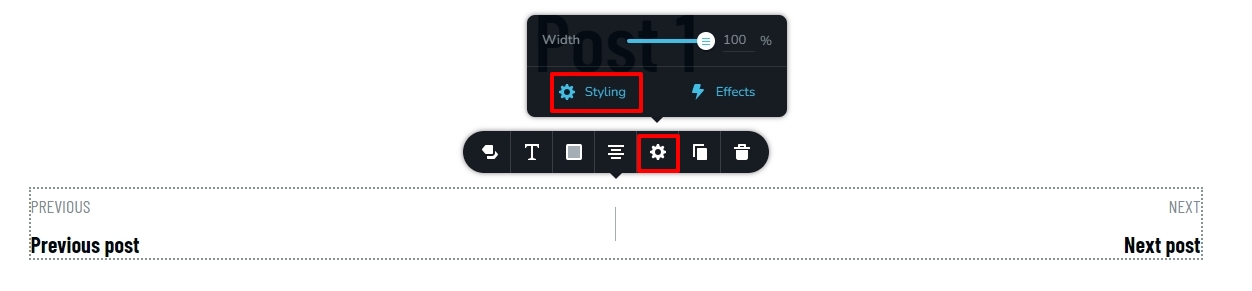
Kindly click on the 'cog' icon and you will have the option to set combined padding and margins for the Label and the Blog Post title. Currently there is no option to individually set margin and padding for the blog post title and the label.
Option to add the blog post featured image in the navigation element is not currently available.
 0
0 -
Hi, KC, Thanks, this works for the element itself, but not for the dynamic titles appearing inside the element as you can see on my photo, the right title is glued to the separator.
0 -
Hi Jean-Pierre,
When using a long blog post title, the Title touches the separator and it is not aligned to the Label. This looks like a bug. I will report this.
Kindly consider moving the navigation element to an independent block and increasing the block width to 120% in order to resolve this problem in your project. This will prevent the long title from wrapping around and touching the separator.
 0
0 -
Thanks, I will drop it
For now. Not usable at the moment. Could you please suggest the team to create it as the tab element where we could add other elements like dynamic images, text and icons? So we could have full dynamic control?0 -

Hi Jean-Pierre,
Thank you for the update.
Please also to post it on our ideas and roadmap page at https://www.brizy.io/ideas-and-roadmap. This will allow other users who require the same feature to vote on it, giving it better priority in our development roadmap. We value the input of our users and strive to prioritize features that are in high demand.
Kind regards,
Ariel H.0
Please sign in to leave a comment.
Comments
5 comments