won't load

When I try to edit a page I get a swirling circle of death. The website I'm trying to update is TNTp.m..com and I am unable to do anything.
-

Hi Elizabeth,
If you are seeing a looping pre-loader when trying to edit a Brizy page, it indicates that that a piece of software in your hosting environment is interfering with Brizy editing. To fix the problem, please sign in to your hosting account and check if any of these are enabled under the 'Security' section.
- ModSecurity
- Immunify360
- Leech Protection
in your server management system. Disable these systems one at a time and see if that makes a difference.
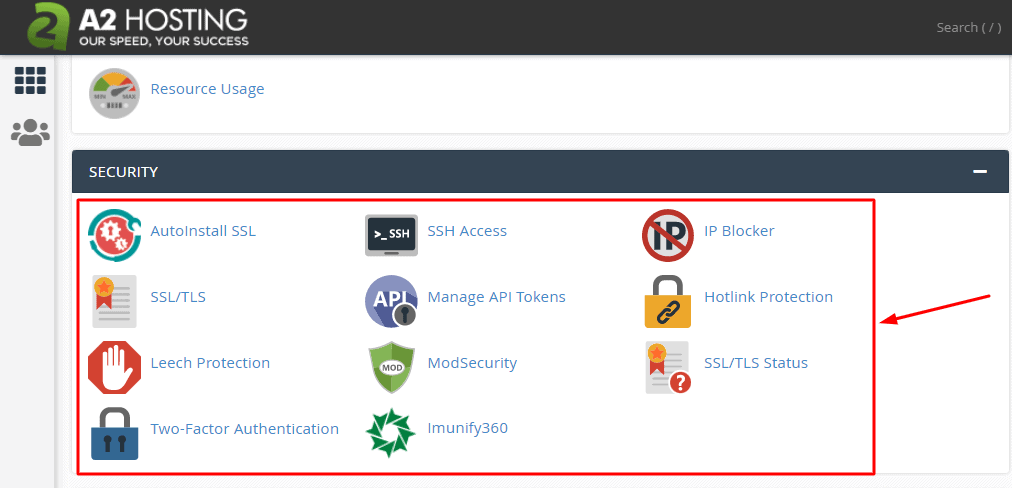
Please also deactivate any security plugin in your WordPress Dashboard and check if the issue disappears. Once you identify the interfering software, please relax the security restrictions to allow Brizy editing, in consultation with your hosting company.
Please contact us again if you need assistance in identifying the interfering software. We will require access to your WordPress Dashboard to troubleshoot this for you.
0 -
I have none of the above, listed, plug-ins, or any security device. It’s still on the site.
I’m still getting the spinning circle of death.
Please contact me today to get this fixed
0 -
Hi Elizabeth,
If you are hosting with A2 Hosting, please sign into your A2 Hosting account and check and confirm if you have enabled any of the following options in A2 Hosting
- ModSecurity
- Immunify360
- Leech Protection
0 -
I am with A2, and none of those are installed. I have tried updated versions of chrome and Safari, and neither will open the builder.
0 -
Hi Elizabeth,
We will need access to your WordPress Dashboard to offer further assistance. Please add a new user to your WordPress Dashboard and send the following details to our email: communitysupport@brizy.io
- Community Post link: https://support.brizy.io/hc/en-us/community/posts/16887441017234
- WordPress Admin URL:
- Username
- Password
Please let us know in this forum when you send us the email.
0 -

Hi Beth,
Thank you for reaching out to us.
We've attempted to use the WP Admin credentials you've provided, but it seems they're not working. I've ensured to input them exactly as they were in your email.
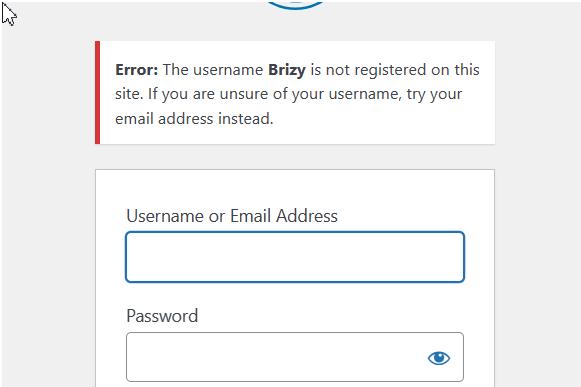
Could you kindly check them once more and resend them? This will enable us to assist you with the issue you're encountering.
Best regards,
Ariel H.0 -

Hi KC and Ariel,
I am currently experiencing the same problem. I switched themes and deactivated plugins except WooCommerce, which for some reason is not possible to deactivate (screenshot) but the problem persists.
The website is still functional and I only found this out when trying to add a notice bar to the homepage. Editing with Brizy was also working fine until recently and there were no changes made to the site apart from plugin updates since then.
Hoping for a quick reply.
Cheers,
Chinthaka

 0
0 -
Hi,
Thank you for your cooperation.
Upon checking, the issue appears to be coming from Mod Security. To address this issue, please login to your cPanel and disable it.
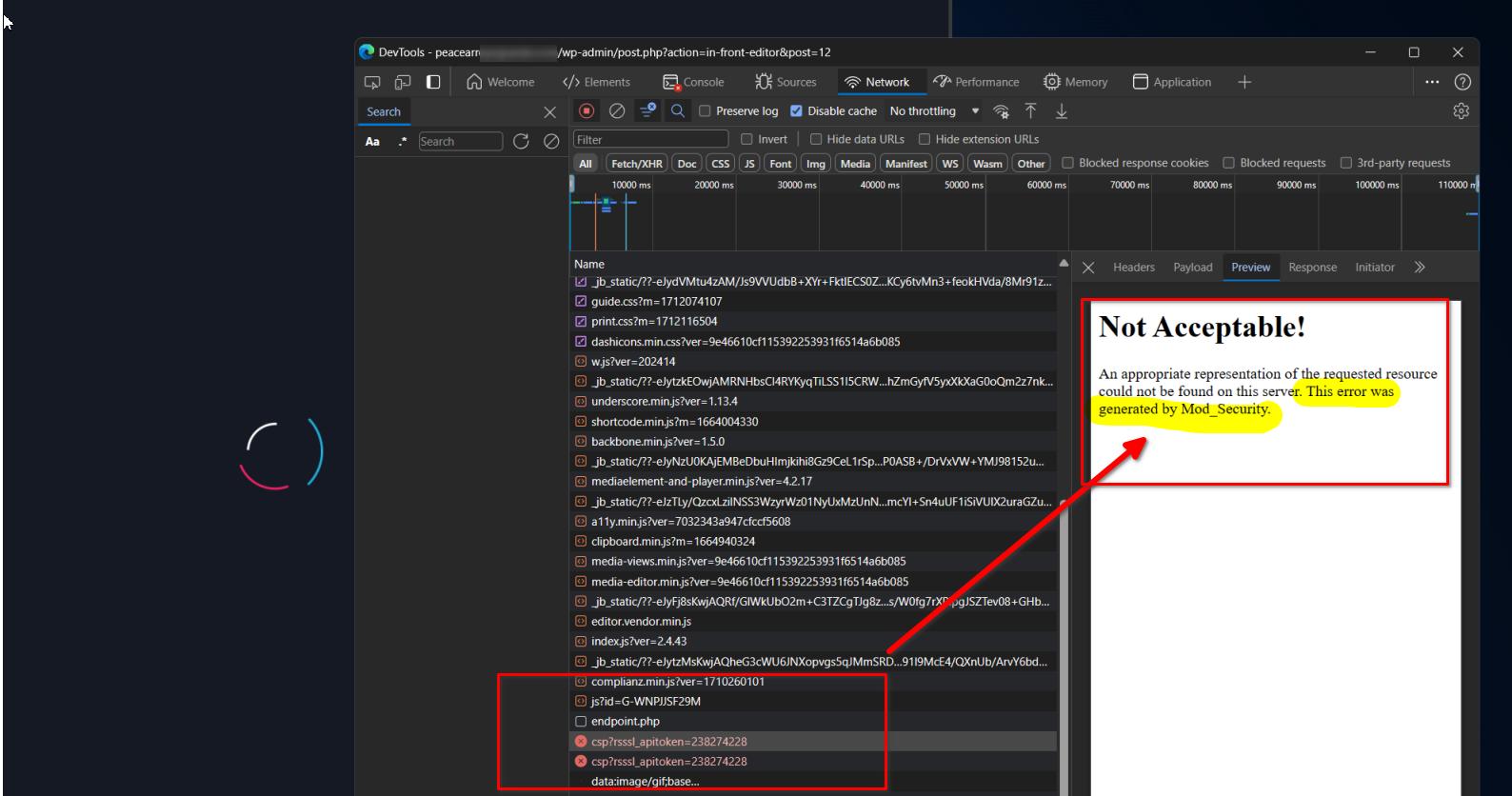
Mod Security, is designed to guard websites against various attacks, may flag and block perceived suspicious actions. This could include harmless requests made by the page builder, leading to editing issues when it is active.
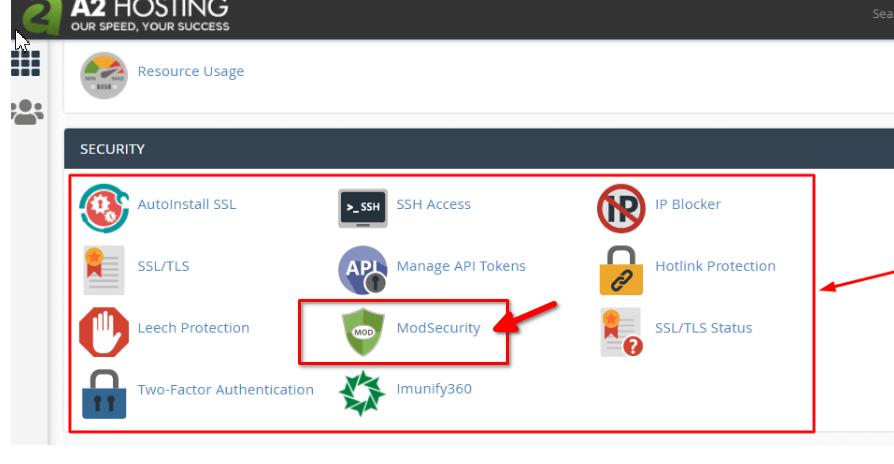
Please try this and let me know how it goes.
Kind regards,
Ariel H.0
Please sign in to leave a comment.
Comments
8 comments