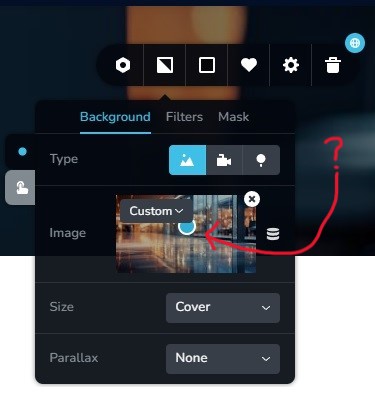
Image position (Have the blue dot at the same position for different images on different pages).

How do I get the same position for an image?
I want to keep the blue dot in exactly the same position for images on different pages.
Thanks.
0
-

Hi Yianakis,
To have same blue dot position for images on different pages, please
- Set the image blue dot position in any of the pages
- Save the block with the image by clicking on the 'heart' icon in the block settings
- Import the saved block to other pages by going to the 'Saved Blocks and Layouts library'
- Replace the image with a new one
For more detailed instructions, please have a look at this screen recording https://jmp.sh/OBgrJ8sB
0 -
KC George,
Thank you so much for your help.
Worked like a charm!
0
Please sign in to leave a comment.
Comments
2 comments