Contact Form - Send Not Working and Only Email Notification Option Available On The Email Tab

Hi Support,
In the past in earlier versions of Brizy Cloud, I was able to use the forms element to not only receive leads but also to set up email notifications to my personal email address.
However, I have recently migrated to a newer version of Brizy Cloud and I am unable to get either of my forms working - please see the obviously broken form functionality on https://www.newtestamentsalvation.org/feedback.html - the styling is absent and there is a large whirling circle on the page! Then when I attempt to send the form, a page with the following message appears:
The server returned a "405 Method Not Allowed".
I design my pages in Brizy Cloud, use the HTML Download option for publishing and then upload the html files to a 3rd-party server.
I have looked at several of the previous issues raised within the forum on contact forms, and sometimes a form not working seems to be resolved by using the SMTP or GMail options - however, on my version of Brizy Cloud the only option appearing under the Email Tab is "Email Notification" (i.e. the SMTP and GMail options are absent).
I am currently trying to use a Brizy Form on 2 live websites, so any advice on how to get things working would be much appreciated.
Kind regards,
Geoff
-

Hi Geoff,
Using Chrome DevTools to examine your website, I see that two JavaScript files and one CSS file are missing from your server. There is a 404 File Not Found error for these three files. Please see this screenshot https://jmp.sh/lZCtUHLd The missing files are required to display the website well.
Could you please remove all of your files from the server, upload the HTML Export files again, and see if it fixes the problem?
0 -
Hi KC George,
Thank you for your very prompt attention to this issue. I did as you suggested and did a fresh HTML Export, delete of current files on the 3rd party server and re-uploaded the newly exported html files.
The result was 'interesting' :
- The styling issue seems now to be resolved
- But after repeated attempts in Brave and Chrome browsers, after clicking the send button nothing at all happens - EXCEPT when there is absolutely nothing in the email/feedback fields (?!), when everthing works perfectly, with the confirmation message that a message has ben sent appearing, and my personal email receiving the completely blank feedback message.
Is it perhaps something to do with how the fields on the form are set up?
Thanks.
Kind regards,
Geoff
0 -
Hi Geoff,
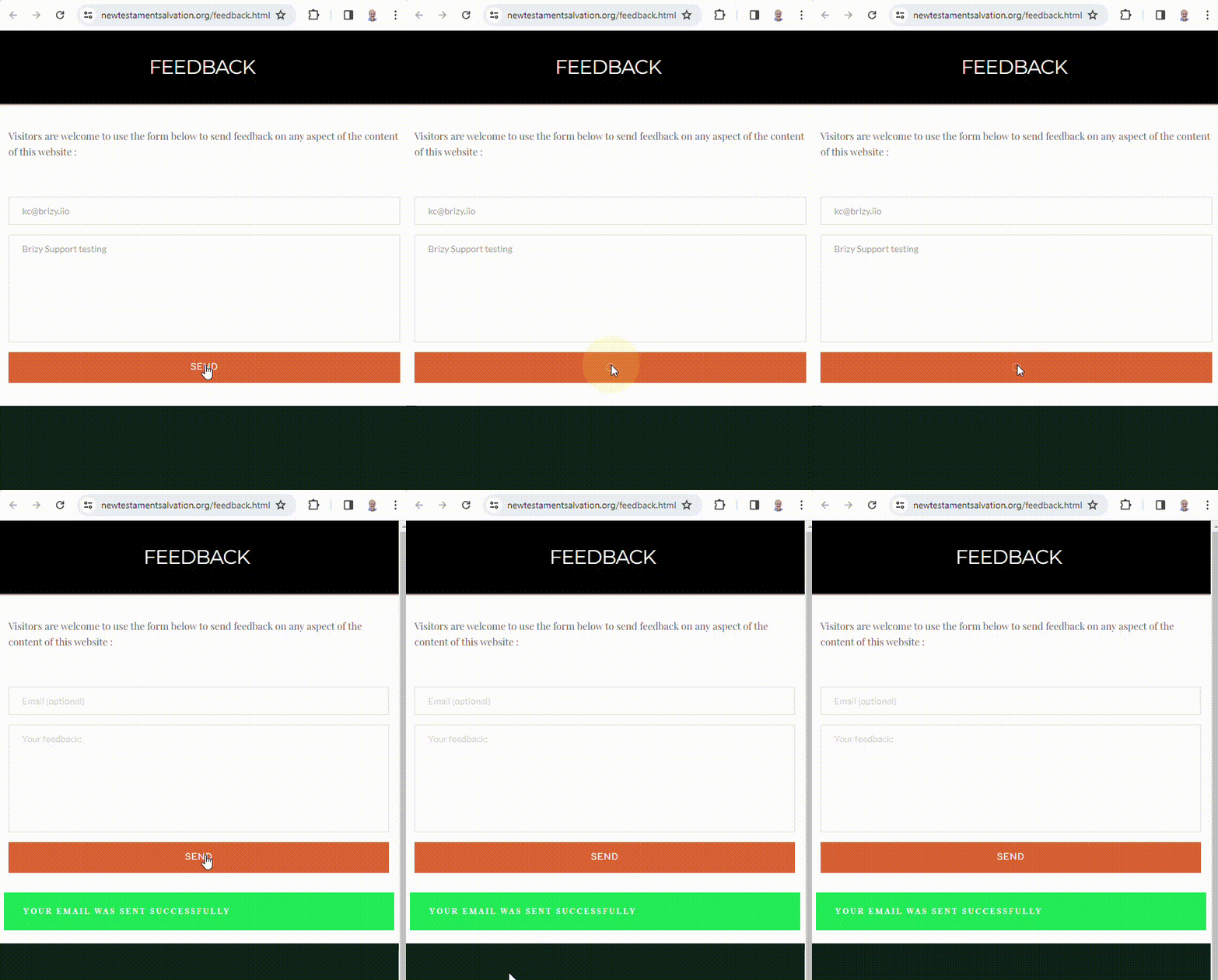
The form appears working fine at my end
 0
0 -
Good Morning KCG,
You were absolutely right - of course!
In my attempts at testing the form after re-uploading the freshly exported html files to the server, in the email field I kept just putting in any old email-type text - not realising that by specifying an email type for the field, this field is looking for a FULLY properly formatted email address!! The send button therefore didn't work, simply because the email address I had entered was of the wrong form - the red line around the email entry box should have tipped me off!!
So, problem solved, and thank you you again for your very prompt assistance.
Kind regards,
Geoff
0
Please sign in to leave a comment.
Comments
4 comments