Can't Upload Files or Images

Having real issues.
On a PC using Chrome and Edge (normal - and private) can't load any images or files. Managed a font, but that's it.
On a Mac using Safari can upload images, but not files either.
This site isn't legacy it's fairly new.
Need some help with this - it seems that this is a recurring issues. And I understand that you have problems recreating the Failed to Upload issues, but they are persistent for many users.
Hope you can help - this is for a paying client that was meant to go live this evening - but we're not there.
Thanks,
Ross.
-

Hi Ross,
Thank you for reaching out to us.
We've encountered similar issues in the past and sometimes, the problem is tied to the network being used. Have you tried to upload files using a different internet service provider? If you don't have access to another ISP, you might consider using USB tethering or activating the hotspot service on your mobile phone. This will allow you to connect to your site via your mobile carrier and check if the issue persists. Since this method uses your mobile network for internet access, I'd suggest using smaller-sized images to test if you can upload files without any problems.
Please try this and let me know how it goes.
Best regards,
Ariel H.0 -
Tried this and it doesn't work. More "Failed" messages.
This makes Brizy unusable for us.
Can you escalate this please?
Thanks.
PS I fail to see what the ISP has to do with uploading failure. My AWS account is fine - and that's what you use I think.
0 -
Hi Ross,
To assist you further, could you kindly provide us with the Project Name and the Preview URL of your project in the Brizy Cloud Dashboard?
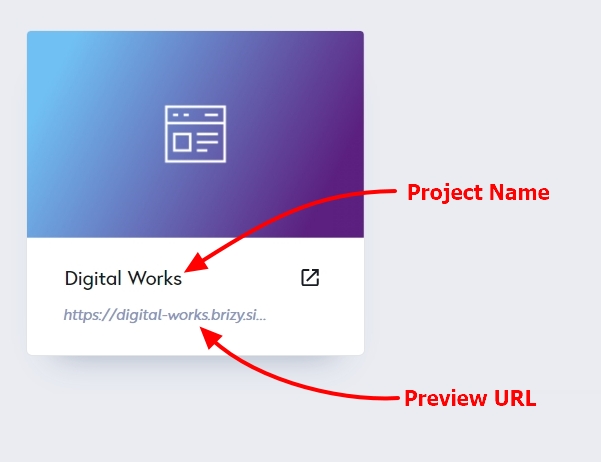
Some ISP's DNS server may have certain limitations or restrictions that affect the file upload process. This can include issues with DNS resolution, network congestion, or even security measures implemented by the ISP.
0 -
Sorry. I should have been clear. ALL projects are unusable at right now on PC. Mac I can upload images but not files.
This glitch was a temp feature in the past but now is prevalent. As for my ISP there are no problems issues other than Brizy. I have a dedicated IP, fibre to my door at 1000mbps. Please help we are in trouble here.
0 -

Hi Ross,
I uploaded an image to one of your projects from my Windows 11 laptop. Please see my test here https://jmp.sh/HErVSfMs I could not reproduce the issue on my end. Are there specific steps I must follow to reproduce the issue?
It is possible that something in your local computer or network is interfering with image and file uploads to Brizy Cloud. In the past, other Brizy Cloud users identified the interfering software by disabling
- McAfee, AVG and other antiviruses
- Ad blockers installed on your browser/computer
- Malwarebytes and similar browser extensions
- Firewalls like Window Defender Firewall
If you have any of the above installed on your computer or another software which can scan and block other software, please disable those one by one and attempt to identify the interfering software.
0 -
Thanks. MS Defender Firewall Active Public Networks looks like the problem when is came to image uploads from PC (was working on Mac).
0
Please sign in to leave a comment.
Comments
6 comments