Play button video color

Hi!
I'm making a site with some videos, I put an image and then on the link a PopUp and there I put the video URL which is in my WordPress, but I can´t seem to find where I can change the colour of that PLAY button that appears over my image, also I would like to change the colour of the video timeline and volume that appears on the video controls.
Thanks in advance for the help
-

Hi Gloria
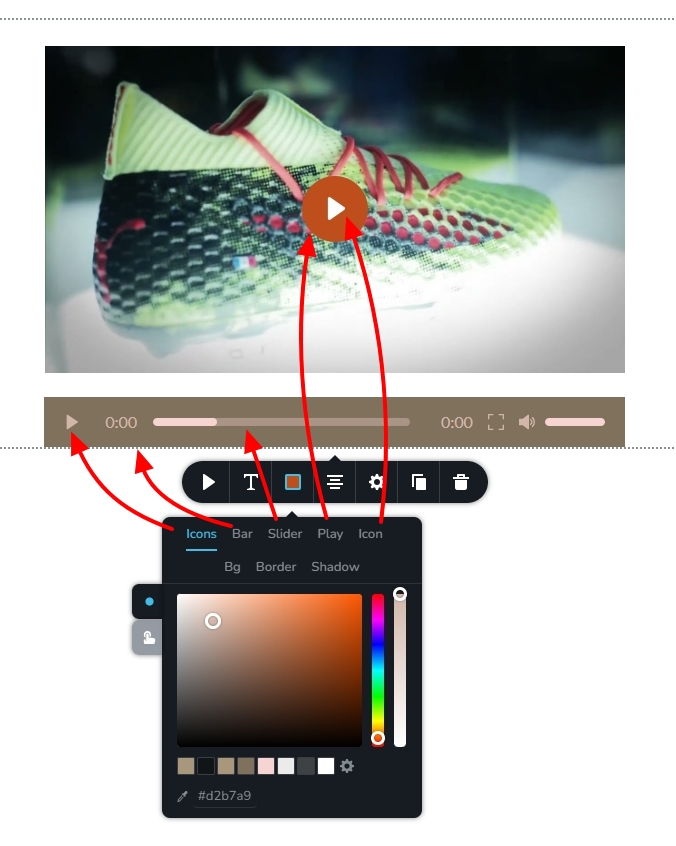
Please select the color icon in the Video element toolbar, to customize the colors. The Play button consists of a circle with an icon situated in the center. The color of the middle icon is set by the 'Icon' tab, while the outer circle's color is set by the 'Play' tab.
The 'Bar' tab sets the bar color on the video progress bar; the 'Icons' tab set the color for all icons and the "slider' tab sets the color of the slider.
 0
0 -
Hi!
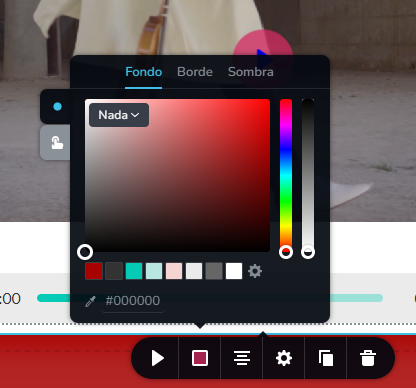
I don´t have those options:
 0
0 -

Hi Gloria
Thank you for keeping in touch.
Please make sure that you have updated both Brizy and Brizy Pro to the latest versions.

If the issue persists, we will need to investigate further from your WP Admin page. To facilitate this, kindly add us as an Admin user to your WordPress Dashboard and send the following details to: communitysupport@brizy.io
Community Post link: https://support.brizy.io/hc/en-us/community/posts/16719485040658
WordPress Admin URL:
Username:
Password:Please make a full backup of your site as a precaution.
Best regards,
Ariel H.0 -

Hello,
I'm having the same problem, probably after some updates as I set the colours, but now I cannot modify it anymore. I am at the latest version, but it's been a while since I noticed that 2 controls are missing, despite the fact the colour of the play circle is the first I see.

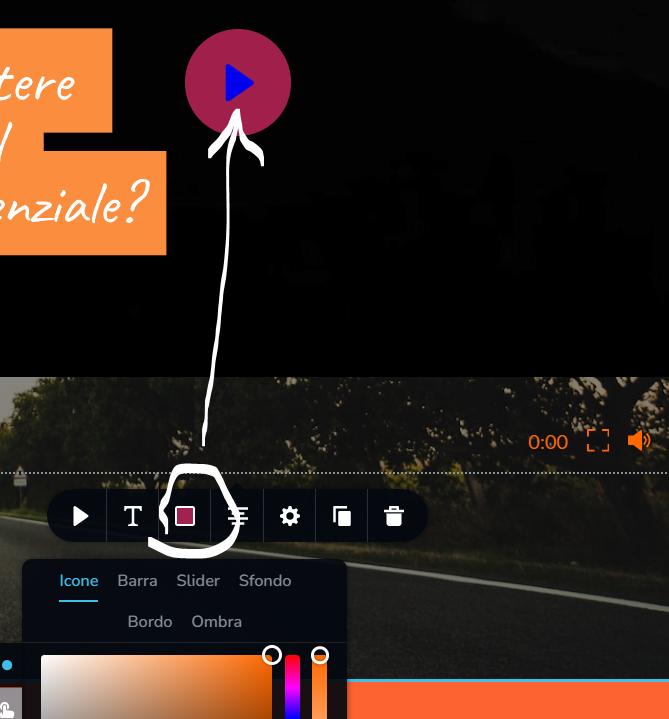
I would change the color but I can't.
Can you fix?
Thank you
Michela
0 -
Hi Michela,
Thank you for reaching out to us.
The option to change the colors of the play button and the icon is only available when you add a cover image. This is demonstrated in this screencast - https://youtu.be/9Zs_fy-oIN8
If you have any further questions, please don't hesitate to ask.
Best regards,
Ariel H.0 -
Hi Ariel,
As you may see from the screen I already have a cover image.
Here's more clear:
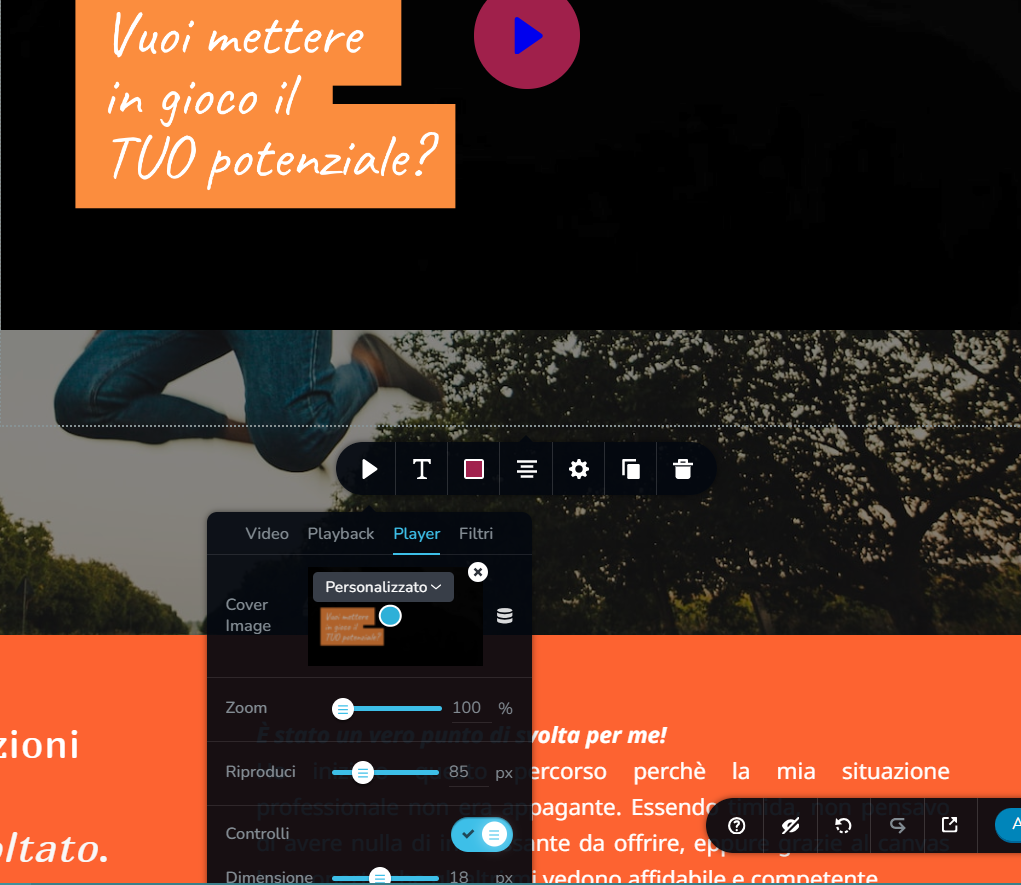
But still, the two more controls are not showing.
I noticed that the previous comment with the same problem has the play icon with the same combination of colours I have, which is very far from the colour palette I set up. Is there any other general setting which may interfere?
I need to fix it, as the colours are not mine.
Thanks
0 -
Hi Michela,
Thank you for staying in touch.
The colors of the player and icon can be changed using the colors button. If the color is not accurate, you can try increasing the opacity, as shown in this screenshot.

If you have any further questions, please don't hesitate to ask.
Best regards,
Ariel H.0 -
Ariel, did you read my first message?
I don't have all the controls; I cannot change the colour of the play circle as the control doesn't appear among the others
0 -
Hi Michela,
Thank you for keeping in touch.
This is something we need to inspect from your WP Admin page. Please add us as an Admin user to your WordPress Dashboard and send the following details to: communitysupport@brizy.io
Community Post link: https://support.brizy.io/hc/en-us/community/posts/16719485040658
WordPress Admin URL:
Username:
Password:
URL of the affected page:Please make a full backup of your site as a precaution.
Best regards,
Ariel H.0 -
I added your email, you should receive the password reset to enter
Thank you
0 -
Hi Michela,
After I have recreated the video element in the homepage and at https://careercanvas.me/bootcamp all 7 color options are available. Kindly add the correct video files to both the pages.
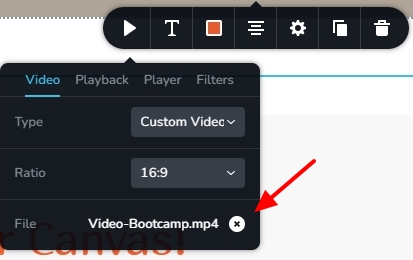
In other pages you are facing the same issue, kindly add video element again and reconfigure it.
0 -
Hi KC George,
Thank you. Now all the options are available also on another video.
I didn't understand the sentence: "Kindly add the correct video files to both the pages": which pages?
One thing more: Is it possible to start the video automatically without clicking on the play circle? Again, I'm sure I used the function, but now I can only see Mute and Loop.
Thanks
0 -
Hi Michela,
I could not pay attention to the video file when I was adding the video element again; instead, my focus was on the colors and the video cover. I've added the Video-Bootcamp.mp4 file on both pages. Please replace this video file if it isn't the right one.
When you do not add a cover image, you will see the auto play option for your videos. This option is lost when you add the cover image. By adding a cover image, you enhance the page's performance. Until the user presses the play button, the video files are not loaded when the page loads.
0 -
The video is right, thank you, but I don't understand what you mean by "both pages": the BootCamp page is just one in Italian.
I tried removing the cover image, and yes I see the autoplay but the video starts muted, so you have to manually unmute the sound. Correct?
Is there a way to upload a video (with or without a cover) that goes in autoplay with sound?
Thank you for your support
0 -
Hi Michela,
I have worked on two pages of you website; the homepage and https://careercanvas.me/bootcamp. The same video file was added on both pages. Kindly check the videos on these two pages.
Most modern browsers mute auto playing videos by default. This is because browsers have policies to improve the user experience and give viewers more control over playback. Even though users can override these default settings, most users don't. You can read more on the auto play policies of Chrome and Firefox here
0 -
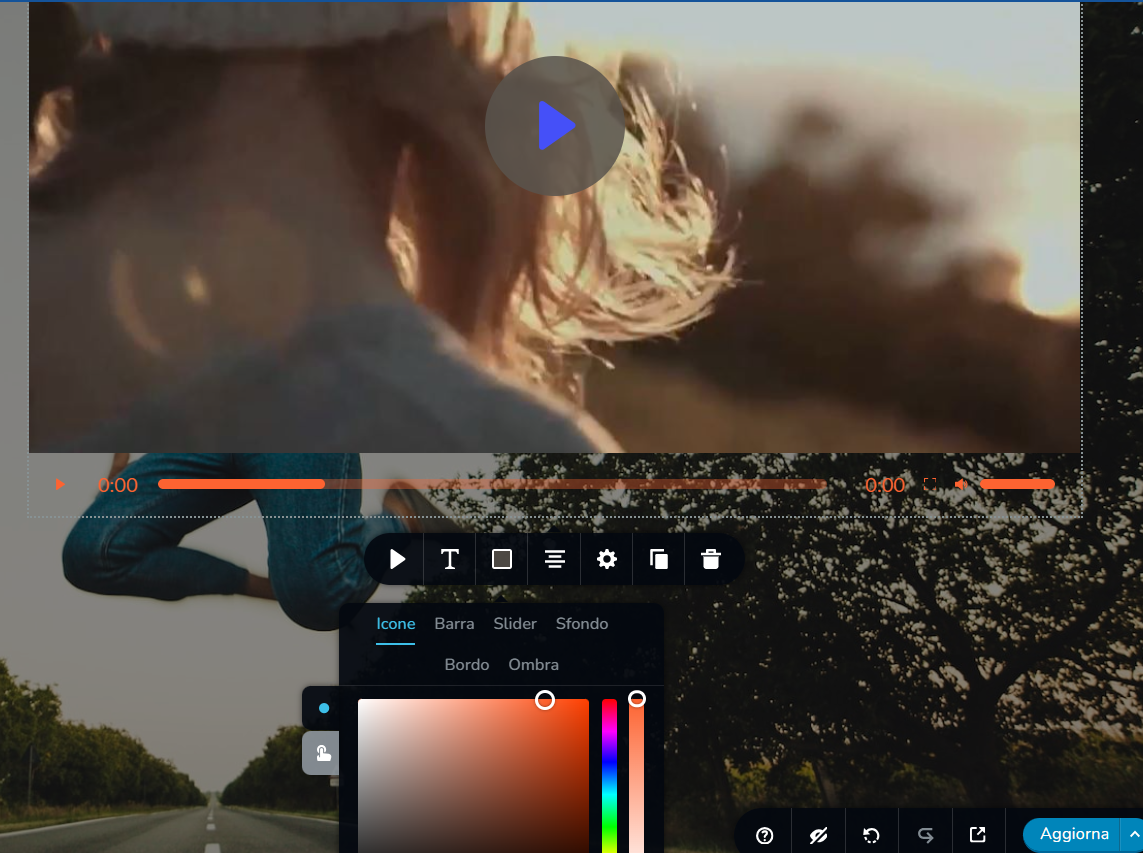
Hey, I've changed the cover, and I lost the controls again...!
I've uploaded again but nothing..still blocked!
 0
0 -
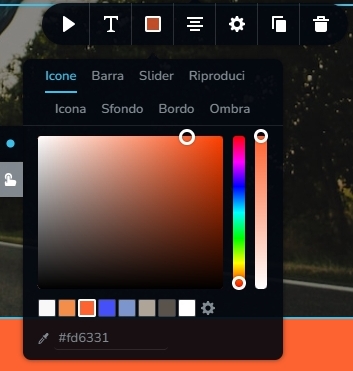
Hi Michela,
Can you try again?
 0
0 -
Now it's ok. But it's weird: what did you modify to make controls appear again?
0 -
Hi Michela,
I added a new video element, reconfigured it and deleted the original element.
0
Please sign in to leave a comment.
Comments
19 comments