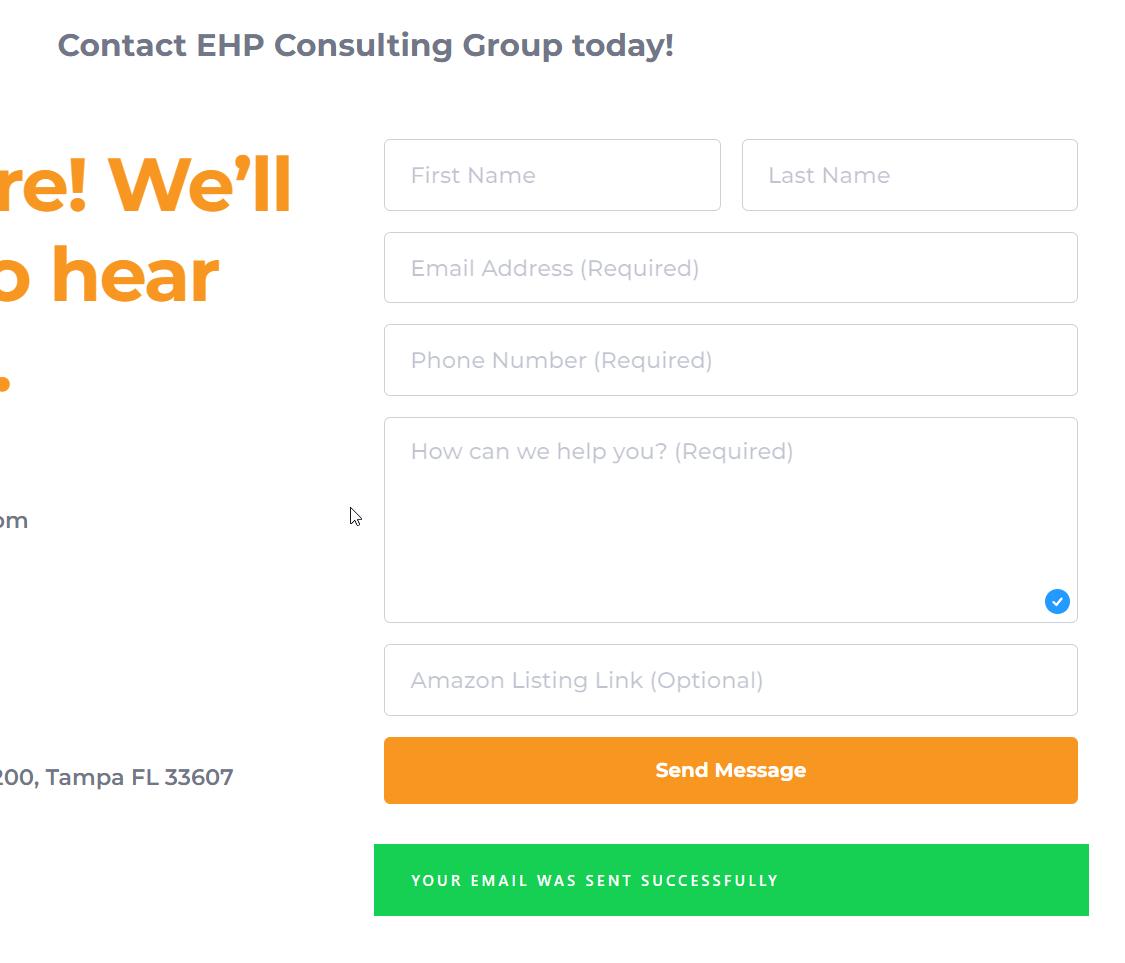
contact form success message

Hi
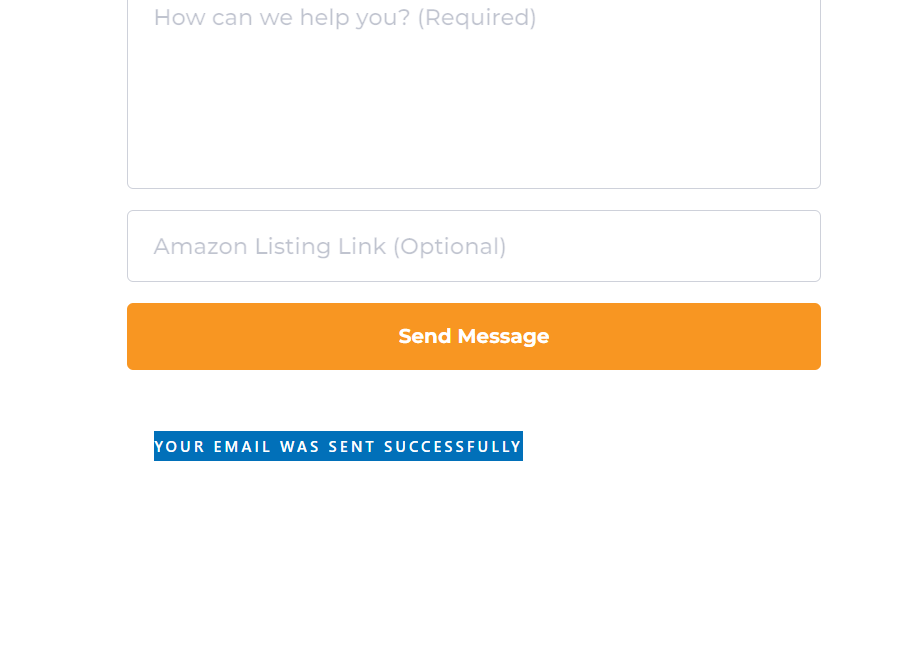
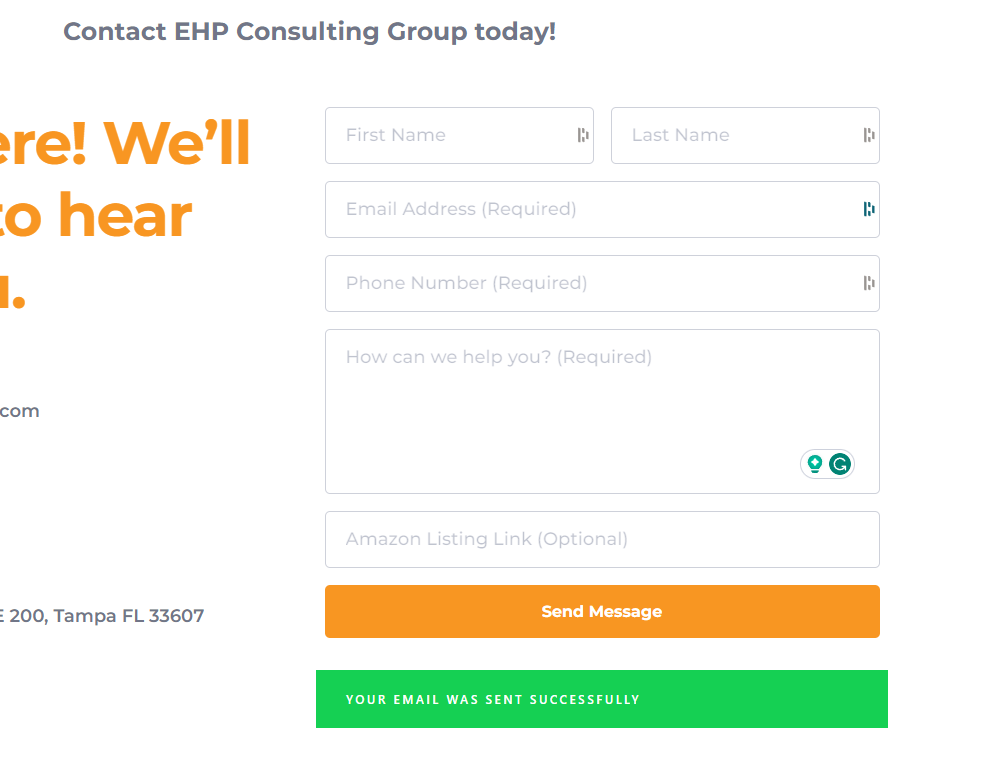
The contact form on my website shows an error in showing the highlighted text sent message.
"YOUR EMAIL WAS SENT SUCCESSFULLY" but NOT highlighted with green; the text is invisible. It is showing on other desktops, but when on different desktops, it is invisible.
Here's the link to my website: https://ehpconsultinggroup.com/
Thanks
-

Hi Joshua,
Please try disabling the CSS minification option in WP Rocket and check if that makes a difference.
If this does not help, under Appearance - Customize - Additional CSS, please add this code and check if you see the green background color for the success message.
div.brz-forms2__alert.brz-forms2__alert--success {
  background: #15d053;
  font-family: sans-serif;
  text-align: center;
}
0 -
Hi George,
I have attempted both methods, yet the issue persists as the green background continues to appear inconsistently across various desktops.
Thanks,
josh
0 -

Hi Joshua,
Thank you for the update.
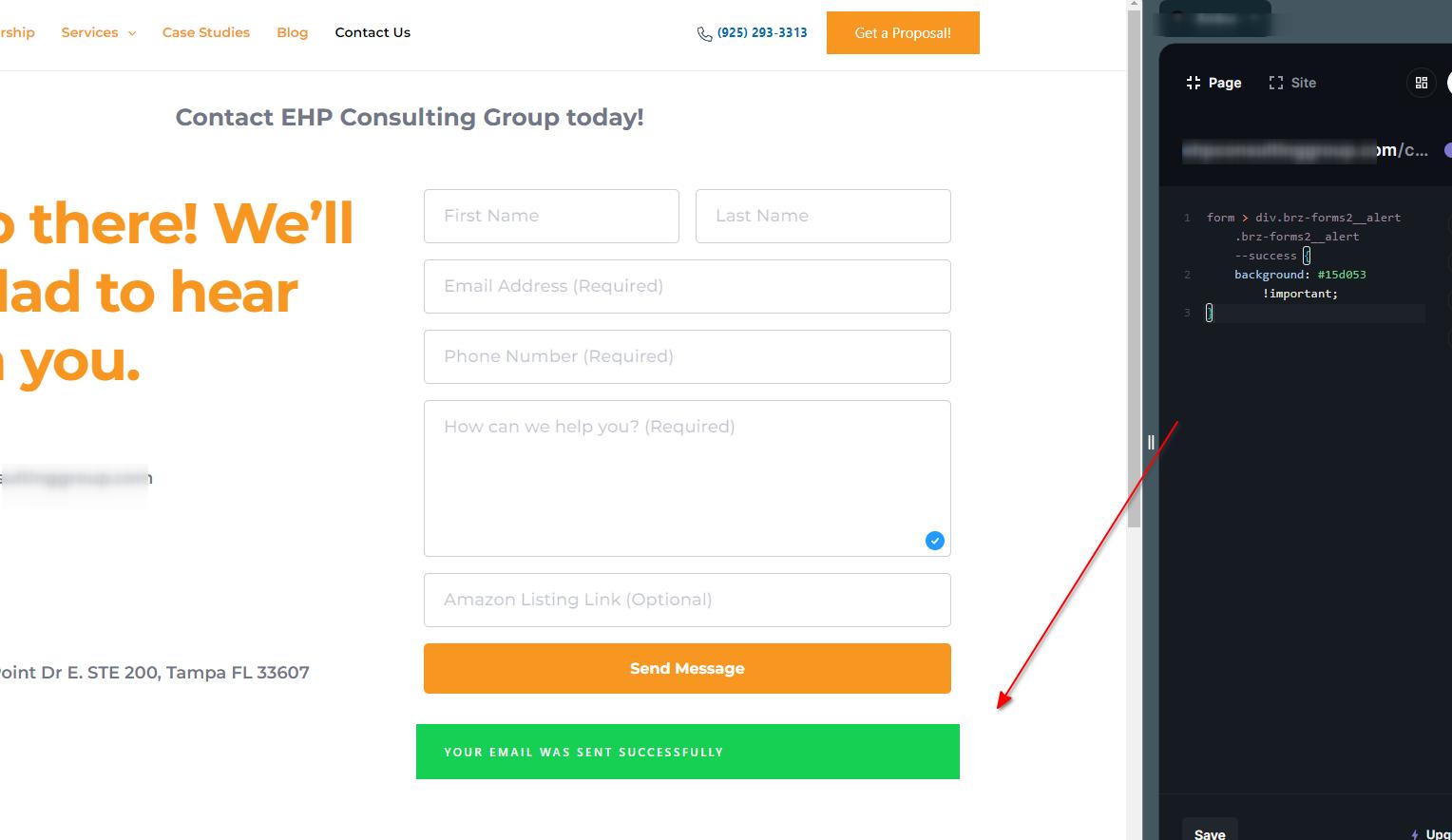
Can you give this a try and see if it works for you? I used an online CSS editor, and it seems to be working:
Add the following code in Appearance → Customize → Additional CSS:form > div.brz-forms2__alert.brz-forms2__alert--success {
background: #15d053 !important;
}
If it doesn't work, you can try it in incognito mode or try using a different browser.
Best regards,
Ariel H.0 -
Hi Ariel,
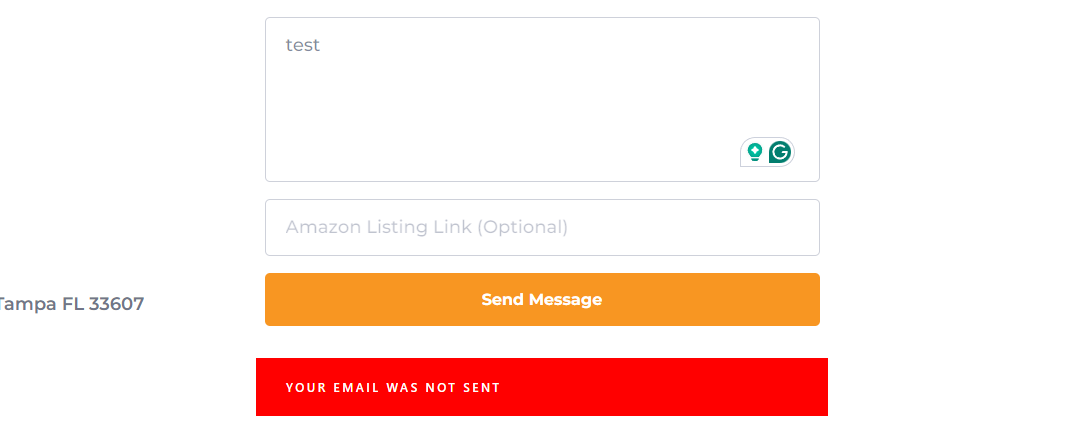
I attempted to execute the adding the code but encountered some issues. Interestingly, during my testing phase, the message appeared not successfully sent. However, upon verifying my email, I discovered the message had been received.
Thanks,
Josh
0 -
Hi Joshua,
Thank you for keeping in touch.
I've checked the form today, and it seems to be functioning as expected. If you encounter this issue again, I suggest clearing your browser cache or trying a different browser. Please keep me updated on how it goes.
Kind regards,
Ariel H.0
Please sign in to leave a comment.
Comments
5 comments