Web Stories

I created a story using Brizy's templates thinking it would work well, but it doesn't look good on smaller devices, and there is no control to resize the cards in the panel, do you have any solution that could help me? Are there any tricks? I searched the forums and couldn't find it. Thank you if you can answer me. I didn't post it publicly, because I don't know if it would be convenient.
-

Hi Claudio
Your story appears like this on my phone. You said " it doesn't look good on smaller devices". Which specific device are you trying to view the story? Can you please share a screenshot of how the story appears on the device?
 0
0 -
Hey KC George, in this story you are seeing I had to resize all the items. brizy's original is this: https://originalstories.brizy.
site/ . On the Samsung J4+ I have the screenshots below (attached) see that some parts do not appear on the screen and in others the view is not good.
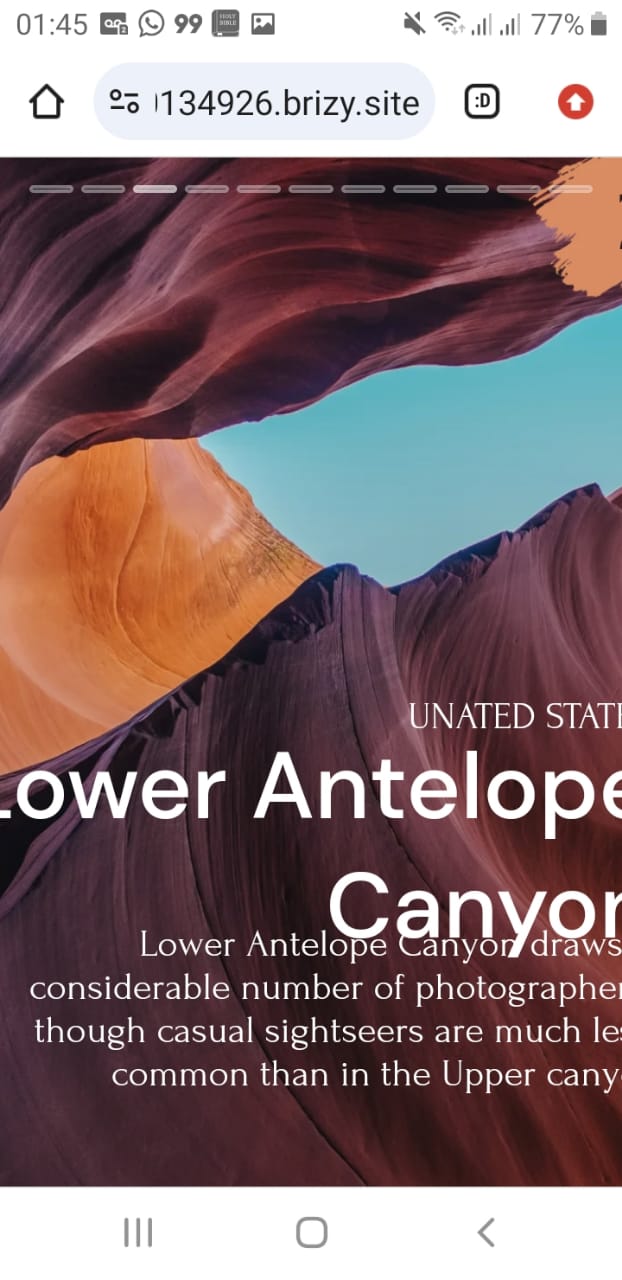

 0
0 -
Hi Claudio,
You are right; while stories may work well with several smartphones, it may not work well with all. For an example, please have a look at http://www.responsinator.com/?url=https%3A%2F%2Fstory10places.brizy.site%2F for how the original story appears in a few smartphone screens.
Please consider these to enable the stories to be viewed on a wide range of handsets
- Ensure that there is no text at the screen's edge by increasing the padding of all text being used.
- Make sure there are no design element on the edge of the screen by moving the elements from the edges closer to the center.
0
Please sign in to leave a comment.
Comments
3 comments