I'm having a couple of issues

First off I need help fixing some subtle issues that I don't see options for. Please look at my screen shot below
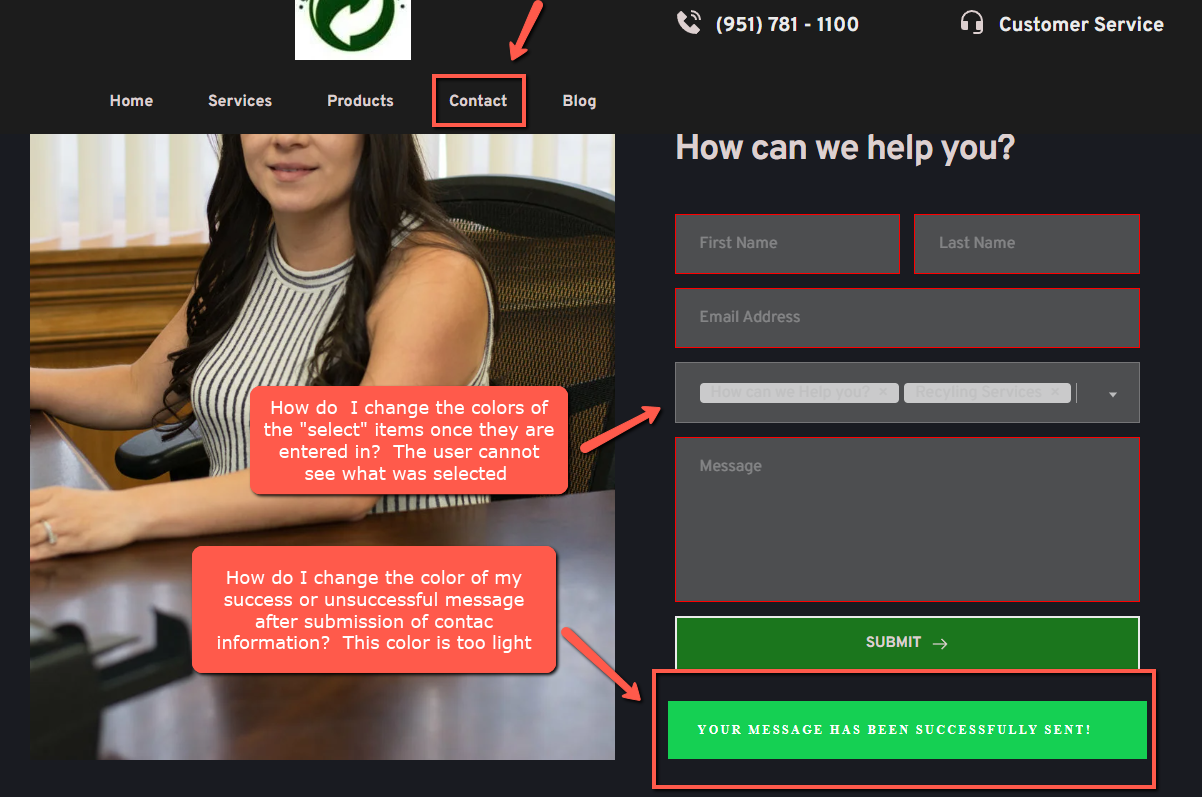
Additonally,
My messages are coming back empty from my website meaning I fill in the data required and I don't see it when I receive the email. Please look at screenshots below
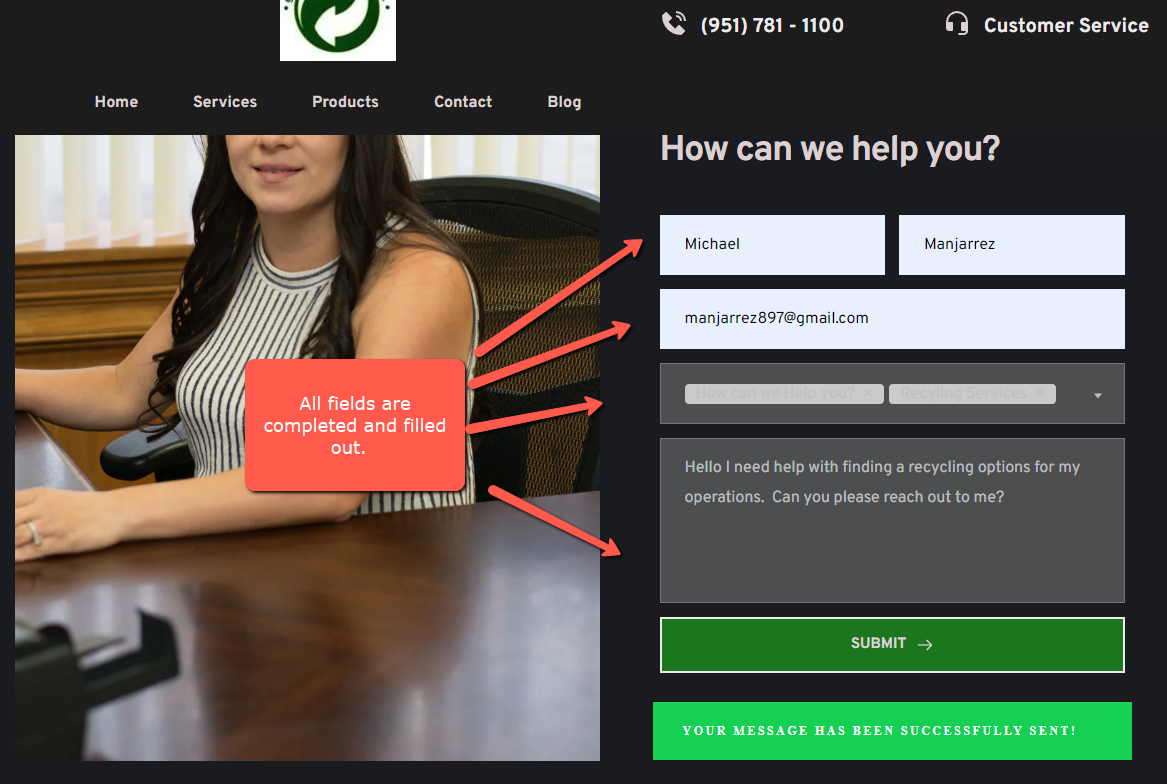
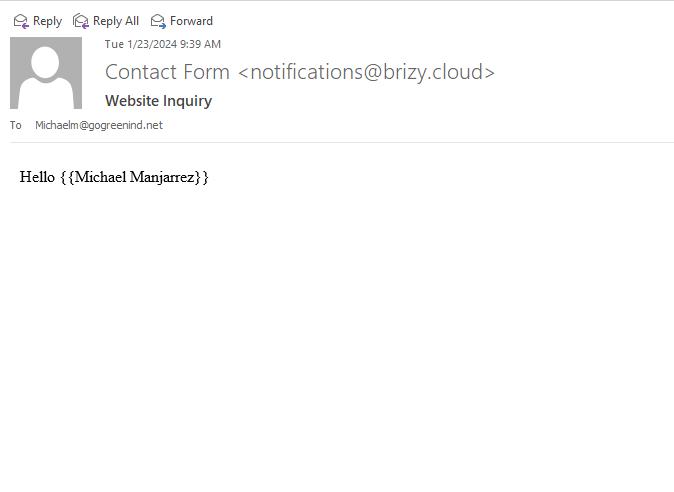
This is the empty email i receive back:
-

Hi Michael,
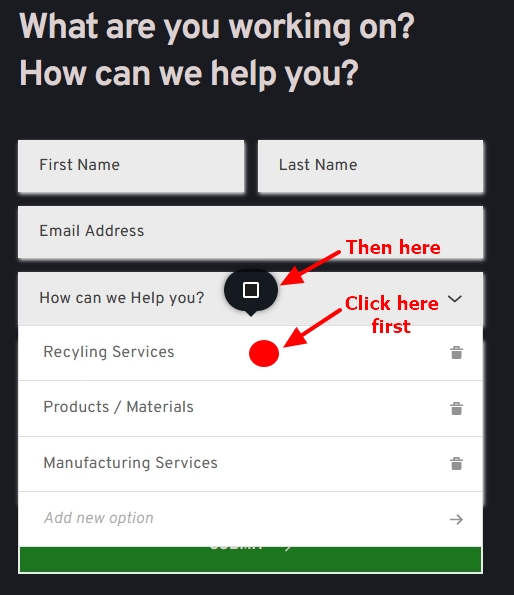
Please click around the dropdown options for the select field. For instance, you can click on the red dot shown in the screenshot. Then click on the color icon that pops up to change the text color for the select options.
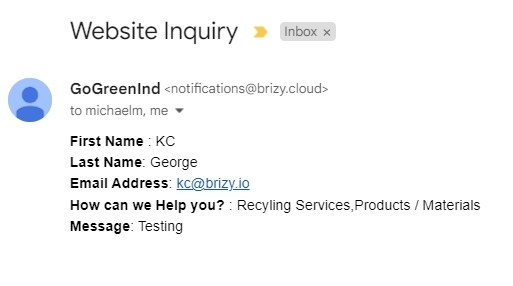
You were receiving emails in the incorrect format because you had enabled the custom template for your email notifications. I have now disabled it and now notification emails contain all form details.
Please add this CSS under CMS - Project Settings - Code - Custom CSS and check if the color for the success message changes. In this example, the hex code for the revised color is #2196F3
div.brz-forms2__alert.brz-forms2__alert--success {
background: #2196F3;
font-family: sans-serif;
text-align: center;
}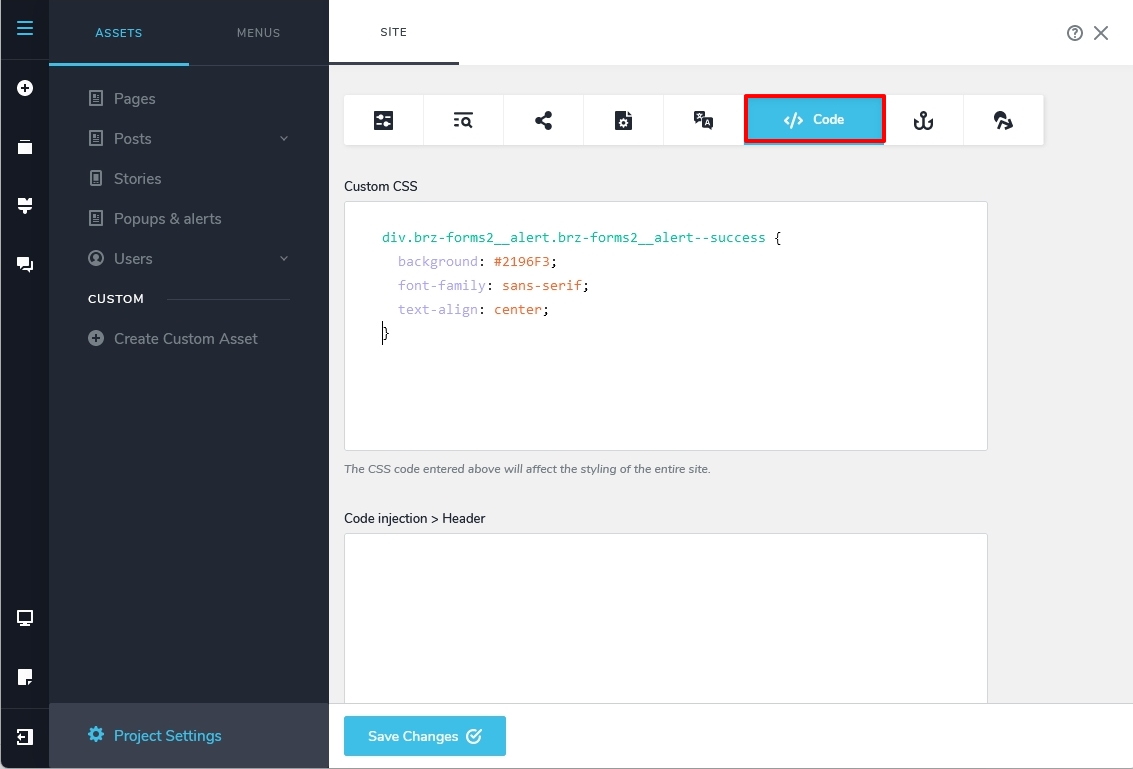 0
0
Please sign in to leave a comment.
Comments
1 comment