url for translation changed

Hi i'm having an issue with translation.
We used to have url like this for translation
default language url : https://www.beemyflex.com/notre-solution
fr url https://www.beemyflex.com/fr/notre-solution
en url https://www.beemyflex.com/en/notre-solution
We notice since a few days that it changed to
default language and fr url : https://www.beemyflex.com/notre-solution
en url : https://en.beemyflex.com/notre-solution
Its a big issue for us because now when you try to reach https://www.beemyflex.com/en/notre-solution you are redirected to our website main page.
So we have a lot of links broken including organic external links
can you help ?
thanks
-

Hi Benjamin,
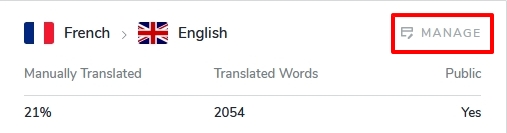
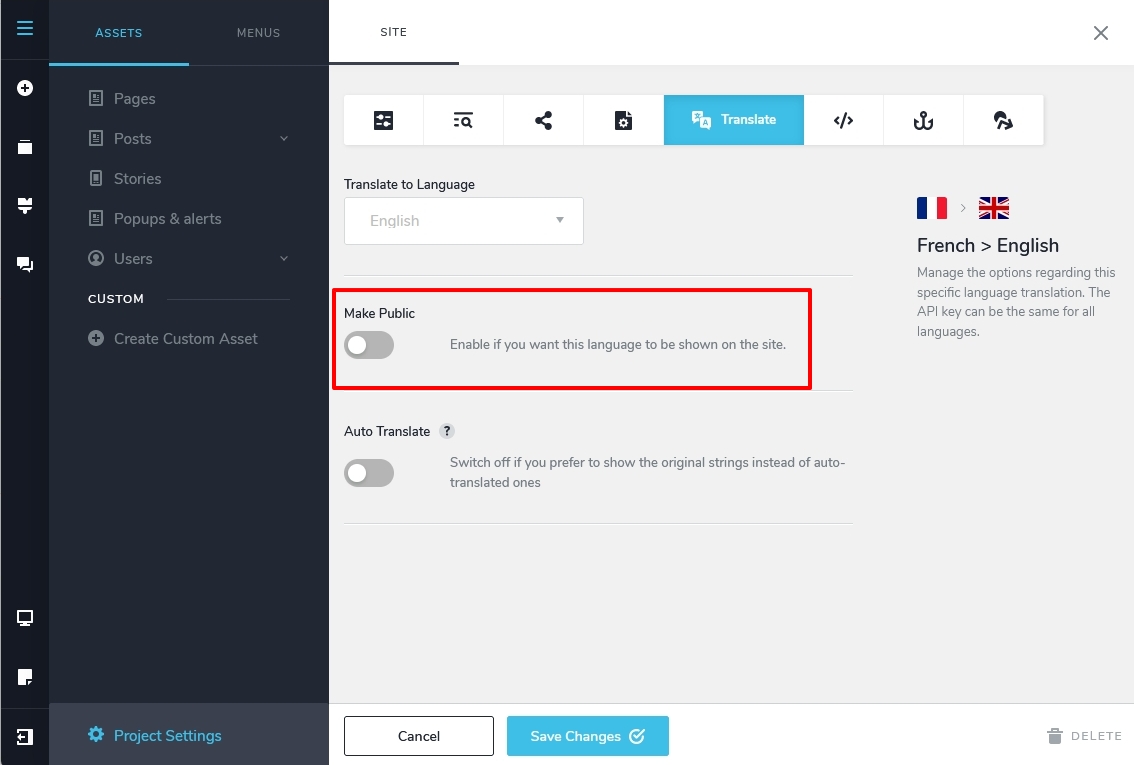
Translation has been disabled on your project. Your URLs will work well again if you enable the translation. In the Brizy Cloud editor, select the CMS menu - Project Settings - under the Translate tab, click on 'Manage' and in the subsequent screen, please turn on the 'Make Public' toggle switch.
 0
0 -
Hi George,
The switch was active all along and translation was working it's just that the url was wrong.
I checked this morning and now it's working again for part of the site, but not all page.
For example for our main page : https://www.beemyflex.com/
if we go to the https://www.beemyflex.com/en part of the page stays in french, but if we go to https://en.beemyflex.com it's fully translated.
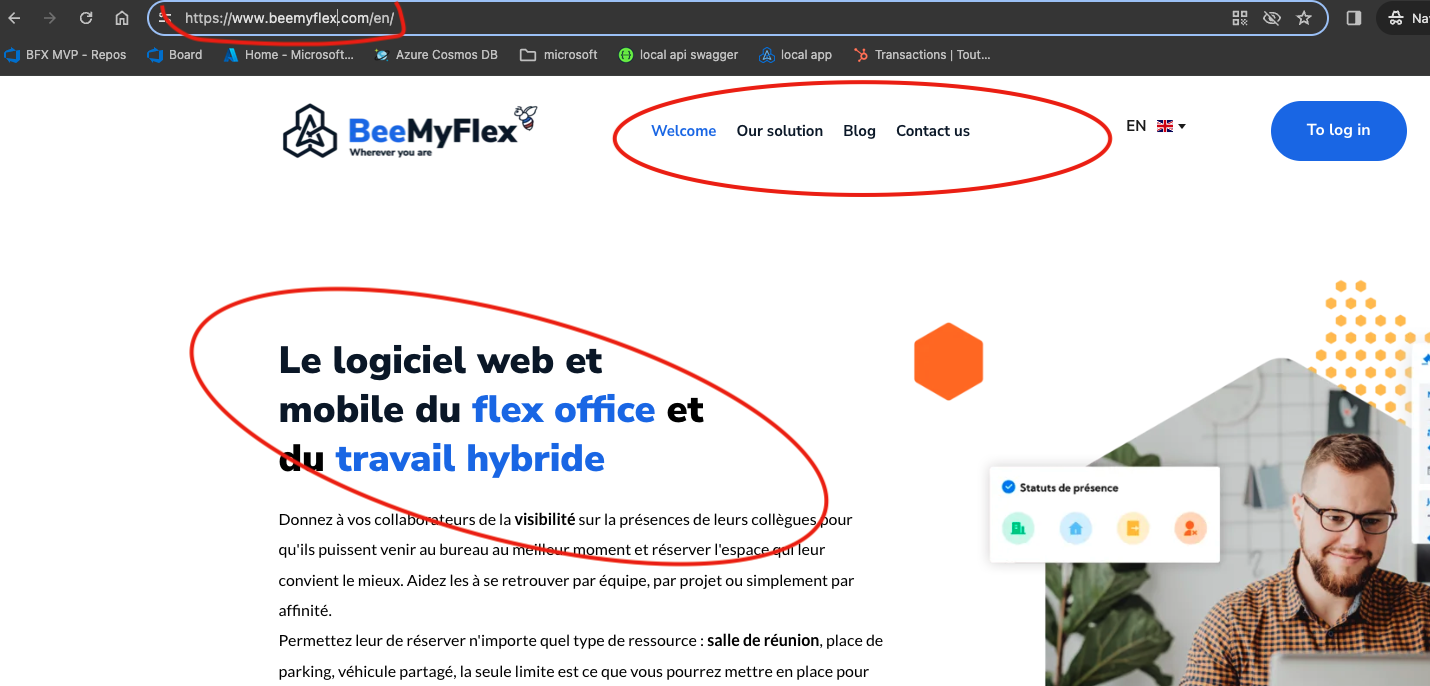
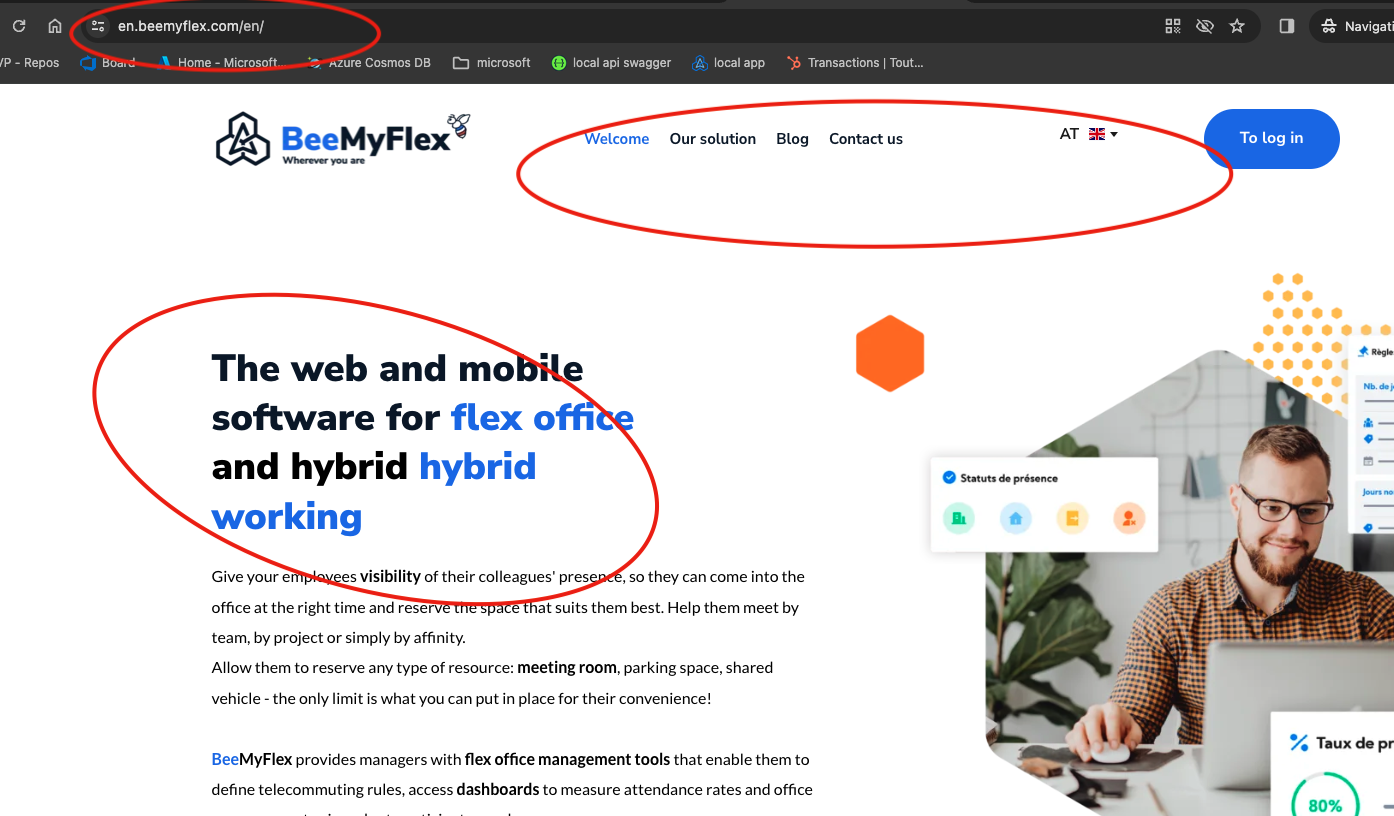
But for other page it's ok like
For example for this page it's ok :
0 -
It seems that the partially translated can be fix by setting the language manually in the translation tab.
But something fishy definitely happened yesterday on translation because my ahref statics exploded with tons of new 302 for url with /fr or /en that where all redirected to the main page.
Now they are accessible again
0 -
Hi Benjamin,
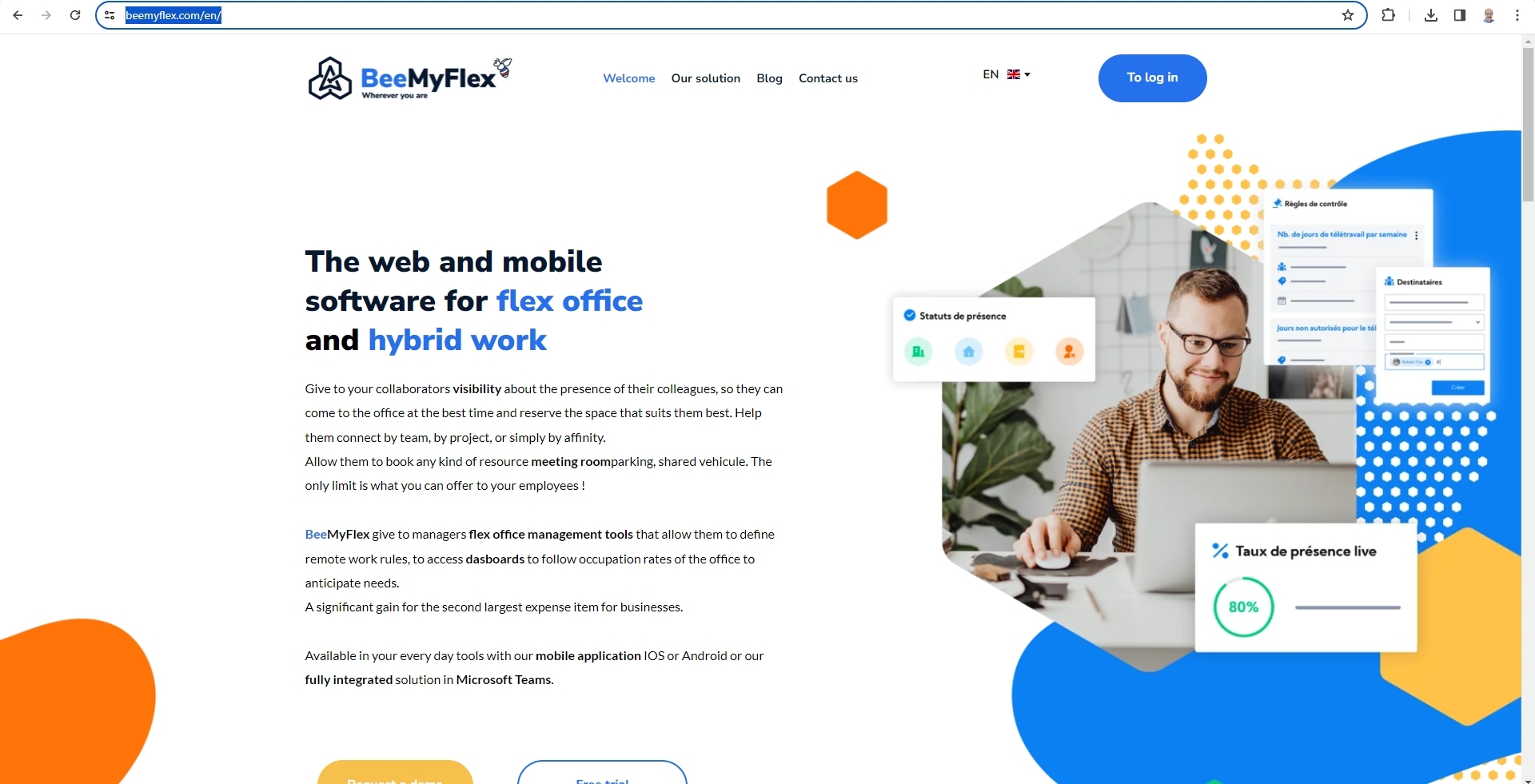
Your English translation at https://www.beemyflex.com/en/ looks fine at my end. I don't see French text mixed in with English on this page.
What other issues are you facing at the moment?
0 -
i found out that the "auto translation" toggle was also disactivated which made only the self translated text effectively translated with the /en/ path.
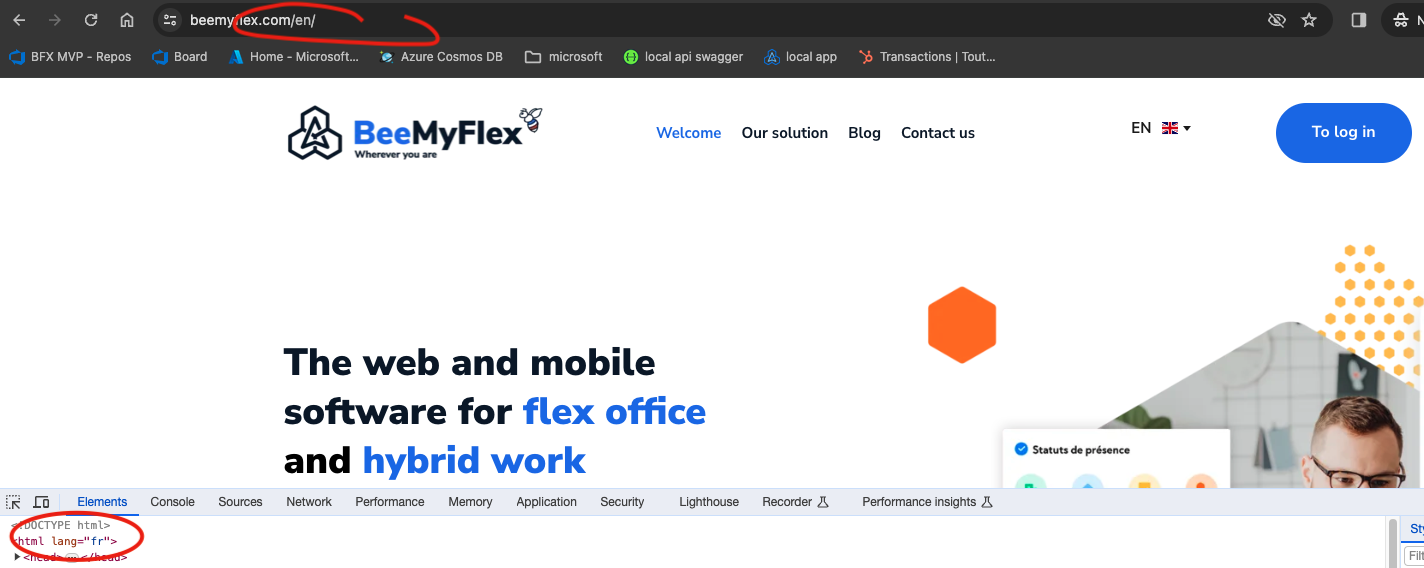
Last issue i have is that the html lang attribute is not matching the one in the url, causing issue on page indexing, is it something brizy can handle ?
 0
0 -
Hi Benjamin,
Brizy Cloud websites with translations show the correct HTML language attribute for the default language. However when switching to a translation, the HTML language attribute does not change to the selected language. This looks like a bug. I have reported it and we will work on fixing it.
Can you elaborate on what indexing issue you are facing due to this bug?
0 -
Thanks a lot for the ticket and all your help, really appreciate it !!
the problem as reported by ahref is the following :
"Issue details
Pages with different language codes declared in HTML language attribute and in hreflang annotation for the URL.
Although Google might not be using the HTML lang attribute today, other search engines and browsers do."
I have a question also, is the https://en.beemyflex.com something handled by brizy ?
because it's getting indexed by google and is conflicting with https://beemyflex.com/en causing duplicated containt issue between the two pages
0 -
Hi Benjamin,
If your all your pages are being indexed, you could ignore the comment from your SEO tool. A corrective action is required only if you see indexing errors in your Google Search Console.
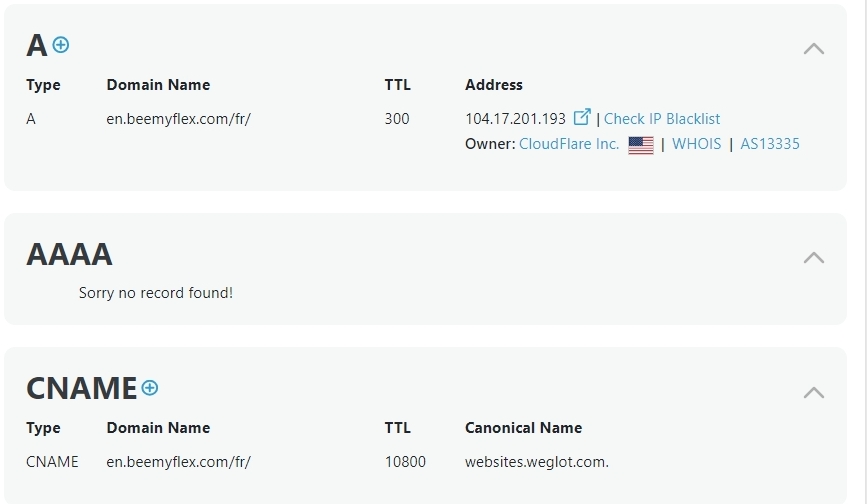
I don't have clarity about https://en.beemyflex.com. This URL's A Records points to the IP 104.17.201.193 and CNAME record points to websites.weglot.com. Yet, the website is being deployed through the Bunny CDN hostname that Brizy Cloud uses, https://b-cloud.b-cdn.net/ Do you know how this URL was generated?
 0
0 -
Thanks again george, your message was super helpful and help me discover what was going on with this page.
Last question !
I rewrote from scracth our blog page using the posts block which work very well :
I just noticed a little issue, but maybe it's a missconfiguration from my part, the link to the post always point to the post without the /fr or /en.
This mean that if i'm on https://www.beemyflex.com/en/blog the link will point to https://www.beemyflex.com/optimisez-votre-flex-office-avec-des-tableaux-de-bord-doccupation-des-espaces and not https://www.beemyflex.com/en/optimisez-votre-flex-office-avec-des-tableaux-de-bord-doccupation-des-espaces
and then the user is redirected to the default language, and have to chose en language again.
i let the default config for the link which is "Post URL"
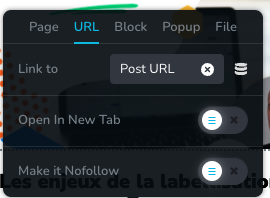
Is it possible to make the links on button point to the right translation ?
0 -
Hi Benjamin,
This is due to a bug with Brizy Cloud. Clicking on the 'Read the Article' buttons on the English blog hyperlinks to French blog posts and not English. We are still working on a fix for this. We apologize for the inconvenience.
0
Please sign in to leave a comment.
Comments
10 comments