waas licence on staging site

hi, can I use my wass lisence on staging site with a new domain?
when I open brizy on my staging site, it ask for to upgrade?
can I use original lisence on staging site? the staging is for testing things only, as sometimes when we upgrade brizy, it break thing.
thanks
-

Hi Su Peng,
What is the message you see when you open Brizy on your staging site? Is it something like this? "Brizy Pro does not support multisite license anymore"?
0 -
it says "plz upgrade to Brizy Pro" while the lisence is already entered (staging is cloned from production site)
0 -
Hi Su Peng,
We would like to take a look at this issue from your Staging Dashboard. I am making a private ticket for you. Please look for an email notification from support@brizy.io and reply with credentials to access your Network Admin.
0 -

Hi, I'm having the same issue.
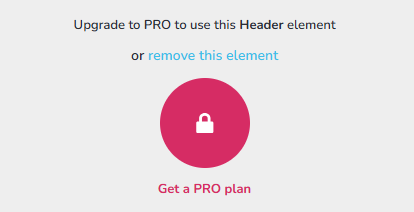 0
0 -
Hello Richard,
You are subscribed to the Personal WP Lifetime plan, which gives you access to a single PRO license. Your license can be activated simultaneously on a production and a staging site. Looks like you have activated it on two websites already.

You can disable one of the two activations here, by clicking on the "Disable" option, next to a domain and you will be able to activate it on a third domain. Kindly follow these steps.
- Sign in to your Brizy account at https://www.brizy.io/account/login
- Navigate to the WP Licenses menu

- Disable one of the two activations by selecing the "Disable" option next to a domain.

- Add the license key to a third domain under Brizy > Settings > License
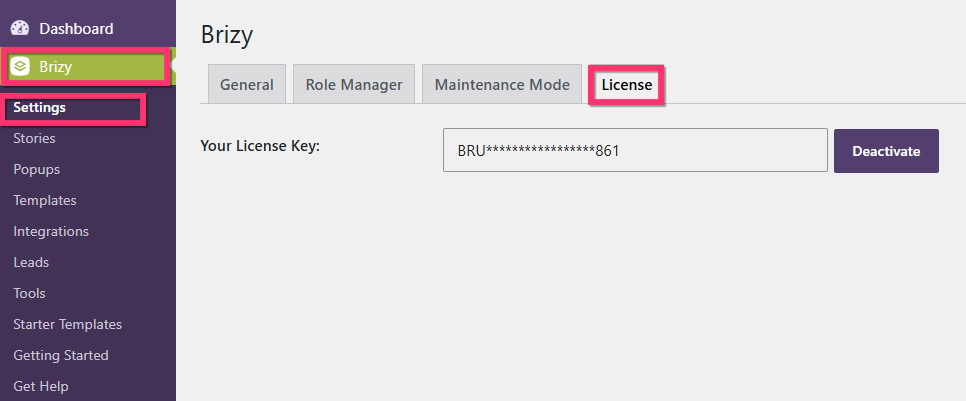
0
Please sign in to leave a comment.
Comments
5 comments