Deleted Global Blocks appearing and 1 not present

Hi,
The Global Blocks on my site are exhibiting strange behavior.
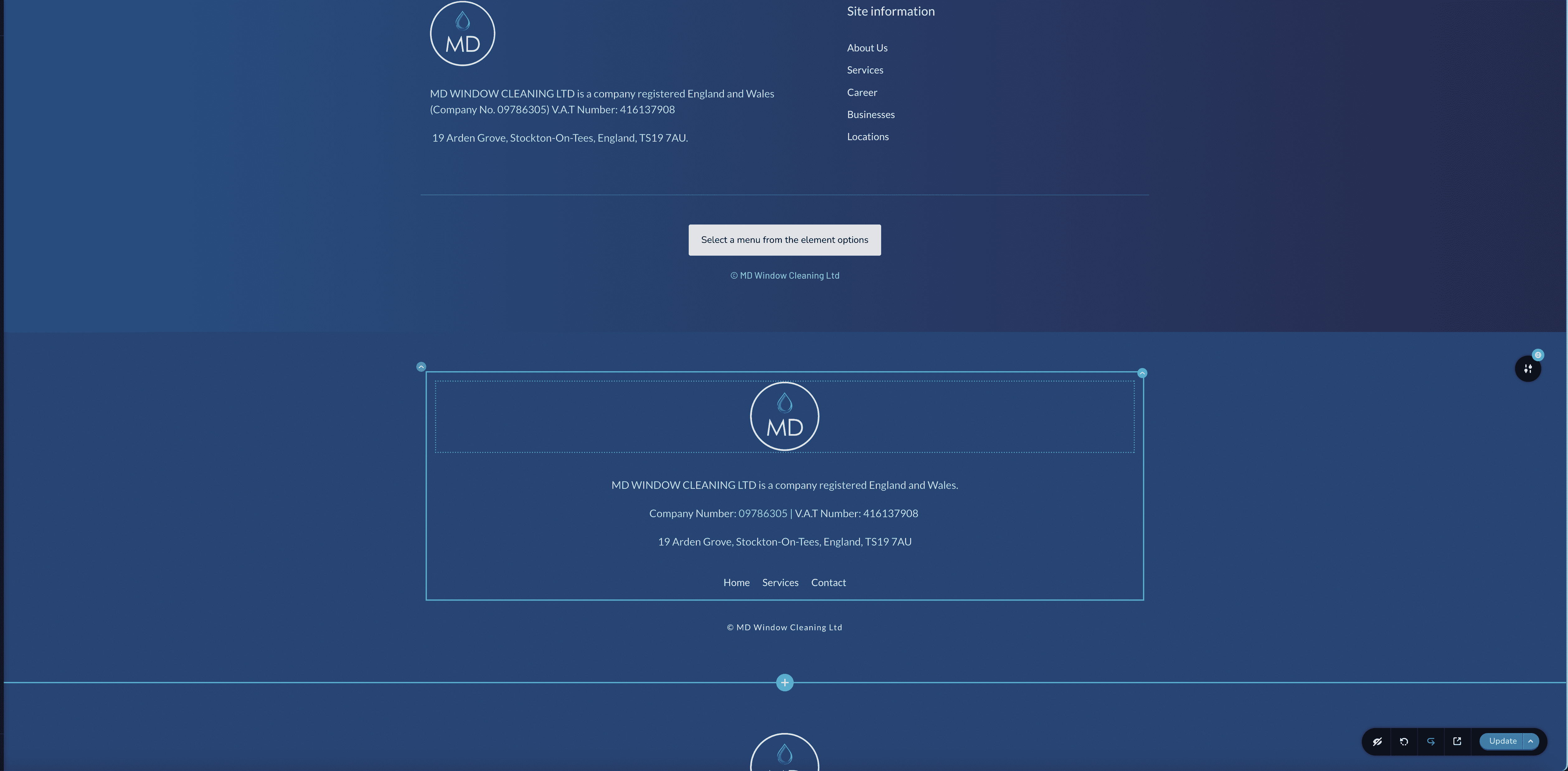
I set them up on the first page and have since duplicated the page a few times for fresh content. The (deleted) global blocks keep appearing - even though they are deleted when you click the + to add a new page block - they are not present.
I currently have 3 footer global blocks everytime I duplicate a page.
I have attached screenprints. The site is currently published at:
https://mdwc.brizy.site/
(not ready to go 'public' on a custom domain).
In addition although it is not (currently) a problem - my header global block (the logo and navigational menu at the top) does not appear in the Global Blocks.
My conditional rule is 'include on all pages' - that's it.
Do you know why this is happening?
Regards,
Matt

-

Hi Matt,
The methods for adding and deleting global and regular blocks differ. You add a global block to a page by adding a display condition like "Include - Pages - Page-name". A global block can be removed from a page by removing an 'Include' display condition or adding an 'Exclude' display condition.
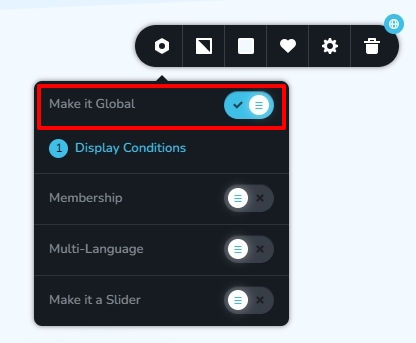
You can delete a global block permanently from a project in two steps
- Convert the global block to a regular block by clicking on the 'Make It Global' toggle switch
- Delete the regular block
If you need us to implement global blocks in your project, please get back to us.
0
Please sign in to leave a comment.
Comments
1 comment