Bug - Gradient on button

Hello! I Tried searching the forum for something similar but i couldnt find it.
It is a pretty straight forward bug that i've encountered.
When i put gradient (with NO border) - The opposite color is visible on the other side.
Here's a picture that explains it: 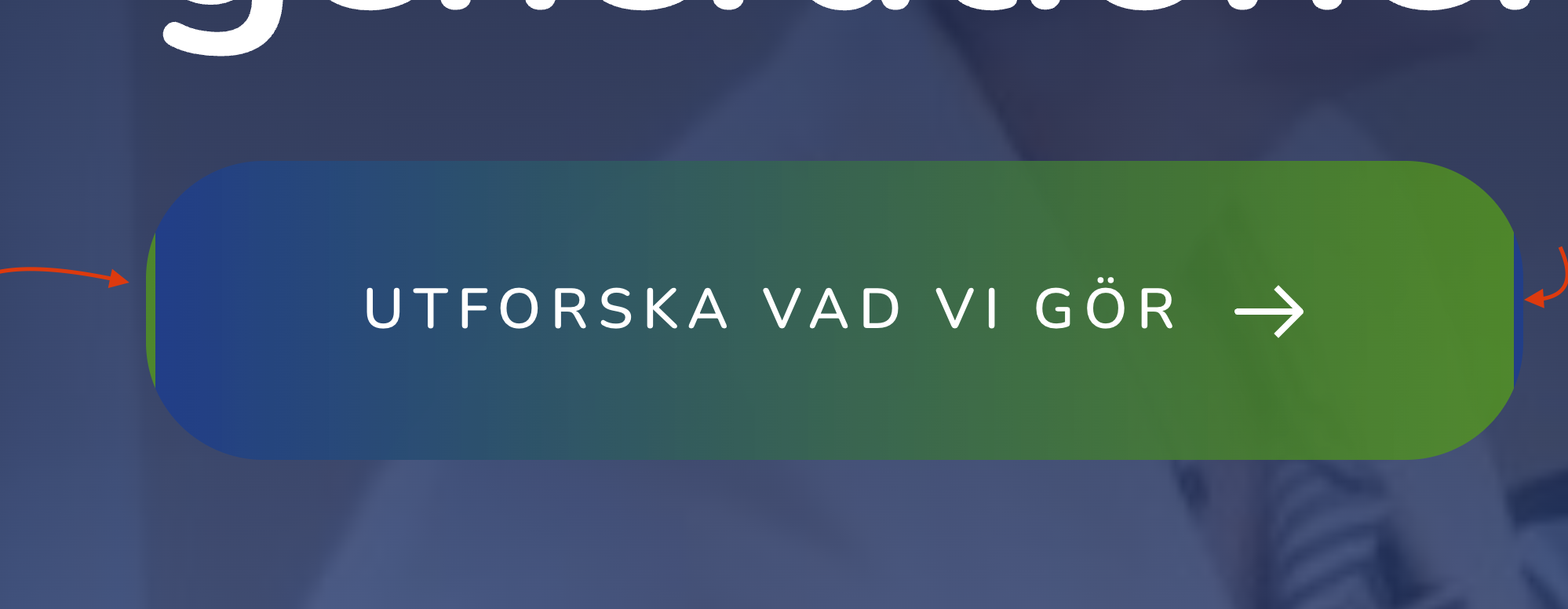
-

Hi Magnus,
I attempted to reproduce the issue. Please see my test page here https://brizy.tech/button/ I do not see the reversal of color at my end. Do I need to follow a specific sequence to reproduce the issue?
 0
0 -
Hello!
That's interesting. No particular sequence needed. Just add button, apply gradient, remove border.
I created a new page and only made the button - Still looks offI have Blocksy starter theme in use.
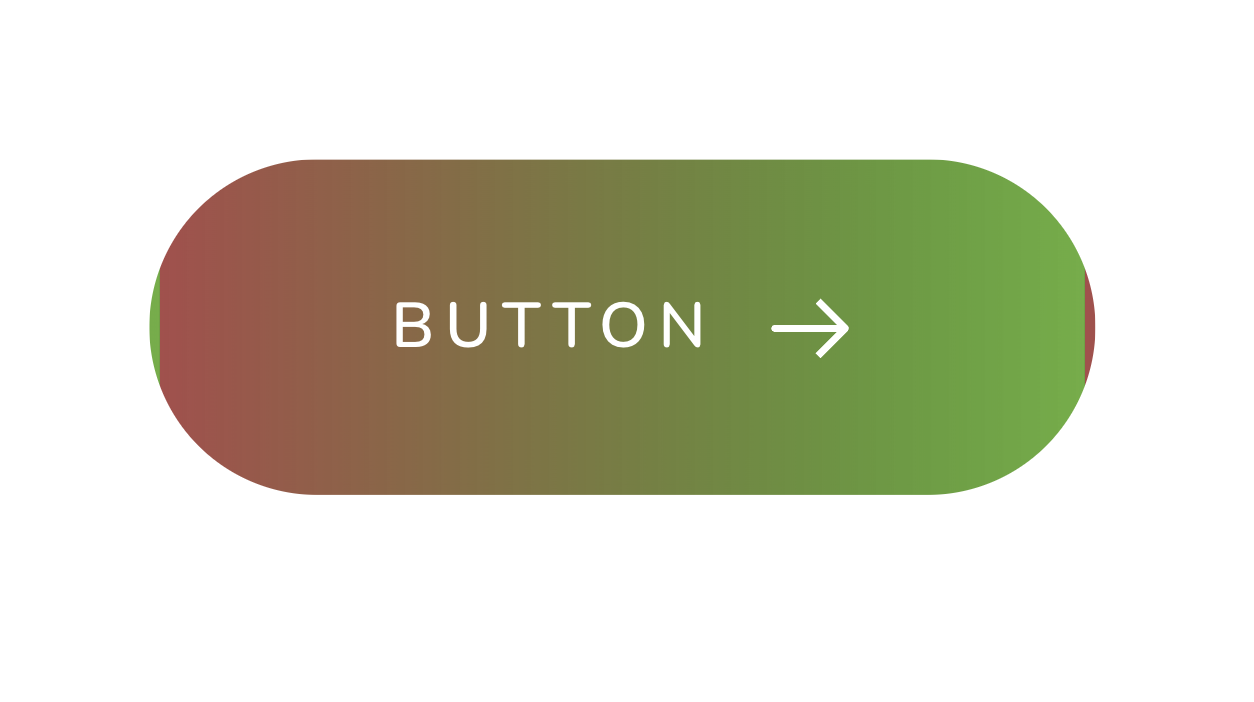 0
0 -
Here's a link to the new subpage with the button - Another thing noticable is the slight change of size when hovering over it. - There are no animation effects applied here. https://stg-contactmediase-staging.kinsta.cloud/brizy-35403/
0 -

Hi Magnus,
Could you please try to remove the borders on both the normal and hover states of the button? This will assist us in determining whether the issue is caused by the borders.
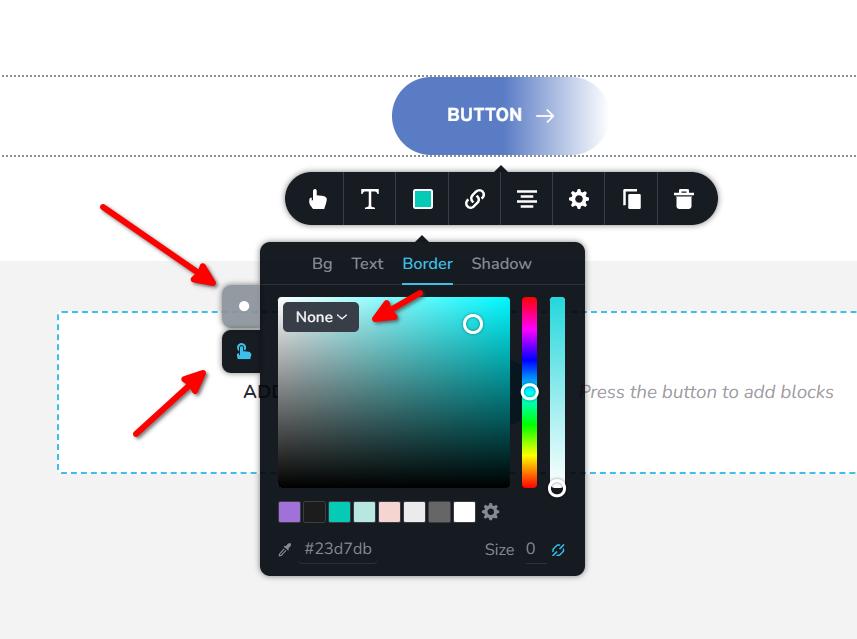
In addition, you mentioned that there are no animation effects on the button, yet it flashes when you hover over it. It might be worth trying to temporarily switch to another theme to see if this behavior changes.
Please try this and let me know how it goes.
Best regards,
Ariel H.0 -
Hello Ariel.
Thank you for the answer.
I've tried the different approaches that you suggested to locate the problem with no success..
Odd thing is that there's a slight change in size when hovered upon. (Also applies when Gradient is not in use.)
However! Since one of the buttons that already was in place worked just fine, )without flashing or sizechangning behaviour) I managed to give this a workaround and duplicate this button to apply my settings there.
One thing that still not works is the transition from Gradient to solid color when hovered. - It flashes. Workaround for this was to put gradient with same color all over it.0 -
Hi Magnus,
Thank you for the update.
Could you please save and download this layout and send it to us for review? To do this, you can follow the steps outlined in this tutorial: https://youtu.be/MOzeGgAmvqA
Once you've downloaded the file, please upload it to either OneDrive or Google Drive and share it with us. This way, we'll be able to check it from our end.Best regards,
Ariel H.0 -
Hello Ariel - I've downloaded just the test page section layout I made with the button and you can download it here: brizyshare
0 -
Hi Magnus,
Thank you for your cooperation.
I've also encountered the same issue on my end, but I want to clarify that it's not a bug. The flashing effect is actually caused by the transition from a gradient color to a solid color in the button. To improve the situation, I recommend adding a thin 1px border to both the active and hover states. Additionally, you can set the opacity to 50% or lower. This way, when the button transitions from a gradient to a solid color on hover, the border will still be visible, resulting in a better overall appearance - https://youtu.be/o8tcXM6SUps
I hope this helps.
Best regards,
Ariel H.0
Please sign in to leave a comment.
Comments
8 comments