font question

We have Brizy pro and a question regarding how (custom) fonts are handled/loaded.
We have project where we would like to use a custom font "Pangaia regular" and "Pangaia italics". This (licensed) font has very nice italic glyphs to make them stand out nicely, similar to how in Brizy the (open source) font Playfair Display has a nice difference between regular and italics. However, when buying Pangaia, we get two seperate files: one for Pangaia regular and one for Pangaia italics. This creates a challenge within Brizy.
When selecting italics in Brizy, it just adds slant to Pangaia regular. This is not how it is intended in our design. We want it to select the right glyphs. Below is an example of how both should work:
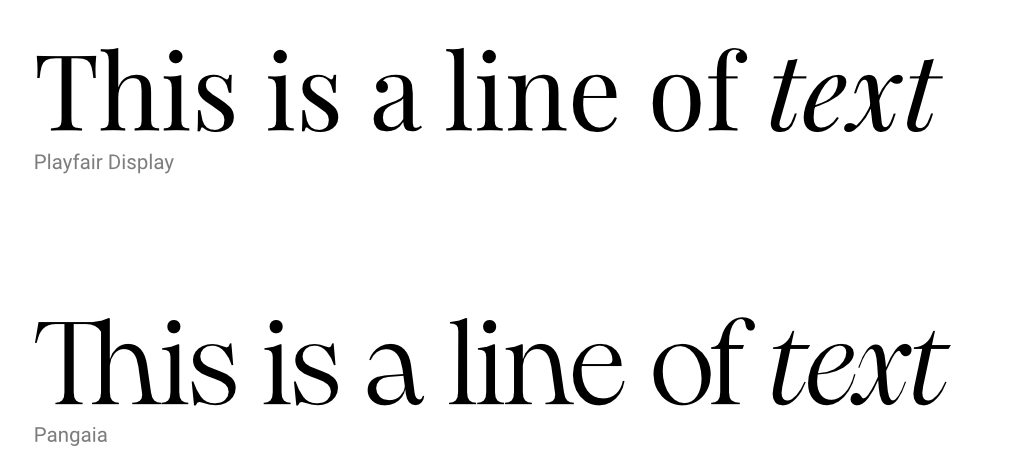
The alternative solution by simply uploading both custom fonts in Brizy is also not viable: the problem in Brizy is that you can only select one font per line or paragraph of text. You cannot select a single word and make it a different font (like for example you can do with color in Brizy). This makes it impossible to get the result we achieve.
I understand we can potentially work around this with CSS. We are comfortable working with CSS, however, after finishing this project, we want to give the client all the control to change and update their own website. The client is not at all comfortable with CSS.
My question boils down to this: How did you achieve the result for Playfair Display where selecting italics makes it select new glyphs, and how do we get the same result for our custom font Pangaia? We are comfortable with adding files to the server, adding code to functions.php or adding styling to style.css., or any other advanced method that makes the end result very user friendly.
-

Hi
Brizy does not support uploading of custom font italic variations. You could install the Pangaia Italics as a independent font and place the italicized text within a different column. This will allow you to assign a different typography to the text. This approach will work if you have a few italics text here and there.
Please have a look at this page for an example https://brizy.tech/pangaia/ Would this work for you?
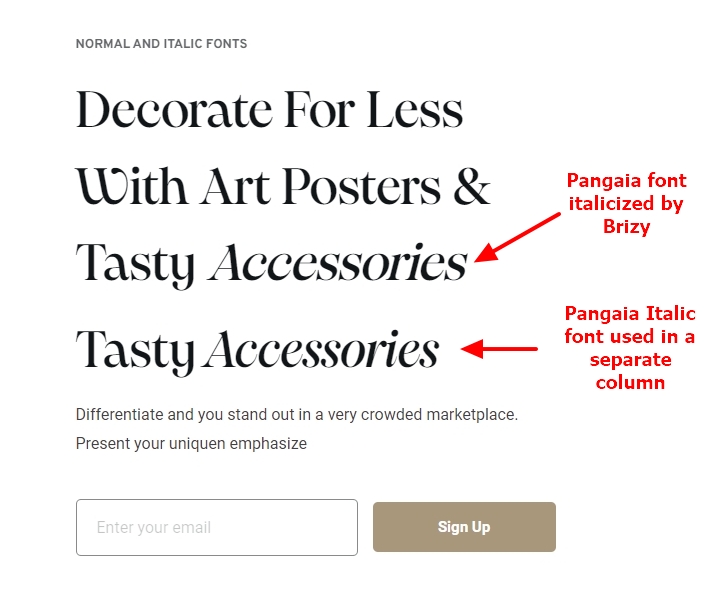
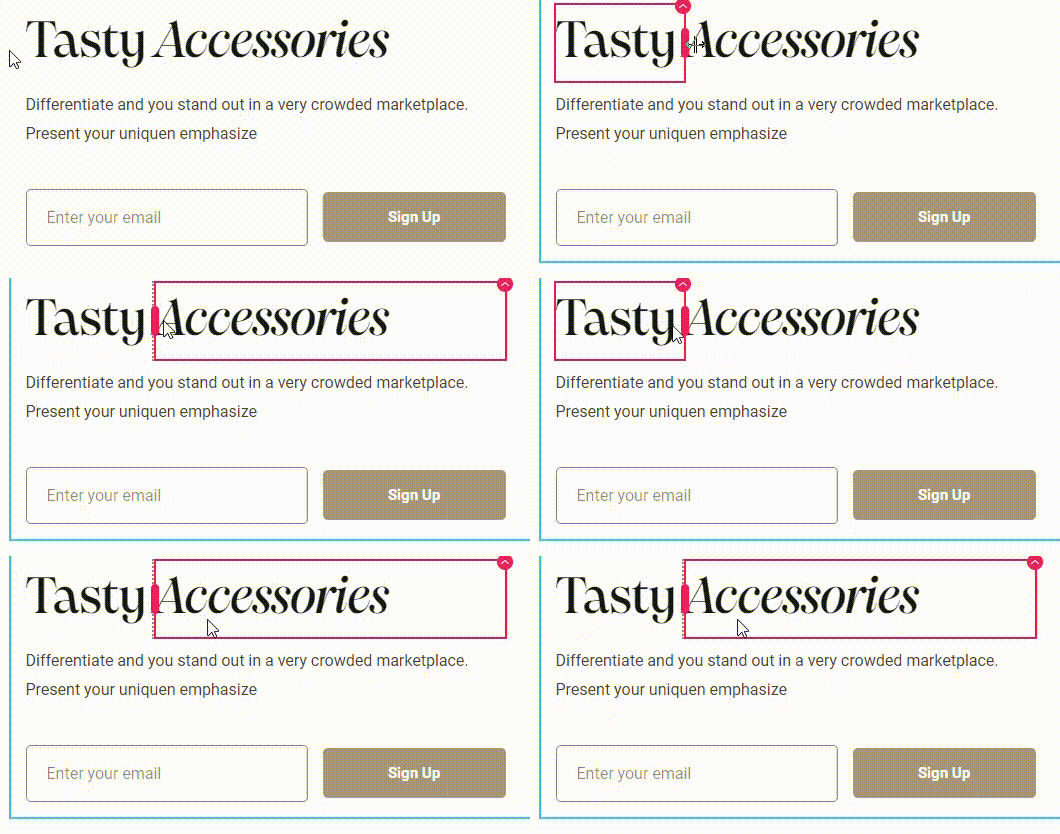
The texts 'Tasty' and 'Accessories' are placed within two different columns and Pangaia font is assigned to 'Tasty' and Pangaia Italics font is assigned to 'Accessories'.
 0
0 -
Thanks for taking the time to answer this question and providing detailed alternative solutions. Much appreciated. However, these workarounds however won't help in most scenario's. For example, using columns will not work nicely when there is a word in the middle of a sentence we want to italicize.
Since Playfair Display is part of the default Brizy fonts, and switches to a different font when selecting italics in brizy, I am still very eager to learn how this effect is achieved. As mentioned previously: we are comfortable with adding files to the server, adding code to functions.php or adding styling to style.css., or any other advanced method that makes the end result very user friendly.
0 -
Hi
On my test page at https://brizy.tech/pangaia/ I have set the Playfair Display font to the block heading. As you can see from this screenshot, the Playfair Display Italics font gets downloaded when the page loads. https://jmp.sh/430k5S7U As our font hosting provider, Bunny Fonts serves the appropriate font file depending on the Normal, Italics, Bold variations selected.
However when you are hosting custom fonts locally, Brizy does not give you an option to upload italic font variations. If I understand correctly, serving those files to a webpage becomes impossible since the font variation files are not available on the hosting server.
0 -
Thanks for clarifying that. I'll see if I can build a solution with javascript to check if a page has pangaia regular and italics (<i> <em>) in the body and then change it to the different font pangaia italics.
Let me know if you think there are smarter solutions and thanks again for thinking along.
0
Please sign in to leave a comment.
Comments
4 comments