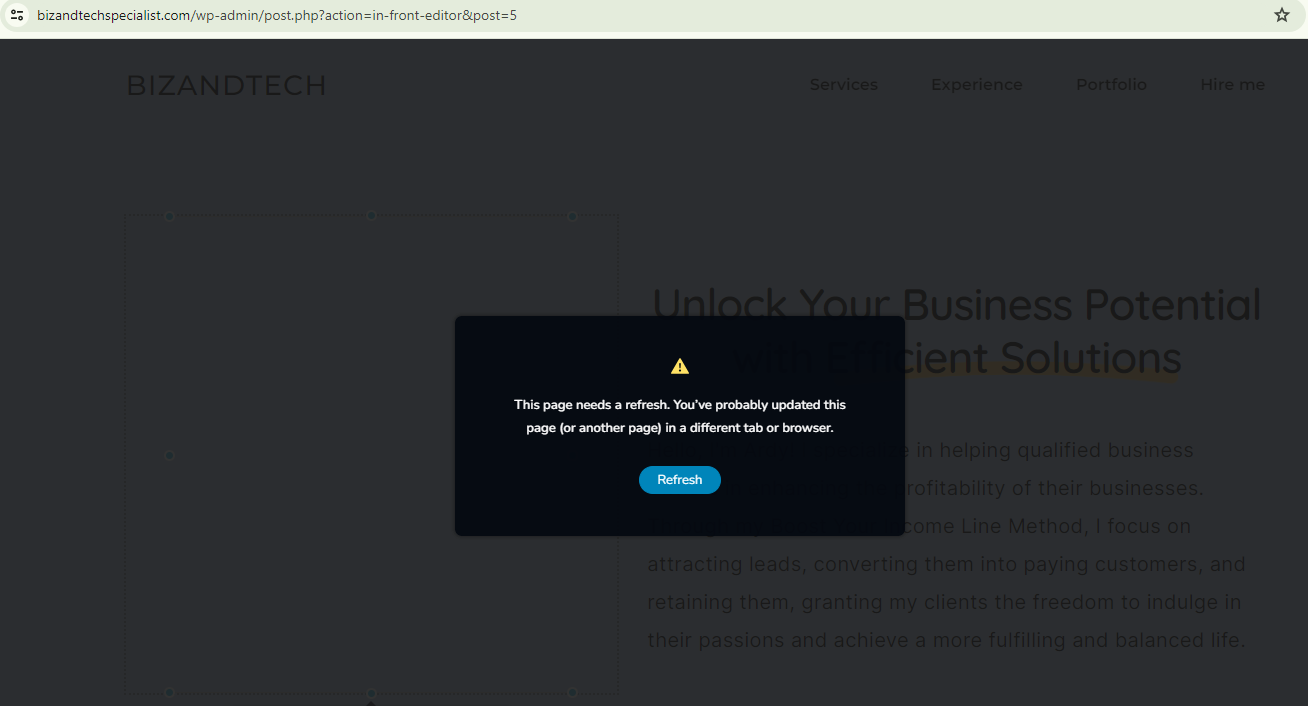
I keep getting an error whenever I clicked on the Update button

Hi,
Can someone please help me on this? I've been trying to update my new website and for some reason, I always keep getting the above error and asking me to refresh the page. This is so frustrating. I would appreciate some help please.
-

Hi Ardy,
Thank you for contacting us.
This is something we need to inspect from your WP Admin page. Please add us as an Admin user to your WordPress Dashboard and send the following details to: communitysupport@brizy.io
- Community Post link: https://support.brizy.io/hc/en-us/community/posts/16303999191058
- WordPress Admin URL:
- Username:
- Password:
Please make a full backup of your site as a precaution.
In the meantime, could you please try disabling all other plugins except for Brizy and Brizy Pro to see if the issue persists? If the issue does not occur with other plugins disabled, it is possible that there may be a conflict with one of the third-party plugins installed on your site. Additionally, you can try temporarily switching to another theme to determine if the issue is related to your current theme.
Best regards,
Ariel H.0 -
Hi Ardy,
Thank you for your cooperation.
I noticed that the images are not displaying in the layout. To address this, I changed the theme to Twenty Twenty-Four, and it seems to have resolved the issue.
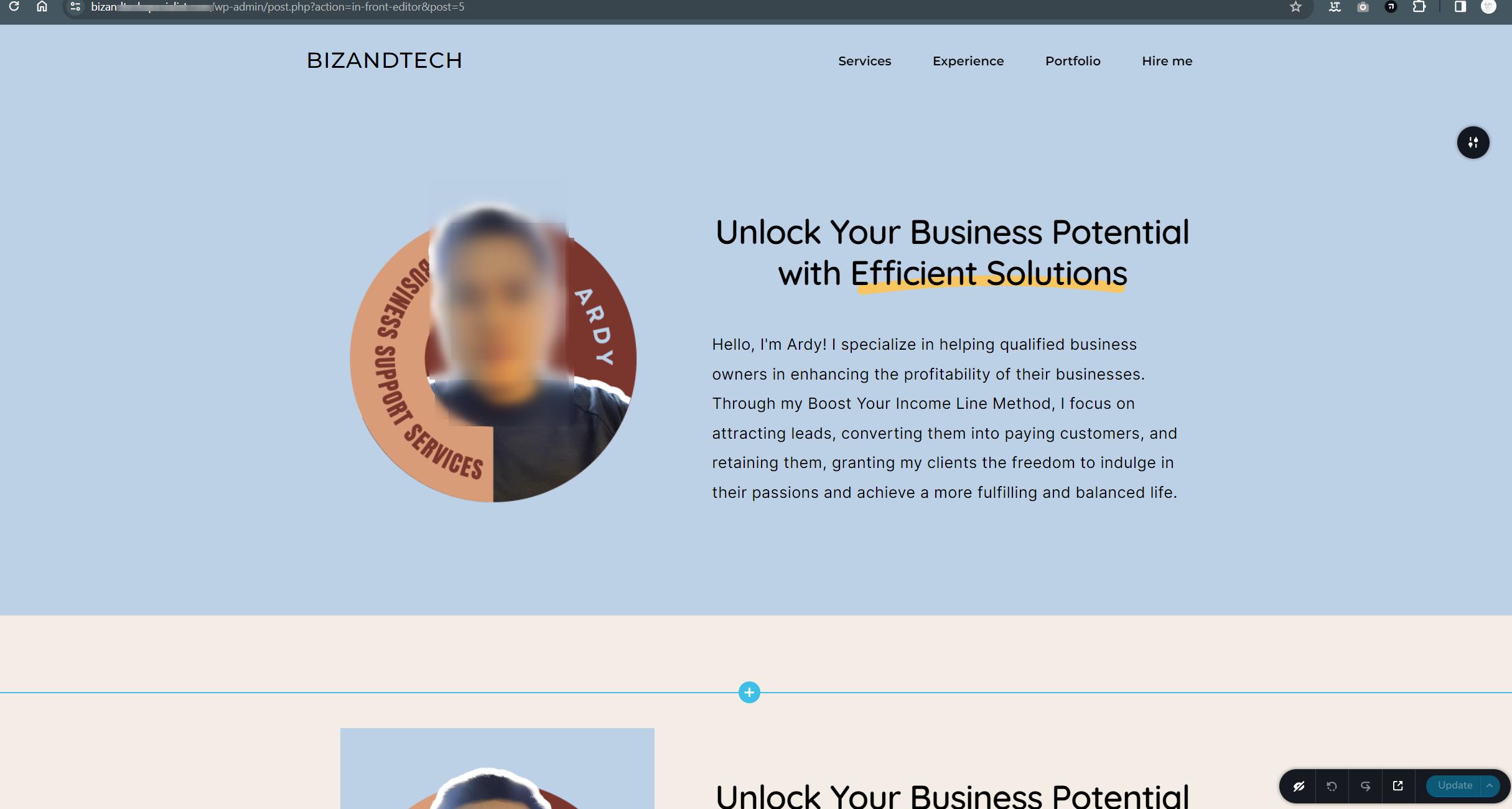
However, we still need to investigate the problem with saving the pages, which requires checking in cPanel.
In addition, could you please send us your cPanel credentials to our community support email, following the same steps mentioned in my previous email?
In the meantime, please login to File Manager in cPanel and try to rename or delete the .htaccess file. After this, reset the Permalinks following the steps on this link: https://wpastra.com/docs/how-to-refresh-wordpress-permalinks/
Once you've completed these steps, try editing and saving your pages again to see if it makes any difference.
If you're not familiar with this process, no worries. We can assist you with it once we have access to cPanel.
Best regards,
Ariel H.0 -
Hi Ardy,
Thank you for the update.
Upon checking, it appears that the issue stems from certain directives in the .htaccess file. To resolve this, I renamed the file and created a new one using the default directives provided in this link - https://wordpress.org/documentation/article/htaccess/
I have now switched the theme back to Astra, and saving pages is no longer an issue, as demonstrated in this screencast - https://youtu.be/m4BQguJ79vM
If you have any further quesions, please let us know.
Best regards,
Ariel H.0 -
Hi Ardy,
Unfortunately, we seem to have lost access to cPanel. Could you please grant us access again so that we can go back and investigate further? It would be greatly appreciated if you could reply to this support thread, as we only receive credentials through the other email address.
Best regards,
Ariel H.0 -
Hi Ardy,
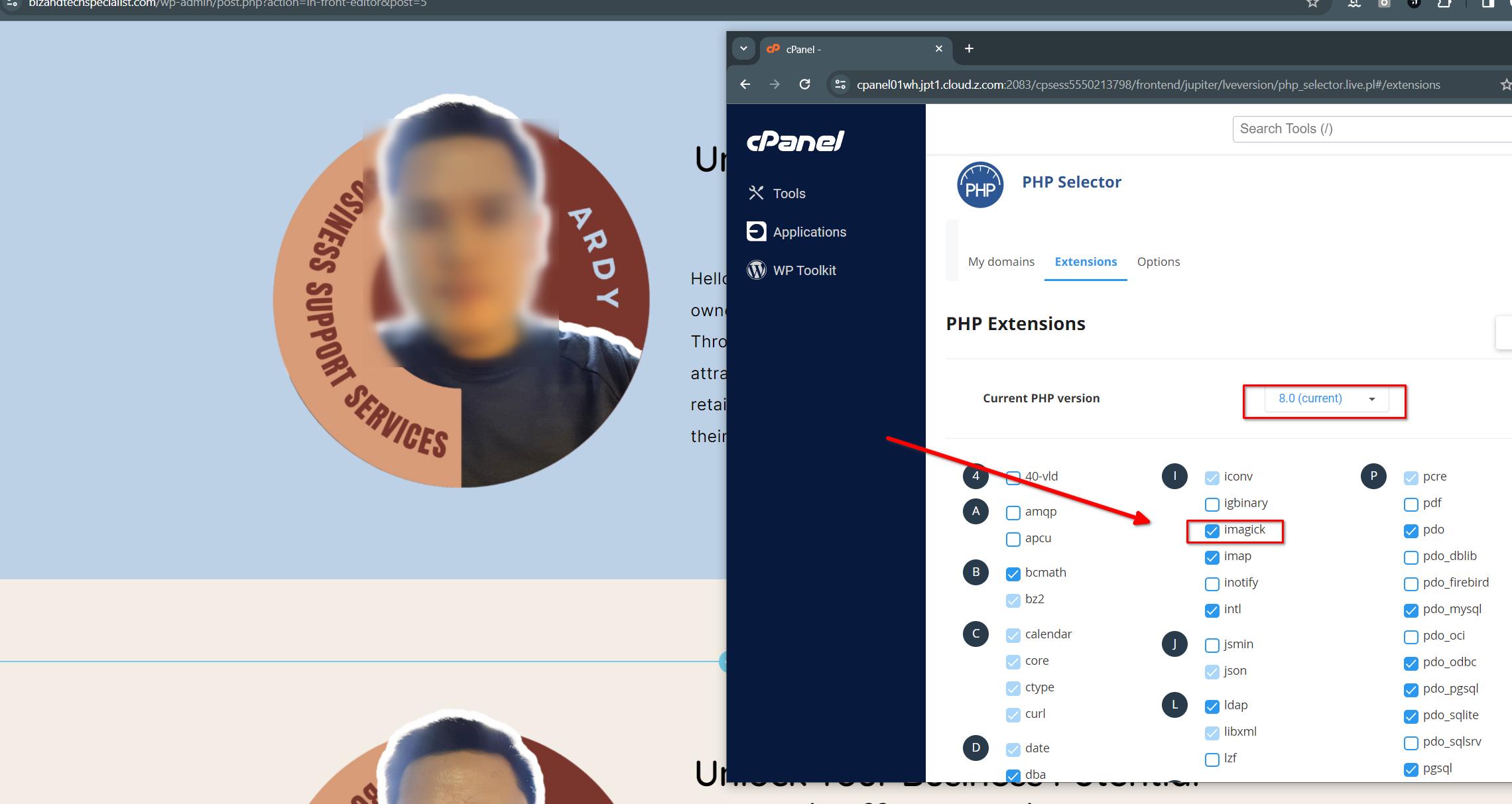
It appears to be working again after changing the PHP version to Version 8, and adding the imagick PHP Extension.
I also noticed an excessive number of revisions on the affected page, which could also lead to this issue.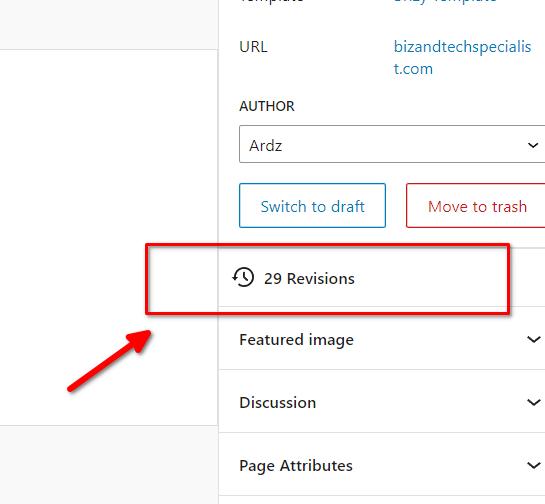
I recommend trying the steps outlined in the following article to clean up the revisions: https://www.wpkube.com/how-to-disable-post-revisions-in-wordpress/
One easy method discussed in the article is to use WP Optimize.If you have any further questions, please let us know.
Best regards,
Ariel H.0
Please sign in to leave a comment.
Comments
5 comments