Brizy data storage WP

Hi Brizy team,
I received the following notification from my host:
"Our monitoring systems have reported that the database for your patiocreative.co site is over the 1GB capacity we allow for databases hosted with us (it is currently at 1.55Gb), so we'd ask that you work with us to reduce the size of the database back under the limit as soon as possible.
From what I can see this is almost exclusively down to your postmeta table (which is 1.5Gb by itself), and I believe the main source of the large table size is the Brizy data stored for each post. "
This is very odd since the website isn't huge at all. I have 17 pages and 11 posts only, and I optimize all my images.
Do you have any thoughts or suggestions?
_____________________________
On another note, although I know this isn't related to the aboce, I also noticed something in my WPvivid plugin that I don't understand where it's coming from. It seems like Brizy saves a lot of things I don't use or have deleted. Or are these design changes?
I wanted to ask for your help in letting me know what these are as well:
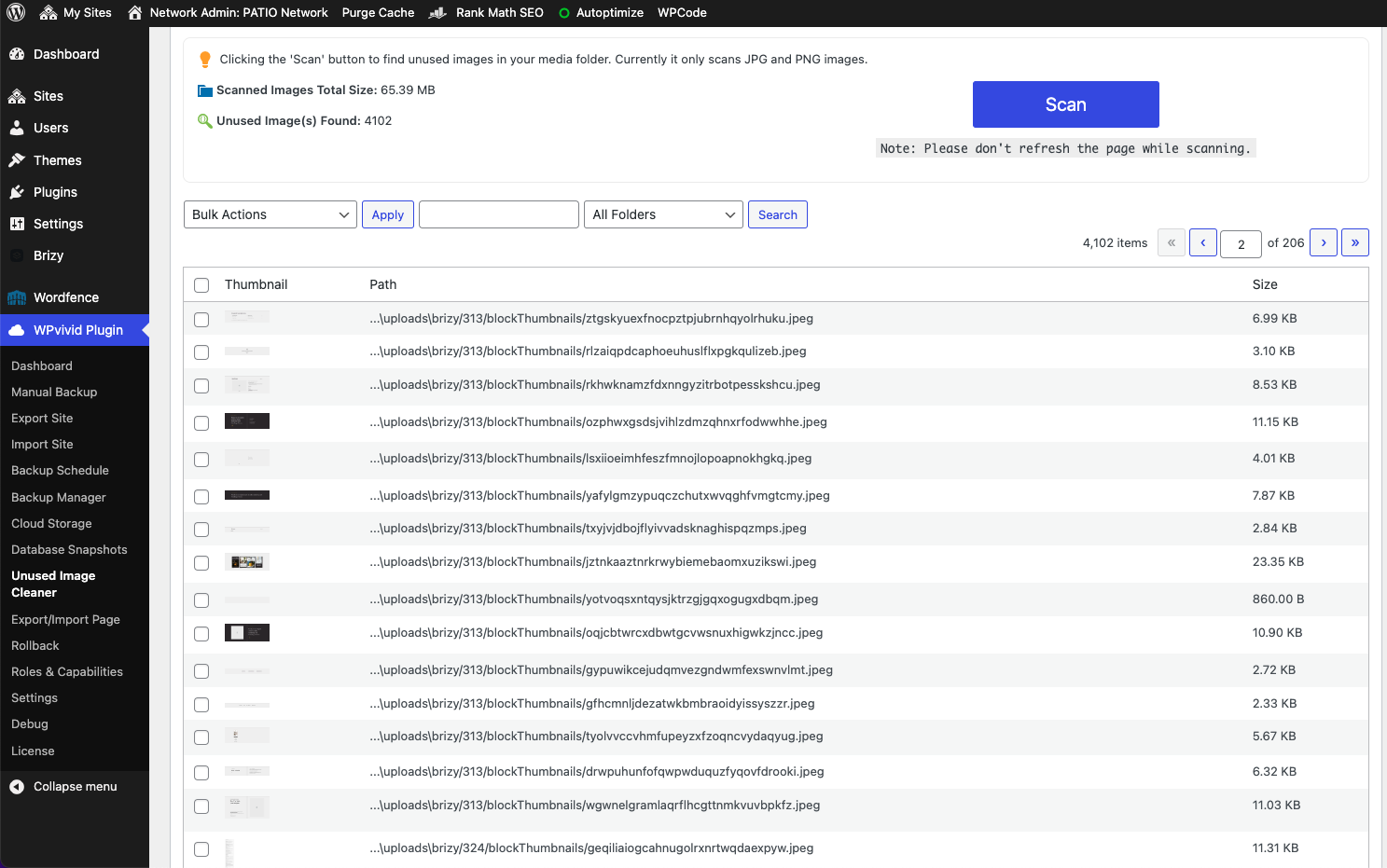
These seem to be over 4000 "unused images" and they are all in the Brizy folder.
Is it safe to delete this? And if not necessary, how can I avoid this from happening again?
Thank you, Sofia
-

Hi Sofia,
For a Brizy website with 17 pages and 11 posts, the database size of 1.55 GB is too high. In my test website with 12 pages, 7 posts, and 13 products, the database size is close 60 MB.
Can you please give us a screenshot of the 'Directories and Sizes' accordion under Tools - Site Health - Info tab in your WordPress Dashboard? Have a look at this screenshot https://jmp.sh/FDNlvVEB
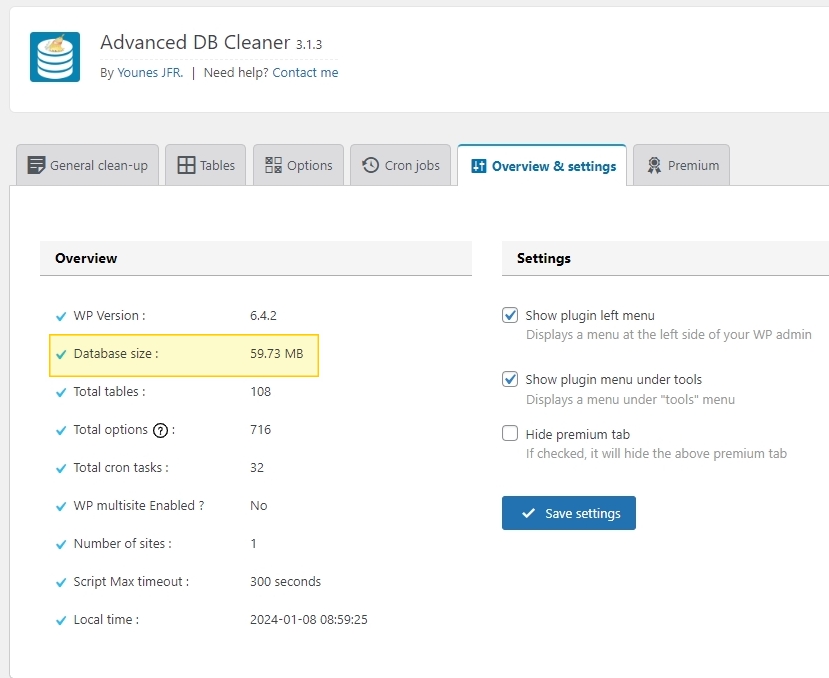
Please also install the plugin 'Advanced Database Cleaner' temporarily and share with us the screenshots of the 'Tables' tab. Please sort the tables based on 'Size' so that we can see the biggest tables first.
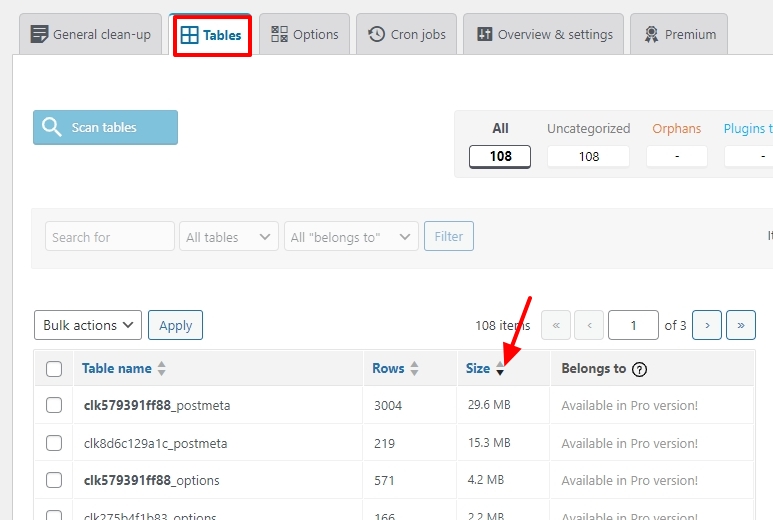
Please also share with us the 'Overview and Settings' tab screenshot
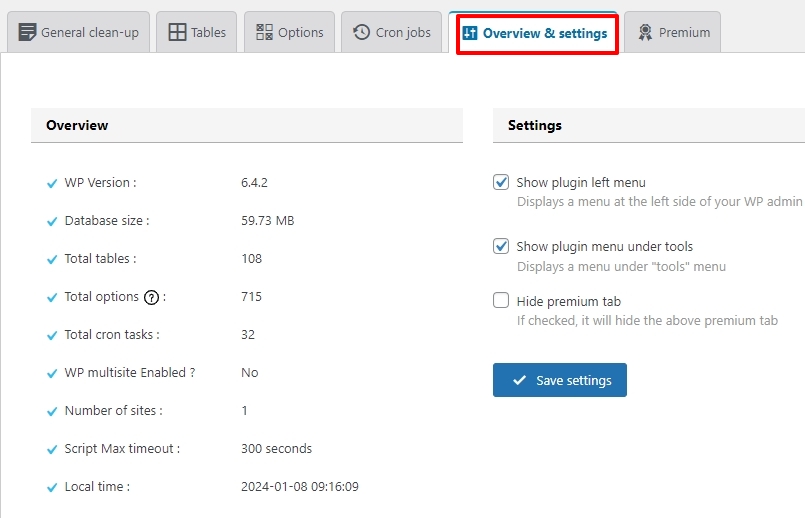
Multiple websites can share a single database and this can lead to bigger database size. Does your hosting provider allow unlimited WordPress websites under a single hosting plan? Have you setup multiple websites under a single account?
0 -
Hi KC George,
Thank you for your reply!
Please see below:
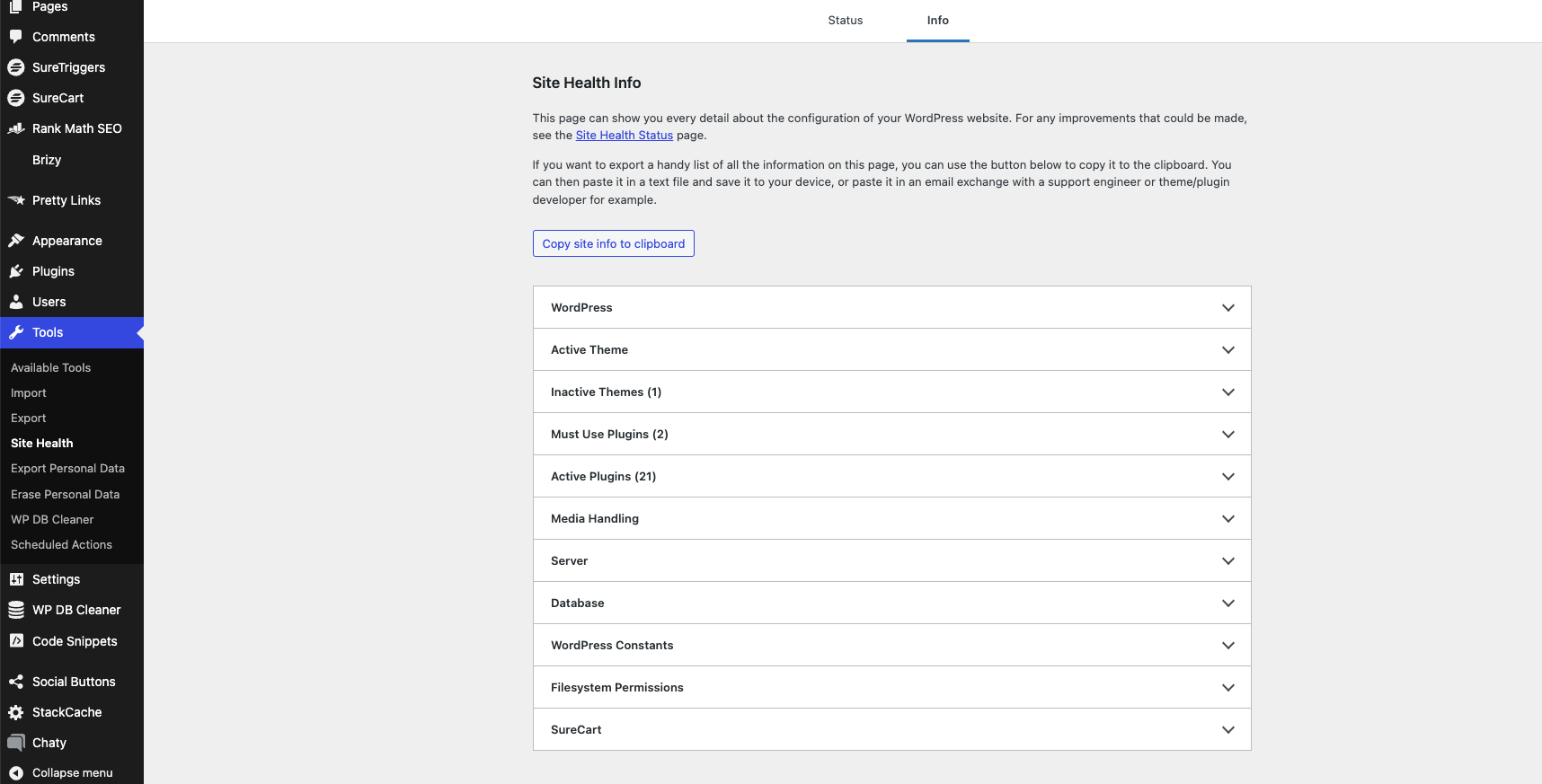
Can you please give us a screenshot of the 'Directories and Sizes' accordion under Tools - Site Health - Info tab in your WordPress Dashboard? Have a look at this screenshot https://jmp.sh/FDNlvVEB
Weirdly enough, I don't see that tab on my WordPress site:
Please also install the plugin 'Advanced Database Cleaner' temporarily and share with us the screenshots of the 'Tables' tab. Please sort the tables based on 'Size' so that we can see the biggest tables first.
I have the pro version of that plugin and will use it occasionally :) Here it is:
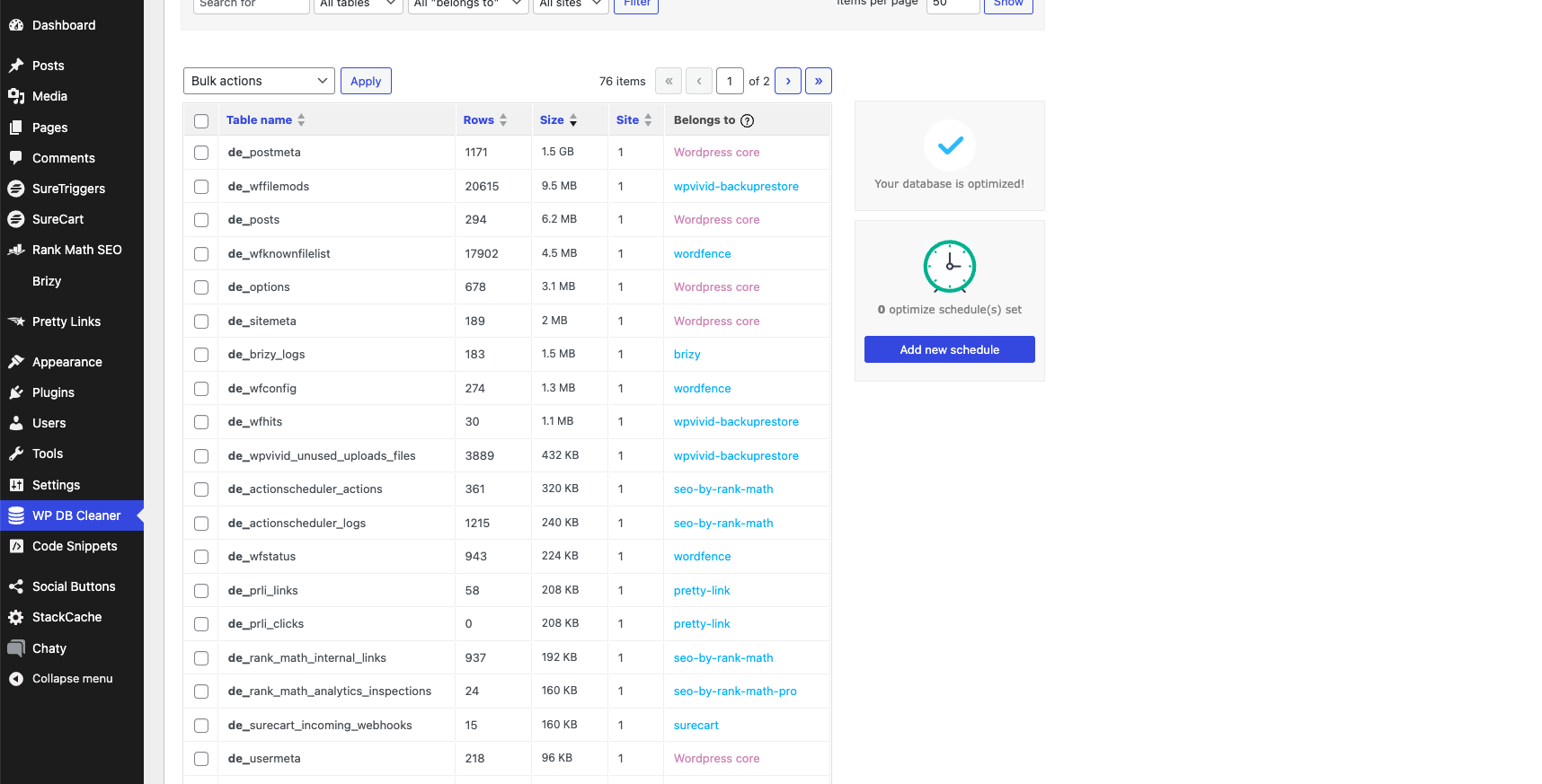
This is what my hosting said about postmeta: "From what I can see this is almost exclusively down to your postmeta table (which is 1.5Gb by itself), and I believe the main source of the large table size is the Brizy data stored for each post."
Please also share with us the 'Overview and Settings' tab screenshot
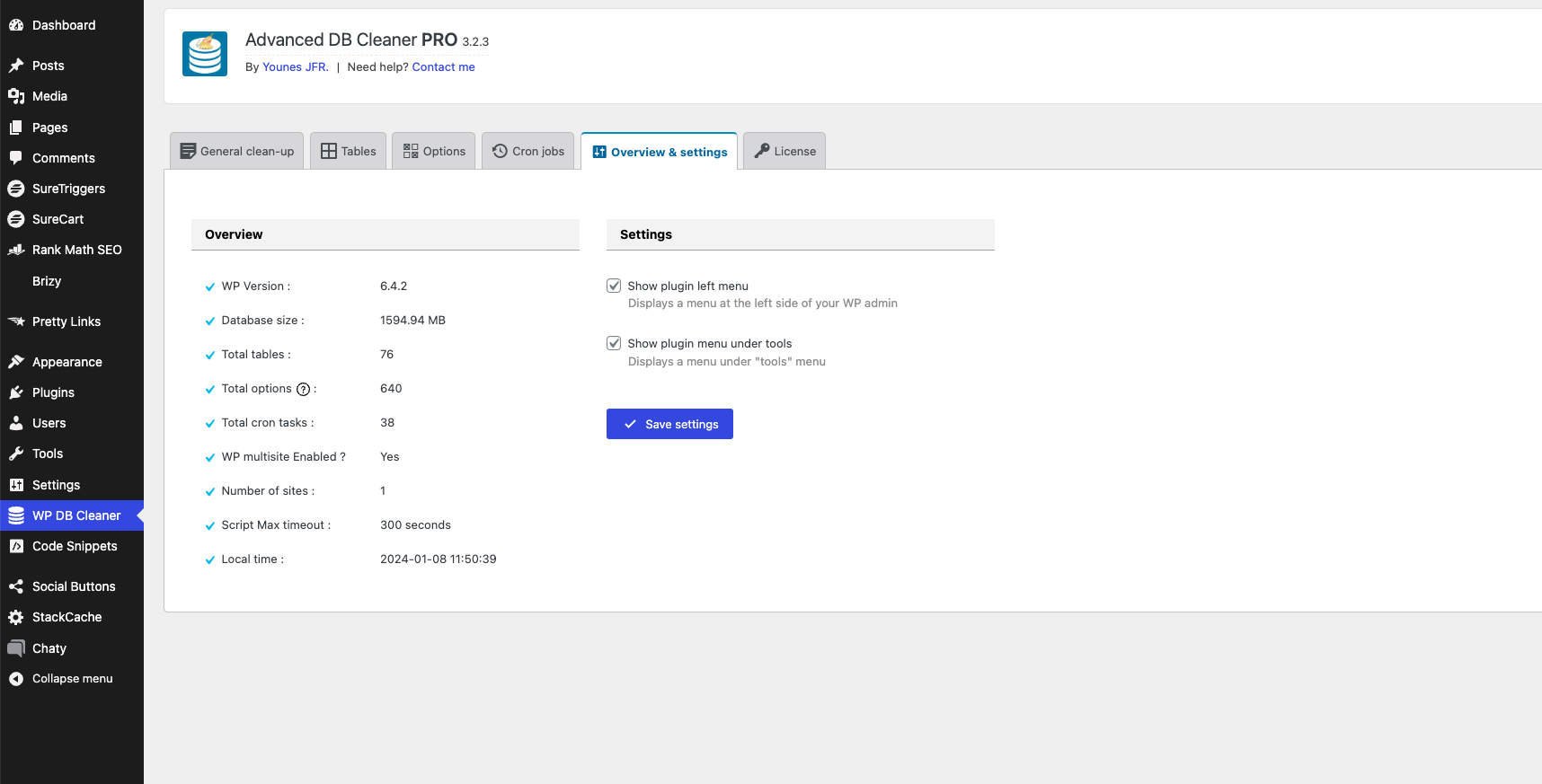
The database is one per website. And the limit of 1,5 MB is also per website, not for my account in general. So I do have more than one website on my hosting, but each one is measured separately. I have only received the notification about this one so far.
I look forward to hearing from you again soon!
Thanks for your time, Sofia
0 -
Hi Sofia,
After taking a full backup of your website files and database, please request your host to
- Optimize the de_postmeta table, following the procedure in this article. How do I optimize a database in phpMyAdmin?
- Clean up old, unnecessary post metadata following this procedure Cleaning Up Old Post Metadata in WordPress
Please let us know if this helps bring down the database size.
0
Please sign in to leave a comment.
Comments
3 comments