Invoicing details - change of VAT Number

Hey,
a couple of weeks ago I changed the invoicing company and credit card details. Unfortunately, today I was billed from a new credit card but the invoice contains still the same old invoicing details of a different company. Accounting hell :-)
I need to change my invoicing details from:
DELCASTON s.r.o.
Americka 525/23
Prague
Prague 12000
Czech Republic
VAT Number: CZ24688177
To a different company name and VAT Number:
BUDETO STUDIO s.r.o.
Zahrebska 562/41
12000 Prague, Czech Republic
I'm not allowed to change the VAT number in the last invoice MA2Q4/2 but it was already charged in the wrong way.
Could you pls solve the issue? Should I cancel the whole plan and start from scratch?
Thanks
Petr Kovacik
-

Hi Petr,
Our payment processor Paddle.com takes care of the invoicing and payments. Invoice address and the payment methods are being maintained by Paddle. To update the invoice address, please follow these steps
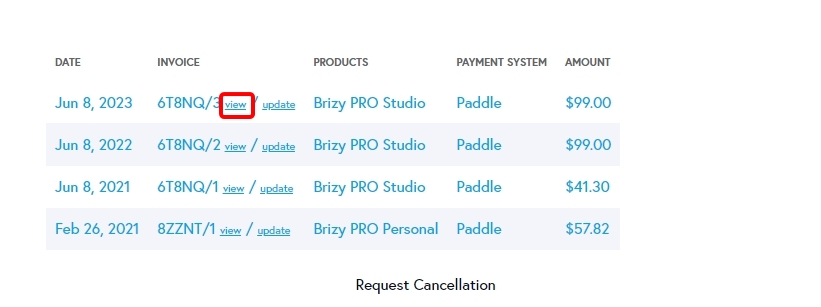
- Sign in your brizy.io account and under Account - Payments, scroll down to the bottom of the page. https://jmp.sh/PzCAaIEZ
- Next to the last invoice click on 'View' to see your Paddle invoice. (see the attached image)
- In the Paddle Invoice, click on "Add address & GST Number" to add a new Invoice address https://jmp.sh/vxYSVywg
You can also write to help@paddle.com quoting your Product name, Date of Purchase and Order Number (from your invoice) for any additional help.
Changes you make will only reflect in your future invoices. Hence you can consider the option of cancel and resubscribe.
0
Please sign in to leave a comment.
Comments
1 comment