Unable to upload images from Media Library

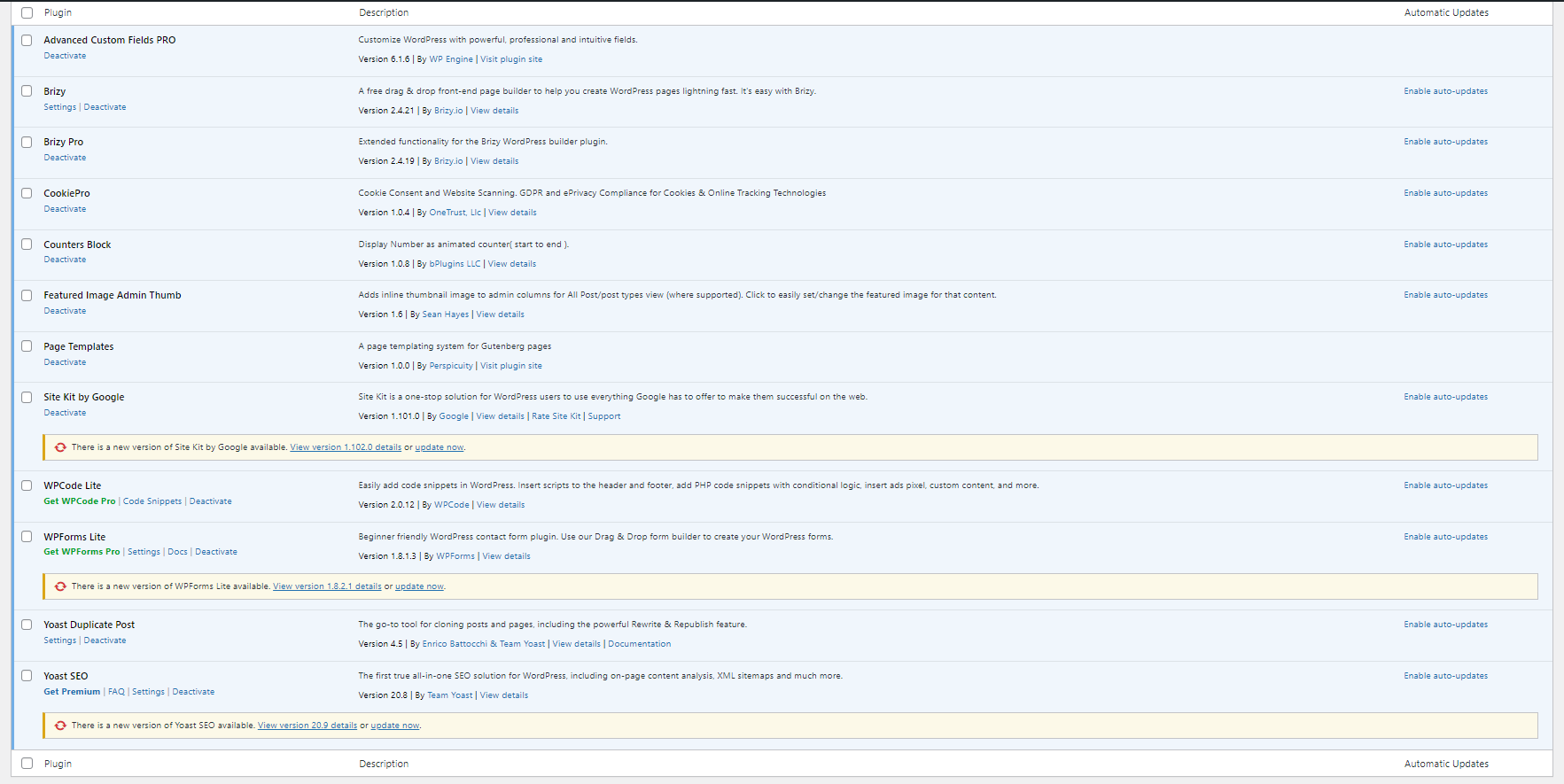
Around a week ago, I started being unable to upload an image from the media library. It will let me select the image and click 'select' however nothing happens and the preview box is still empty. I've had a look through existing help and can see it could be a plug in issue, are any of the below known to cause issues?
Any help would be much appreciated.
Thanks
-

Hi Tom,
Most recent Brizy versions have an incompatibility with Jetpack Image optimizations and GoDaddy CDN. If you have enabled any of the following options, please disable it to upload images using Brizy.
- In your WordPress Dashboard under Jetpack - Dashboard scroll down to the heading "Performance and Growth" and disable the option 'Image Accelerator' https://jmp.sh/SU32wfE9
- Under Jetpack - Settings, under the Performance tab, disable the option 'Speed up image load times' https://jmp.sh/neap53iR
- If you have installed Jetpack Boost, under Jetpack - Boost disable the option 'Image CDN' https://jmp.sh/FUSoE1ZP
- If you are hosting with GoDaddy and are using their CDN, please disable the CDN option from your GoDaddy account. You can follow instructions in this article. Enable or disable my CDN
If none of the above helps, please get back to us with your website URL. We will take a look.
0 -
Hi,
We use WP Engine to host and we don't have Jetpack installed. I've tried disabling a few other plugins but no luck so far. I'm working on draft pages so none of them are published or live yet on the webpage. Do you have any other suggestions to get this resolved?
Thank you
0 -
Hi
As I have suggested above, can you please share your website URL so that we can check?
0 -
Hi,
Sorry, yes here is the website URL https://synertec.co.uk/.
0 -
Hi Tom,
Can you disable these plugins temporarily and check if that makes a difference?
- CookiePro
- Site Kit by Google
- WPCode Lite
If this does not solve the problem, we will need access to your WordPress Dashboard to troubleshoot it for you; please contact us and we will provide you with further instructions.
0
Please sign in to leave a comment.
Comments
5 comments