Cloud - Current Query not working

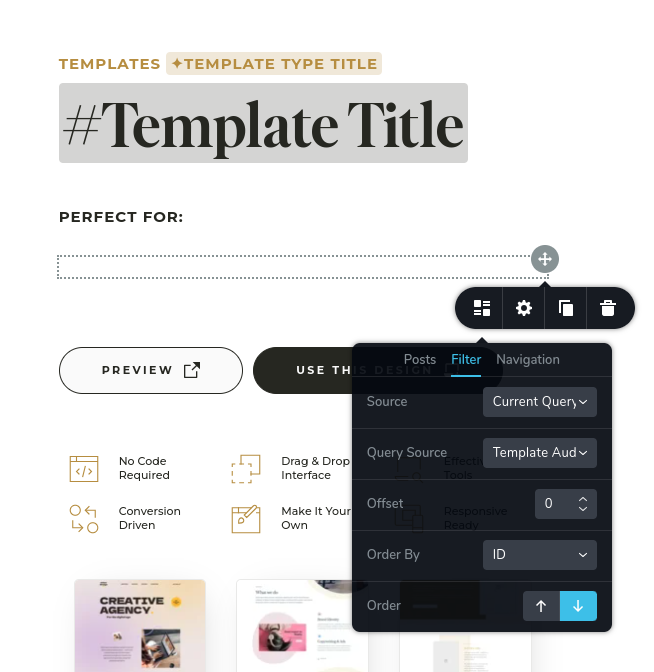
Using the Asset List, I assume that if I set Current Query and the CPT/asset I am targetting, it will pull up the related assets of the individual asset I'm viewing (in a single post situation, at least - if not within the Post Archive element...).
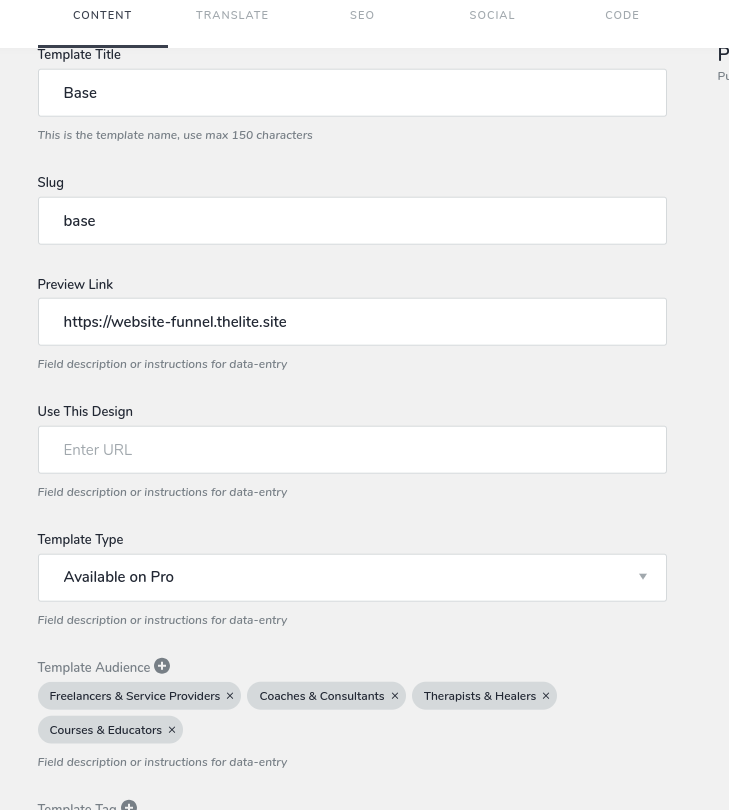
However - it is both blank in the template and the page itself: https://lite.thelite.site/base
-

Hi
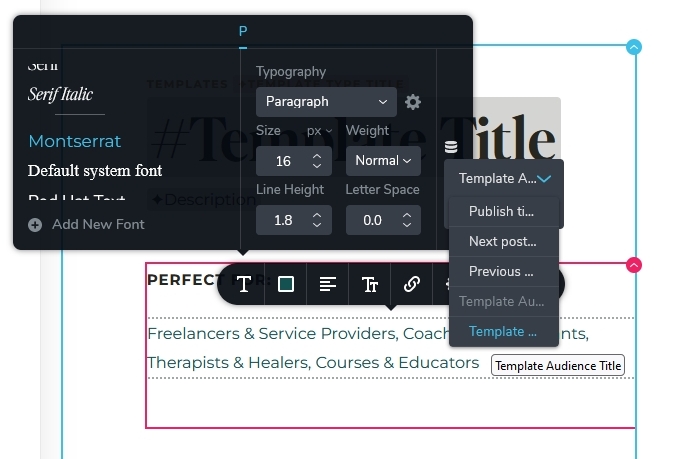
Looks like you are trying to list your Template Audiences under the heading "Perfect For". To display the Template audiences, please use the Brizy Text element and select the dynamic value: 'Template Audience Title'. Please have a look at this screen recording. https://jmp.sh/pQSoHbsu
 0
0 -
Hi KC
No - I don't want to do that, because it generates a plan text list of the assets. It doesn't even wrap each individual asset in spans to target with custom css. I need each to be on their own line (column stacked, flush left, but flexibility is needed anyways), and need each to link to their archive page.
Also, the Asset List/Post List + Current Query should be working as intuitively one would assume (or if it's not done, just not have the option there at all).
On another project, I can't even properly set up a related asset loop for a Course -> Module -> Lesson template. https://www.berrycast.com/conversations/aa965379-deed-5845-904a-e4e939fedc08
I hope this is getting worked on.
0 -
Hi
The Posts element is designed to display assets within a taxonomy. In a taxonomy archive page, you can list assets within the given taxonomy using 'Current Query' option in the Posts/Assets element. When you develop a taxonomy archive page for Template Audiences, you can list templates associated with each audience using the Current Query option.
However, the Posts element cannot list taxonomies (Template Audiences) associated with a specific asset (Template). Currently the only option to list taxonomies associated with an asset is to use Dynamic Text.
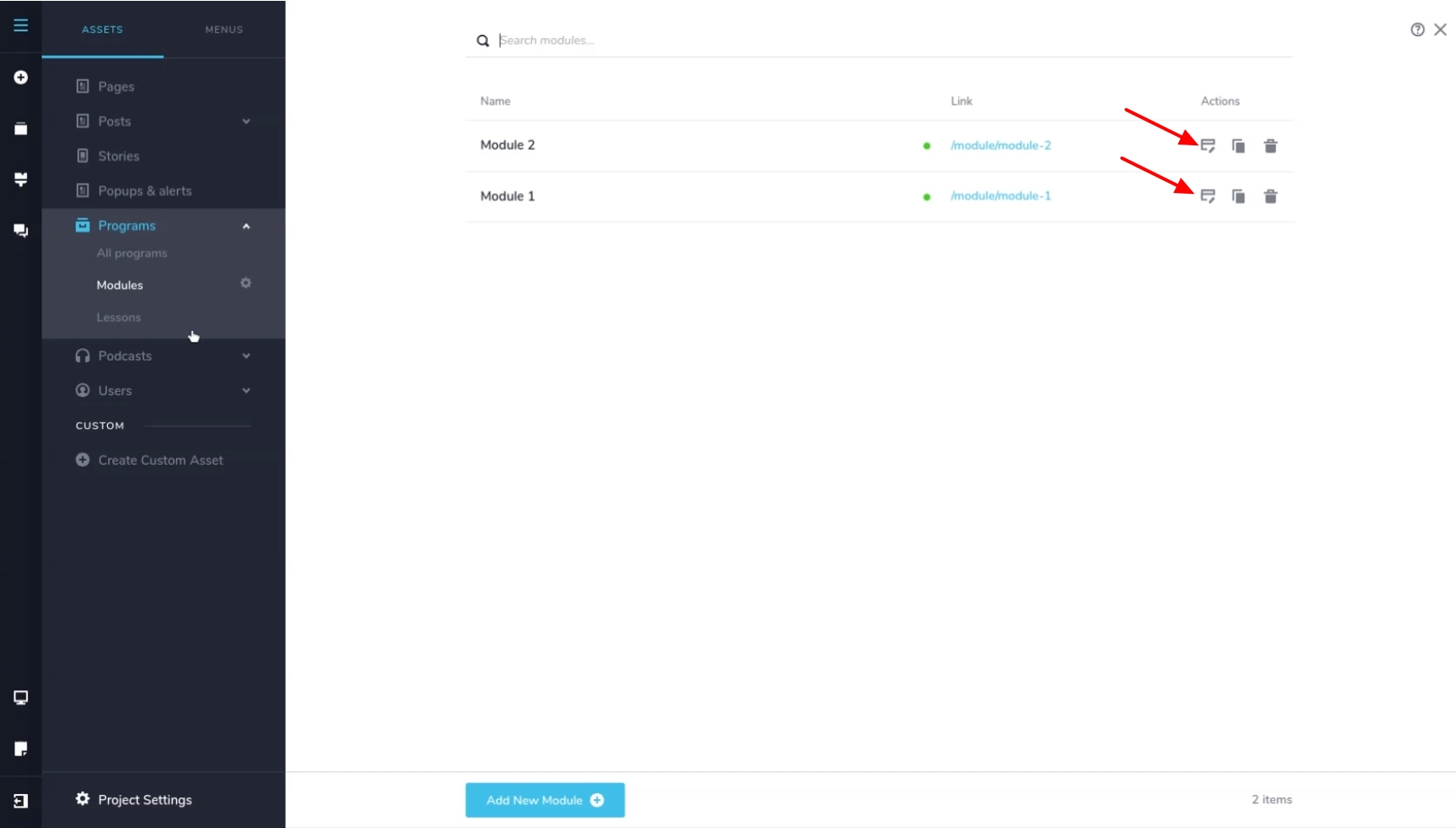
In the second project, you can setup Module Archive pages using the Current Query option. Please click on the Edit option next to the Module 1 and Module 2 to setup the Module Archive pages.
 0
0 -
Project 1 - that's not really a valid solution for dynamic sites - even for Wordpress templates. This is very disappointing as an oversight - that it's not compatible both ways - since Cloud treats both Taxonomies and Posts as "Assets".
Please at least wrap each individual taxonomy with a Span so we can stylize it. But better to be able to use them as links back to the Taxonomy archive page.
Project 2 - Also, considering that Posts & Taxonomies are both treated as Assets in cloud, and there's a relationship field, it's assumed that one could build Posts that are related to each other. In this case, Modules are related to Programs.
Modules are NOT taxonomies - they are related Posts. Therefore the Program should be listing the included Modules (and later Modules will list the included Lessons). That's why the Program page is using the Posts lists to pull up the list of Related Modules. otherwise why have a Relationship field.
This is how I assume Assets should work - intuitively. Since there's no delineation between Posts & Taxonomies in Assets.
The big issue here is the inability to properly use the "Current Query" loop as it's assumed to work. It should work bi-directionally.
0 -
So for Project #2, if I want the Asset hierarchy to be Program -> Module -> Lesson, then the relation field should be inside Project to connect Modules (down), but up with Module having the relationship field to choose the Program, and Lesson having the relationship field to Module?
Edit - I just tried it and it works, just doesn't make sense initially. But bi-directional relationship should fix Problem 1.
0 -
I don't want to do it that way because I'm trying to get each related asset on a different line, with the ability to click to the archive of that asset. The tags don't get wrapped by a Span, it's just all plain text.
0 -
Hi,
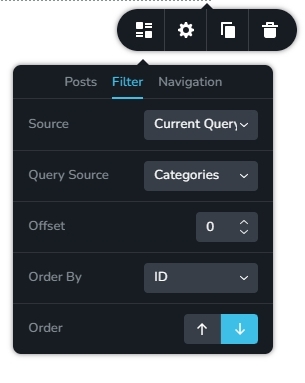
I have made a Feature Request to extend the Posts element to use the 'Current Query' option to list taxonomies associated with an asset with these examples.
- In the context of a single blog post, when the 'Current Query' option is selected with 'Query Source' as Categories, it should list the categories associated with the single blog post.
- In the context of a blog post when the 'Current Query' option is selected, user should be able to list related posts from within the same category.
 0
0 -
Thank you KC! And happy new year!
I love the builder and so it's even more frustrating when I can do ALMOST everything, but then there are these foundational things that are missing that I just can actually use the builder in advanced ways - and yet it's so primed for advanced dynamic sites with the flexibility of assets and elements! I build a lot, and then feels like hitting a brick wall every time to get a project finished.
0 -

Hi Kc George
1. I'm facing a very similar issue to what was discussed here. My setup is as follows: I have a "Job" Asset and each job is assigned to a specific "Brand" (using a Category).On my Home page, I list all jobs from various brands. However, when a user clicks on a specific job to view its details (Single Post Template), I want to display a "Jobs from the same company" section at the bottom to show other vacancies from that specific brand.
I tried using the Post element with "Current Query" filtered by Category, hoping it would pull other jobs from the same brand, but it doesn't work. It seems the element cannot "look up" the category of the post being viewed to find related items in the same category.
Is there a specific way to set up the Query settings to achieve a "Related Posts" loop based on the current post's category in Brizy Cloud currently?
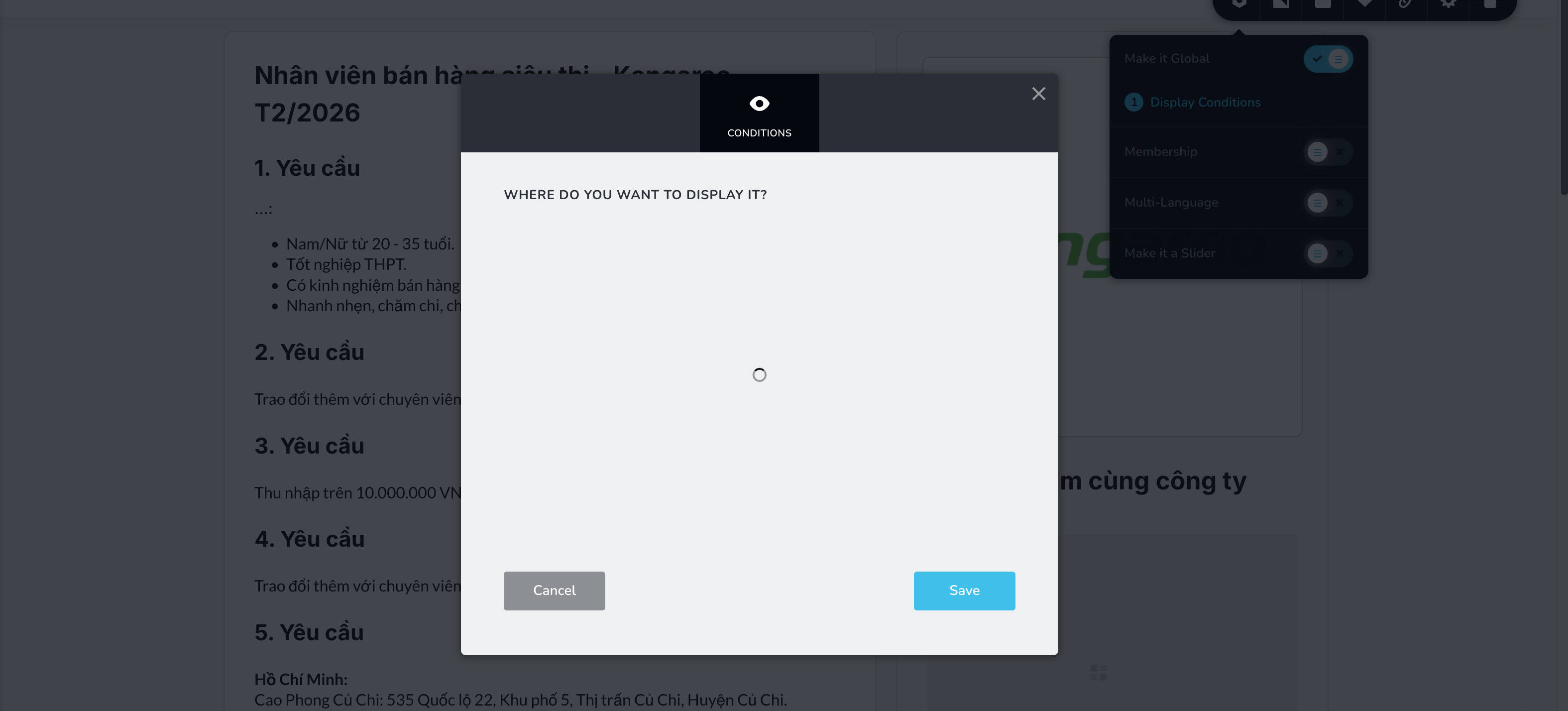
2. Additionally, I'm encountering a technical glitch when trying to set this Post element to "Global" so it can be applied across all posts in my "Jobs" asset. Whenever I try to enable the Global setting, a pop-up window appears, but it stays stuck in a permanent loading loop (the loading icon just keeps spinning). This prevents me from saving the configuration as a global template for all my job listings.Thanks for any advice!
 0
0 -
Hello Tri Nguyen,
The Post elelment's current query is not designed to display the Related Posts from the same category in the blog post detais page. There isn't a viable way to show "Related Posts" right now.
Please provide us with the project preview URL where you are having trouble setting the Post element to "Global". Additionally, kindly inform us of the exact procedure we should follow in order to replicate the problem. We'll look into it.
1 -
Hi KC,
Here is the link I have also attached a video with the issue.
I also want to ask if the "Related Posts" feature is coming soon.
Right now, it's a bit hard for me to use the Post element for dynamic content. It's missing some basic things that most blog websites usually have, like showing similar posts in the same category. I really like Brizy and hope you can add this simple feature soon to make it better for everyone.
0 -

Hi Tri,
Thank you for the update.
Regarding the Display Conditions issue, this has already been escalated to our developers for further investigation.
As for the Related Posts feature, we appreciate your feedback and completely understand your concern about this functionality, especially for dynamic blog content. For better visibility, could you please also post this suggestion on our Ideas & Roadmap page at https://www.brizy.io/ideas-and-roadmap? This allows other users to support the request, which helps increase its chances of being considered for future updates.
Thank you again for your continued support and thoughtful feedback.
Kind regards,
Ariel H.0 -
Hello Tri,
In the above project, two custom fields are linked to the same taxonomy. Both "Phân loại" and "Thương hiệu" are linked to "Categories" as taxonomy.
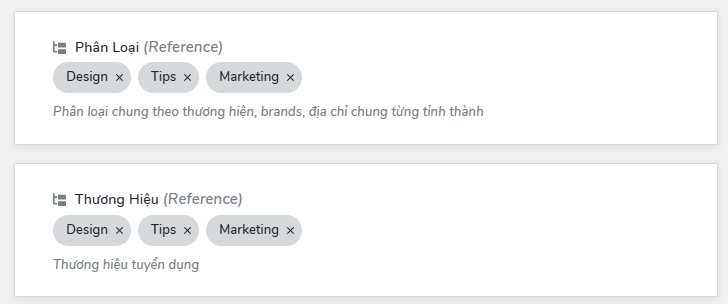
To fix the issue, kindly add a new custom asset called "Thương hiệu" and link the custom field "Thương hiệu" to "Thương hiệu" as taxonomy.
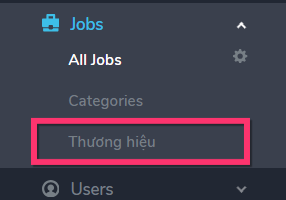
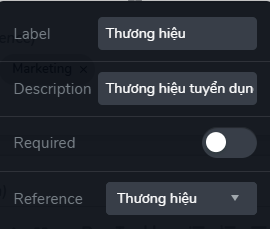
I have made this change for you. Please make necessary changes based on the new taxonomy "Thương hiệu". You can now set "Display Condition" for the global block.
0
Please sign in to leave a comment.
Comments
14 comments