Custom Styling Help

Hey Brizy Community,
I've got a project I'm working on to have a central image in the middle of the site that does a parallax scroll as the user scroll, then on each scroll a text box is shown either side on the image one at a time.
See my example attached, hope it makes sense. 
-

Hi Max,
You can design the central image in a graphic tool by placing a portrait image in a landscape canvas. For instance the image can look like this. https://jmp.sh/rjgOqZ5D Add this image as a block background and use the 'Fixed' parallax effect for the background image.
Add two sets of columns separated by a spacer element and add one Text element on the left and another on the right. Explore the Brizy scroll effects to bring the Texts in one by one as the page scrolls down. https://jmp.sh/geHmaOTE
0 -
Thanks KC,
Will give that a try.
0 -
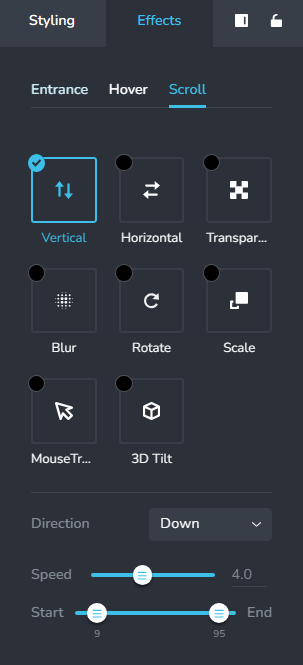
It would be great if you could end the scroll effect at a specific block
 0
0 -

Hi Max,
Thank you for the update.
Unfortunately, this is not possible at the moment. For now, you can only control its position with the start and end sliders in the Direction tab.
Sorry for the inconvenience.
Best regards,
Ariel H.0 -
Ok Thanks Ariel.
0
Please sign in to leave a comment.
Comments
5 comments