https error

aestheticcoloringpages.com
Please check this site... It's under cloud.
-

Hi Erin,
In addition to the A Record you have added, your domain is also linked to a AAAA Record with the IP 2a02:4780:1d:1ea4:2330:ef65:d77b:1199.
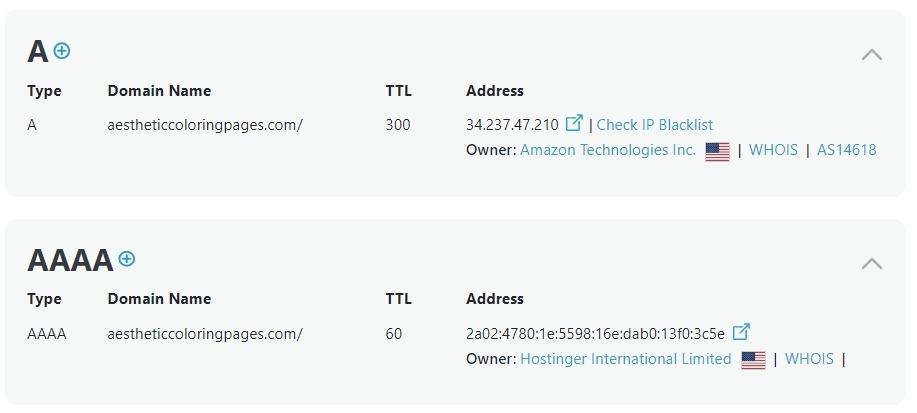
Can you please sign into your domain account and delete the AAAA Record and get back to us? We will generate the SSL certificate for you.
0 -
just removed it. Please generate the SSL. Thanks.
0 -
Hi Erin,
We continue to see the AAAA Record. Kindly press the 'Search' button at https://dnschecker.org/#AAAA/aestheticcoloringpages.com
Please check your domain account once more. Additionally, it can take some time for the modifications you just made to propagate to various DNS servers across the globe.
0 -
Hi, I just disabled CDN from hostinger to ensure AAAA record is deactivated. They said that this may take some time to disable AAAA.
0 -
Hi Erin,
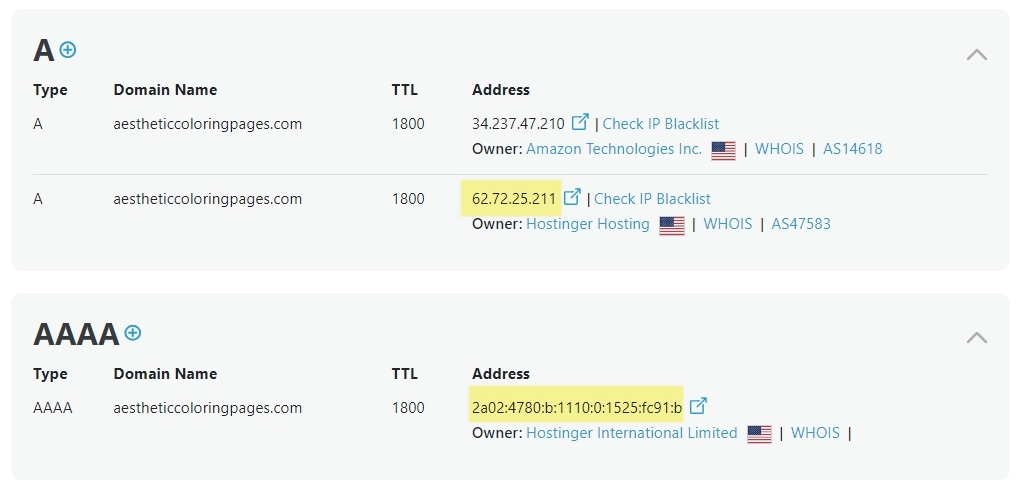
Looks like disabling the CDN did not help. Please remove the highlighted A and AAAA records in the DNS Zone Editor as described in this article https://www.hostinger.in/tutorials/how-to-use-hostinger-dns-zone-editor.
 0
0 -
Hostinger staff completely removed AAAA record.Please check again.
Thank you
0 -
Hi Erin,
Yes; the AAAA record has been successfully removed. Before the domain points to your Brizy Cloud project, there is one more thing you must do.
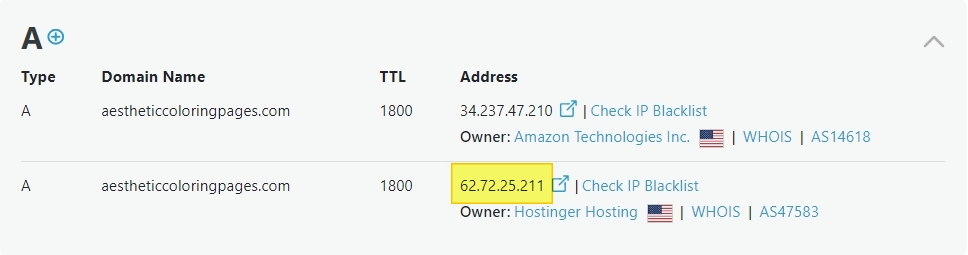
Your domain points to two distinct A Records - one from Hostinger and the other from AWS. Kindly delete the A record with the IP 62.72.25.211 and get back to us. We will then install the SSL certificate.
 0
0 -
Just deleted! Please check.
0 -

Hi Erin,
Thank you for the update.
We have installed the SSL certificate.

Please give it a try on your end to confirm.Best regards,
Ariel H.0
Please sign in to leave a comment.
Comments
9 comments