Photos not loading in Brizy editor after selecting the photo from the Wordpress uploads.

The image below is the element im trying to upload the photo to but only shows the "select image" box. Photos are not showing up after selecting them. The wordpress media selector opens up and the photos load but after selecting the photo brizy doesn't load the selected image into the editor or the "select image" box.
Also here is an error we found in the wordpress PHP admin under the brizy error log:
ERROR Invalid request nonce
a:2:{s:6:"action";s:17:"brizy_remove_lock";s:7:"version";s:6:"258-wp";}
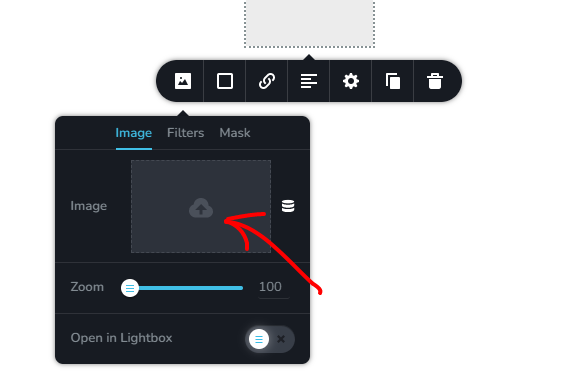
-

Hi Rob,
Please try these ideas to see if they assist resolve this issue.
- Are you using Jetpack? Under Jetpack - Boost, disable the 'Image CDN' option. https://jmp.sh/FUSoE1ZP
- If you are using GoDaddy, try disabling GoDaddy CDN temporarily
- If you are using Iubenda plugin, please disable it temporarily
- If you have embedded external code using the Brizy Embed Element, please remove the code temporarily, save the page and refresh it and check again
If none of the suggestions above work, we will require access to your WordPress Dashboard to troubleshoot the problem for you.
0 -

I'm having the same issue but none of these solved my issue
0 -
Hi Jace,
There are two other settings in Jetpack which can conflict with Brizy. Please check these as well.
- In your WordPress Dashboard under Jetpack - Dashboard scroll down to the heading "Performance and Growth" and disable the option 'Image Accelerator' https://jmp.sh/SU32wfE9
- Under Jetpack - Settings, under the Performance tab, disable the option 'Speed up image load times' https://jmp.sh/neap53iR
If these do not help, we will access to your WordPress dashboard to offer further help. Please add me as a user to your WordPress Dashboard and send the following details to our email: communitysupport@brizy.io
- Community Post link: https://support.brizy.io/hc/en-us/community/posts/15941316500497
- WordPress Admin URL:
- Username
- Password
Please let us know here when you send us the email.
0
Please sign in to leave a comment.
Comments
3 comments