Archive template for a tag

Hi,
I'm having two issues.
1. Dynamic elements #tags #categories are not found.
I want to use dynamic element with #tags and #categories in the template and page but these are not found. I can see only five elements.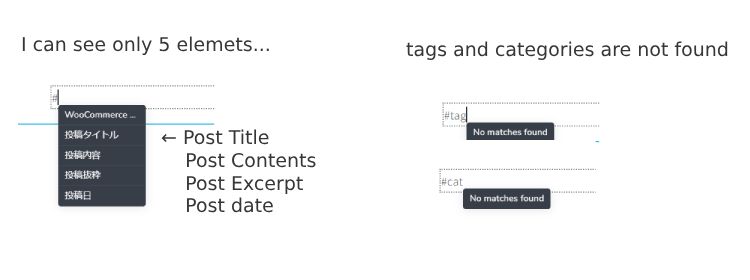
2. Archive template for tags is not working
I made a archive template as below .
template Type: Archive
include: tags > all tags
slug: tag
using blank canvas and posts element: filtered posts and navigation is tag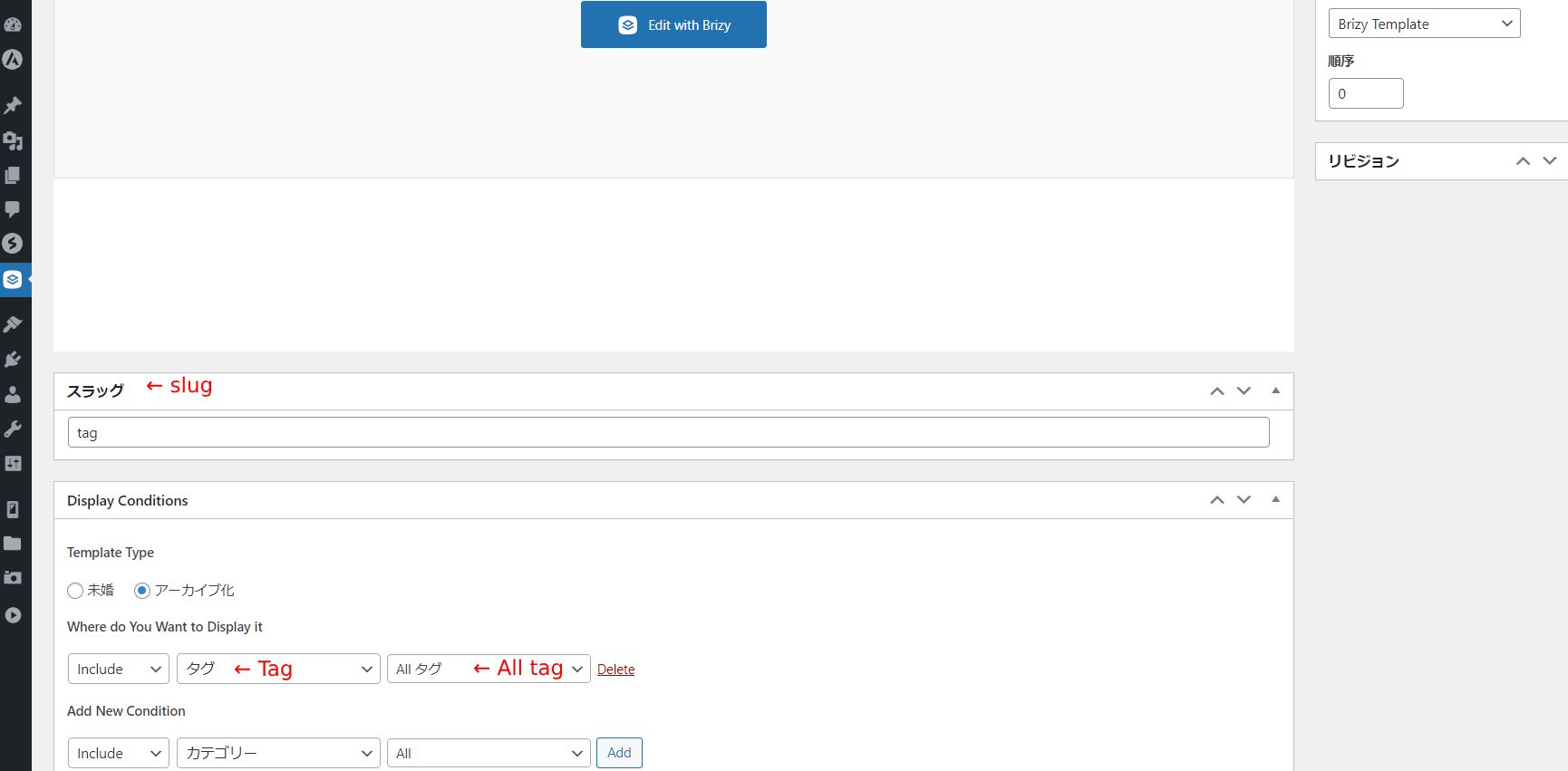

When I click a tag in a post, the archive page is for all tags.
How can I display the page filtered by applicable tag?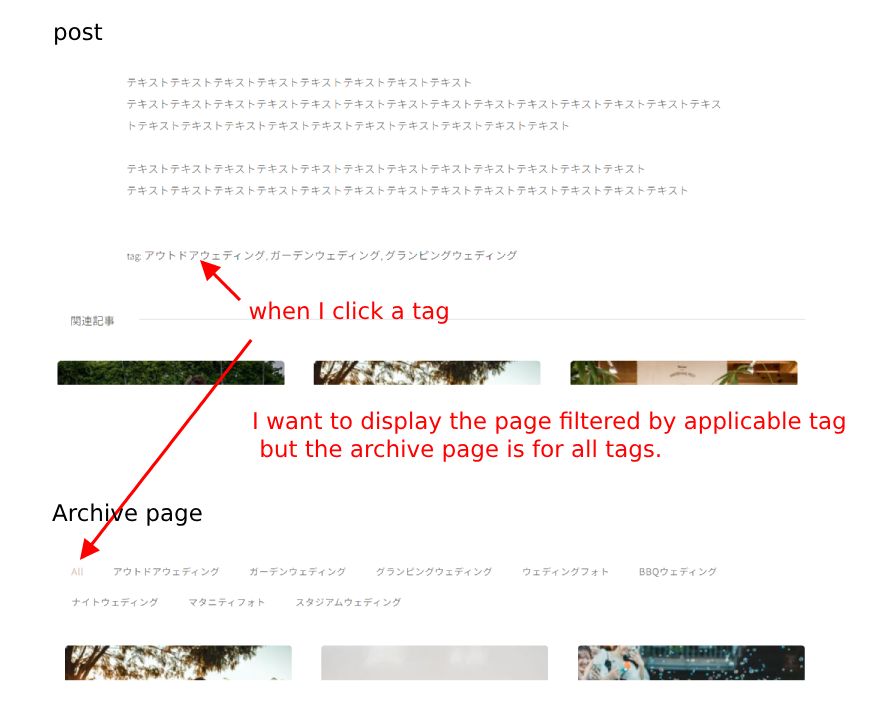
I'm using Brizy Pro and Astra theme(free) latest version.
I'd appreciate any help on this, thanks!
Yasuko
-

Hi Yasuko,
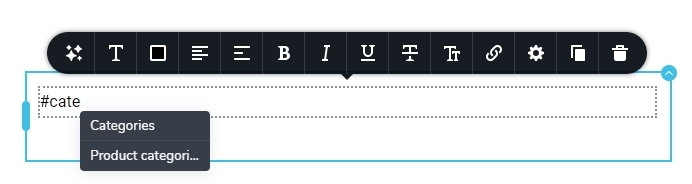
Ideally you should find the tag and categories options when you type # in the Text element in a blog post template. If your site language is set to a language other than English, you may need to look for tags and categories in your language?
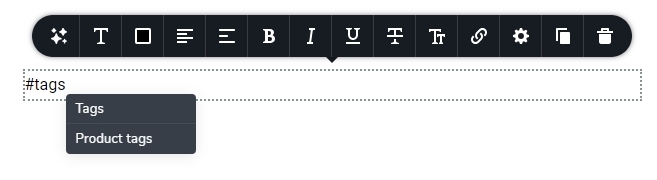
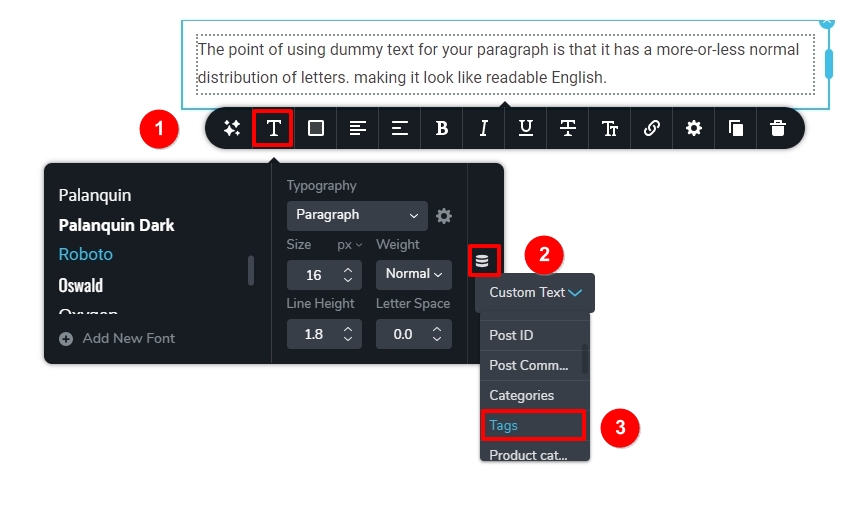
You can also try an alternate method to display dynamic data. Drag and drop the Text element, select the Typography icon, then Database icon and select 'Tags' from the drop down list.
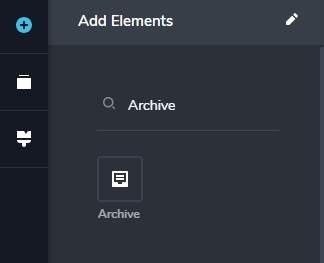
In the Tag and Category Archive templates, please use the Brizy Archive Element to display the blog posts. Please let us know if this resolves the issue.
 0
0 -
Thank you KC, much appreciated.
1. I tried to type dynamic data in Japanese, it came out!
2. I switched to the Brizy Archive Element and added include Archive Page to Display Conditions, and I could make the archive page! However, there isn't the navigation source in the Archive Element.
I tried to find the way to display the tag list but I couldn't. Is it possible to display the list of all tags?
And I have one more question, How can I put the hashtag "#" before each tag?
e.g. Brizy Wordpress Blog --> #Brizy #Wordpress #Blog
Many thanks!0 -
Hi Yasuko,
In your WordPress Dashboard under Appearance - Menus, please create a 'Tags' menu. Please follow this procedure. If you want me to make a screen recording, please let me know.
- In the WordPress Menus area, at the top of the screen, click on 'Screen Options' and enable 'Tags' for Menus.
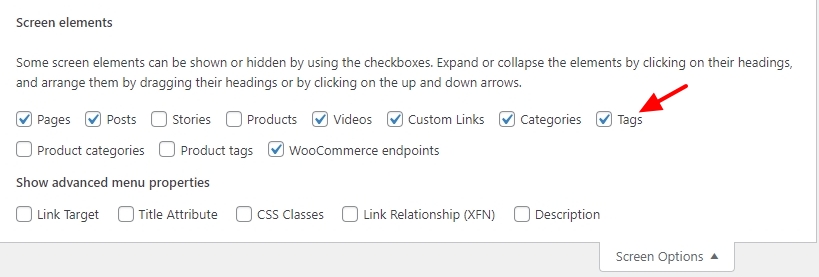
- Create a new menu and call it 'Tags'
- From the Tags accordion. add all available tags to the menu
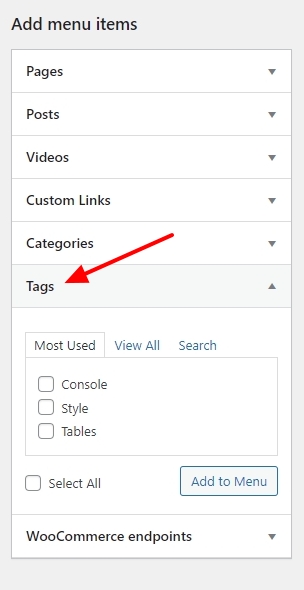
- Drag the Brizy Menu element to your Blog Archive Template and select the Tags menu. This will display a list all your tags in your Blog Archive page.
0 -
Hi KC,
Sorry for my late reply.I tried it as you advised and went well!!
Thank you so much for your help.
I wish you a happy new year.0
Please sign in to leave a comment.
Comments
4 comments