Brizy Saved Popup Template Issues

I have one Brizy popup that I have made into a saved popup, so I could reuse the same popup structure for two other popups that have some content changes on them. No matter what I do, the only popup that will trigger when a button is clicked is the original saved popup. There are a total of three popups on the same page, but again, the only one that will trigger is the original.
Although in the admin, the popups that are associated with the buttons show as they should. Each button in the admin shows it's own popup with it's content. It's only on the frontend that each of the three buttons trigger the same original saved popup.
Babylon popup below was the original. I made that, then saved it so I could reuse it for Rockville and Massapequa popups. Again, these popups are all on the same page and are triggered by condition button clicks. There are just some minor content changes on the popups.

In the admin view when you check out what popup is associated with the Massapequa button, it's the correct popup.
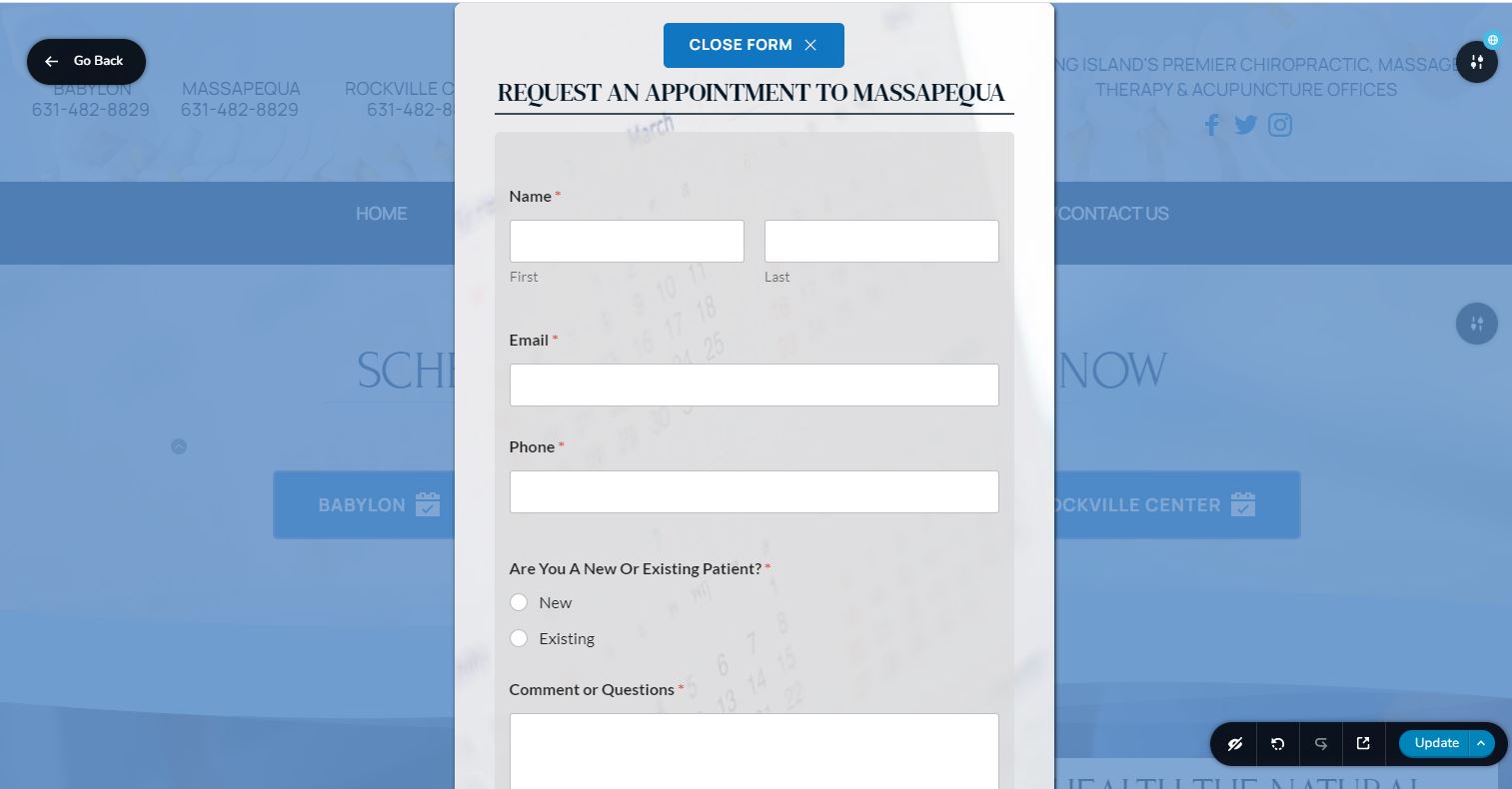
Below is the admim view of the popup if you click the Massapequa button..


Below is showing on the frontend, if you click the Massapequa button, the original Babylon popup is what's showing.  This alos happens on the Rockville button.  The only popup triggered on the frontend is the Babylon, even though in the admin, each button is showing the correct popup as it should.


-

Hi Chad,
Brizy Popup builder supports two types of popups.
- Conditional popups: These are triggered automatically when a certain condition is fulfilled; Eg: few seconds elapses after page load. In your WordPress Dashboard under Brizy - Popups, you can see these popups listed.
- On-click popups. These are triggered when the user clicks on an element like button/ icon/ image/ text. These are not listed any where in the Brizy Editor.
On-click popups cannot reuse content prepared for conditional popups. Similarly, on-click popup content cannot be reused for conditional popups. If you generated content for a conditional popup, saved it, and then imported it into an on-click popup, it would not work.
From the first screenshot you have shared above, it appears that you have created three conditional popups. (since on-click popups are not listed anywhere). Your second screenshot implies that you want to setup on-click popups which are triggered based on button clicks. Since content created for conditional popups are not interoperable with on-click popups, this may not work.
You cannot reuse the design from your existing conditional popups for your on-click popups. Hence please recreate the content for the first on-click popup. You can then save the popup and reuse it for the second and the third on-click popups. You may also want to delete your three conditional popups once you setup three on-click popups.
If the above explanation is confusing, please give us access to your WordPress Dashboard; we will do this for you.
0
Please sign in to leave a comment.
Comments
1 comment