Buttons messed up

Hi,
Suddenly all buttons changed, my CSS changed somehow. It was the following code;
element::before{
content: "";
width: calc(100% - 25px);
height: calc(100% - 30px);
border-width: 1.5px;
border-style: solid;
border-color: white;
position: absolute;
}
So I had button styles likethis: 
But now they turned out like this (not centered anymore):
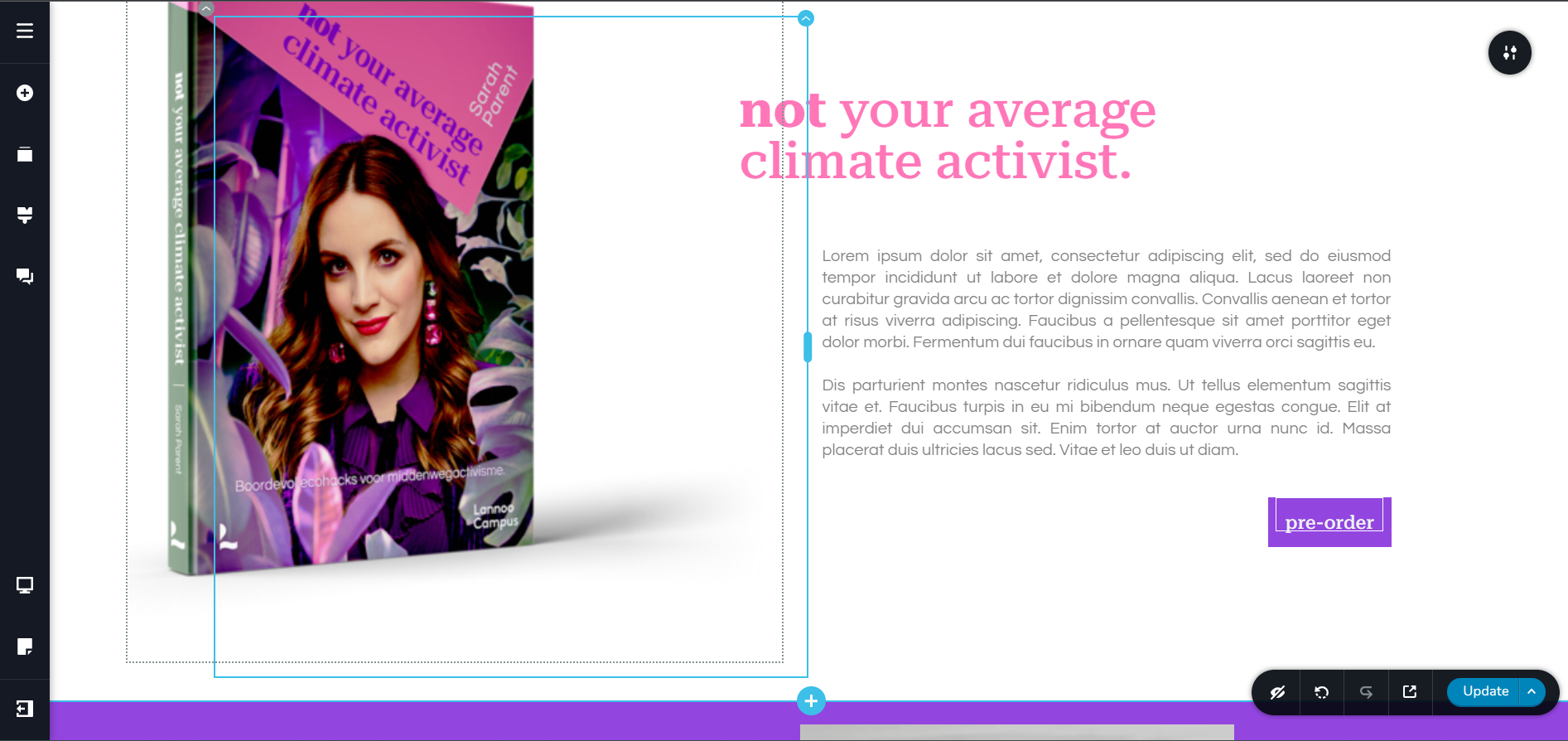
Fixed it by adding a margin-top: 5px; in CSS code but just want to make sure this won't happen again?
Thanks!
-
Also, hoover effect doesn't work now. How to fix this?
0 -

Hi Jotte,
Thank you for contacting us.
Could you please provide your site's URL, so we can inspect it?
We won't show it on this support thread if you want to keep it private.
I am looking forward to your response.Best regards,
Ariel H.0 -
Hi Ariel,
Fixed CSS/hoover by adding pointer-events: none;
element::before{
content: "";
pointer-events:none;
width: calc(100% - 25px);
height: calc(100% - 30px);
border-width: 1.5px;
border-style: solid;
border-color: white;
position: absolute;
margin-top: 5px;
}...but button css style not showing up on mobile version.
Site URL: https://sarahparent.zoomers.site/ (white label agency plan)0 -
Hi Jotte,
Thank you for the update, could you please try adding a separate media query to target mobile devices?
/* Mobile styles */
@media (max-width: 768px) {
  element:hover::before {
    /* Define your hover effect styles for mobile */

  }
}
Please try this and let me know how it goes.
Best regards,
Ariel H.
0
Please sign in to leave a comment.
Comments
4 comments