Styling | Fonts Corrupted

floridasound.com has had used brizy for a while. It has gotten corrupted from time to time especially with updates that have to be rolled back. 🙄 I started the site over and am working on it through a staging site (https://michaelh450.sg-host.com/). Unfortunately, now the styling (fonts) has gotten corrupted on it. I went back a few days and restored backups but the corruption still exists. The "about us" page shows a serif font in the menu.
The "home" page shows the proper sans serif font in the menu (Google Oxanium). 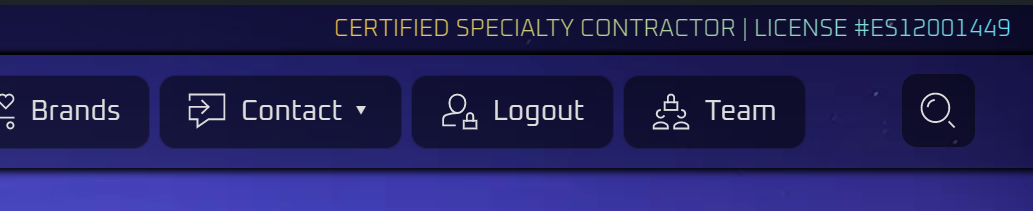
When I go to styling in Brizy it shows "Oxanium" font but displays it incorrectly. 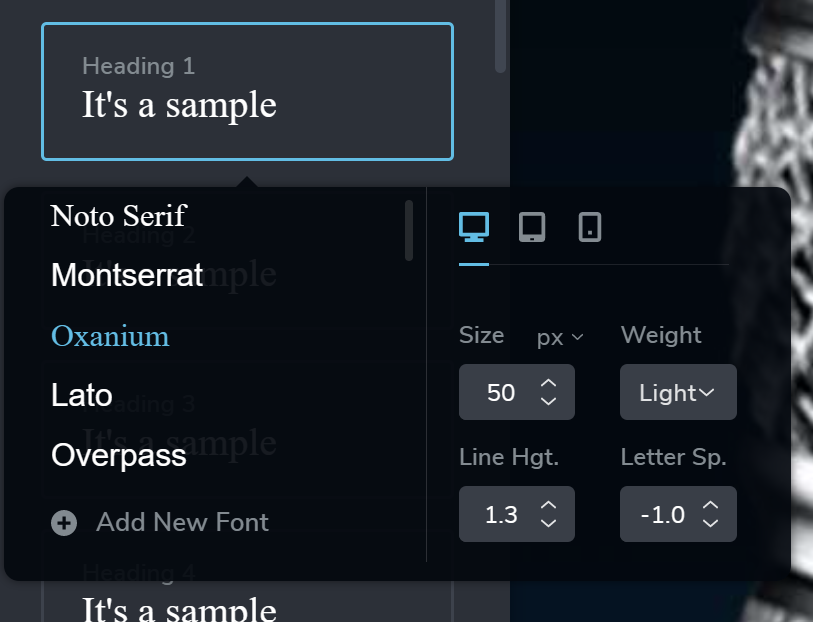
If I edit the "about us" page (even if don't save) it changes all the pages to the corrupted font. I rolled back to Brizy Pro 2.4.17 and Brizy 2.4.18 but still has the issue.
Any help you can provide would be appreciated. I have login info ready for you, if you need it. Thank you!
-

H Michael,
We apologize for the inconvenience. This issue is already fixed. Please open the above project in the Brizy Editor, click on 'Update' button and check if the font issue gets resolved.
0 -
Yes, that worked. Thank you.
0
Please sign in to leave a comment.
Comments
2 comments