Pop-up notification keeps popping up even with single pop-up condition enabled.

Hello, how are you?
The pop-up I set up on my page keeps reappearing even if the terms of the pop-up are accepted and the conditions are set so that it should only appear once. Yet it continues to pop back up. Sometimes it doesnt though, so its sort of random. I have had these conditions set the entire time which should prevent this: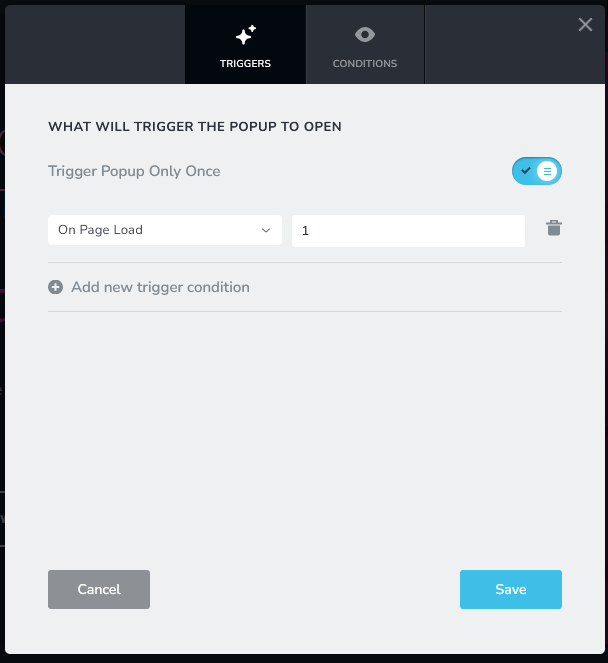
https://www.coom.xxx/
Thanks for your time
-

Hi
I tested the URL https://www.coom.xxx/ on Google Chrome and Firefox. In both browsers, the popup triggered only once. I could not reproduce the issue at my end. Please have a look at my test here https://jmp.sh/kbYqbnip
Could you please continue to test this URL in different browsers, devices, and locations? If the popup triggers more than once, see if you can identify under what circumstances, it happens. Please let us know your findings.
0 -
Thank you for checking thoroughly like that,
Actually - If you click that X in the top right corner - like you did, it will go away. That is correct. In fact it's the only way to properly close it so far as I know.
However, if you reset your cookies/clear history of the site and re-enable the once-only pop-up function,
If you click on the implied button for consent, this one right here:
You will find that the pop up keeps repopulating the screen non-stop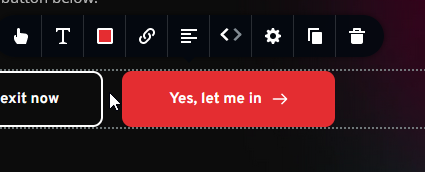
And I'm unable to find a way to clear that effect using this button only
Thanks for your time0 -
Hi
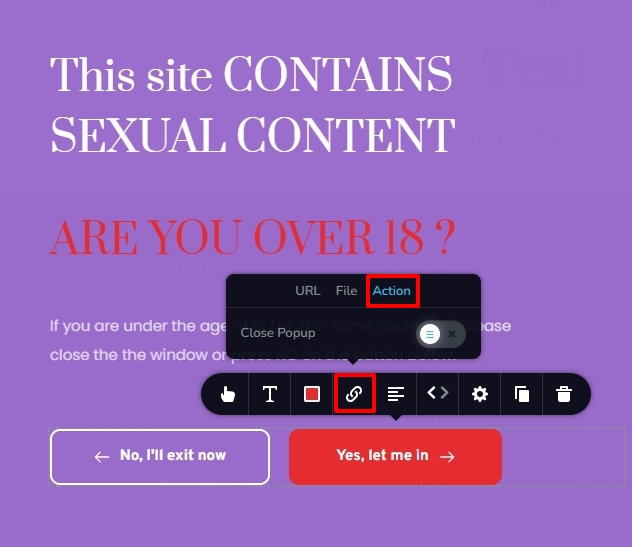
In the Brizy Popup Builder, click on the button 'Yes, let me in' and select the link icon and under the 'Action' tab, enable the option 'Close Popup'. Then please check your website preview to see if the issue is resolved.
 0
0 -
That is what I was looking for thank you, may want to suggest to the dev team that leaving that on as the default setting instead of off. Thanks again.
0
Please sign in to leave a comment.
Comments
4 comments