Can't link to pdf file

Until now, I could create a link and when searching for the file, select a existing PDF or any other file that is not an image. Now it only allows linking to an image:

-

Hi Fredi,
We are sorry for this inconvenience. This looks like a bug with the most recent Brizy versions. I have reported it and we will work on fixing it. In the meantime, please use this workaround.
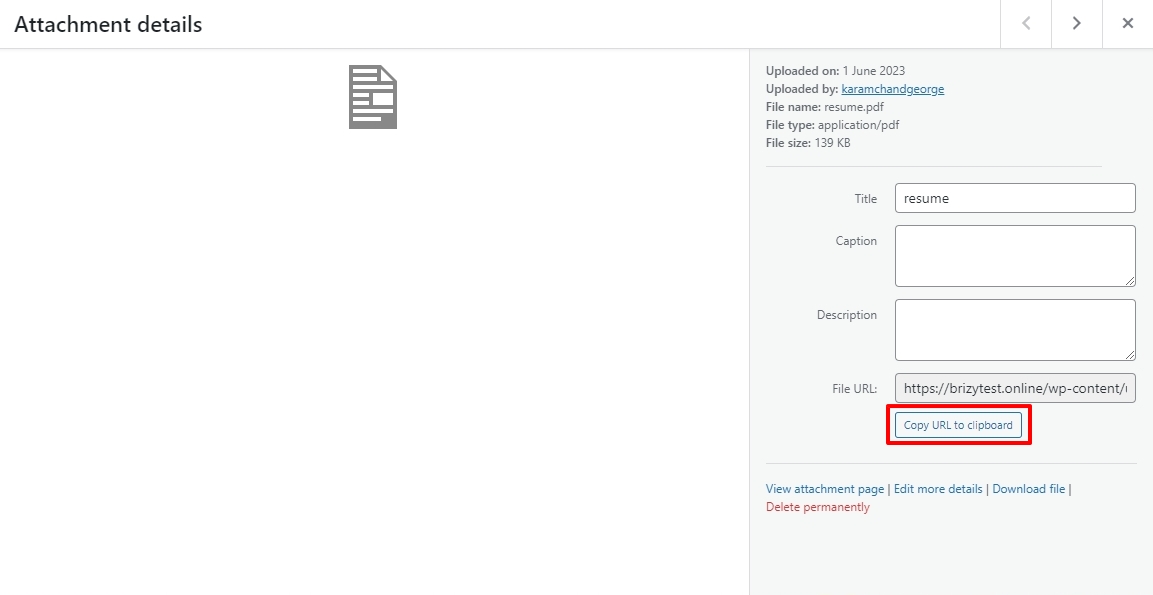
- In your WordPress Dashboard under Media Library, click on the PDF file and copy its URL from the right pane by clicking on "Copy URL to Clipboard" button
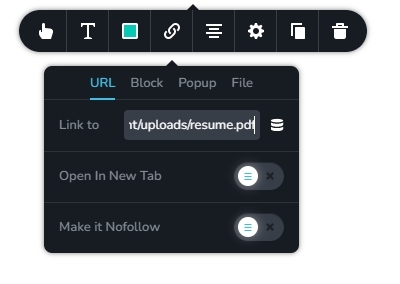
- In the Brizy Link toolbar, paste the URL under the URL tab
 0
0 -
Dear,
For now, I have reverted back to the previous version that does allow it. Especially also due to the issue of image resizing.
Thanks in advance!
0 -

Hi KC, is there an update to this bug? This workaround is ok for admins but too complicated for inexperienced editors. This way I can't use the css for the class .brz-rich-text [data-brz-link-type="upload"]
Thanks0 -
Hi Reto,
We have a fix available for this at our end. We will roll out the fix along with a future update.
0
Please sign in to leave a comment.
Comments
4 comments