Brizy pro missing elements

Hi
I have just installed brizy and brizy pro on a brand new site, gone into edt with brizy a single post template and the pro elements are not there, why?
Is the latest version of brizy pro complied and working ok?
I thought I was going daft and couldn't the icons but tried searching and nothing comes up for breadcrumbs, post, blog related elements, no woo commerce either.
Can you tell whats going on please?
Regards
ben
-

Hi Ben,
Please open the Single Blog Post template by clicking on the Edit option. Kindly check if you see the 'Delete' option or 'Add' button next to the 'Display Condition'. If you see 'Add' button, click on it to add the Display Condition and check again.
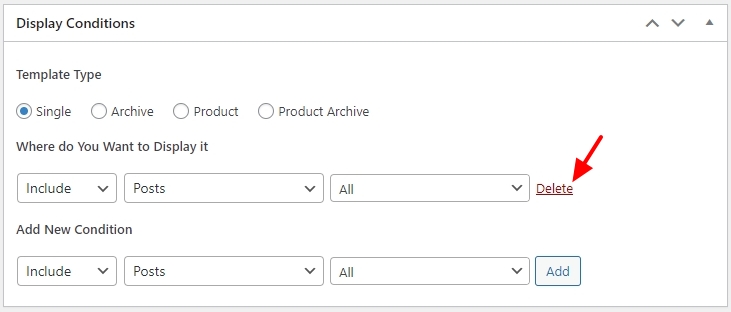 0
0 -
 0
0 -
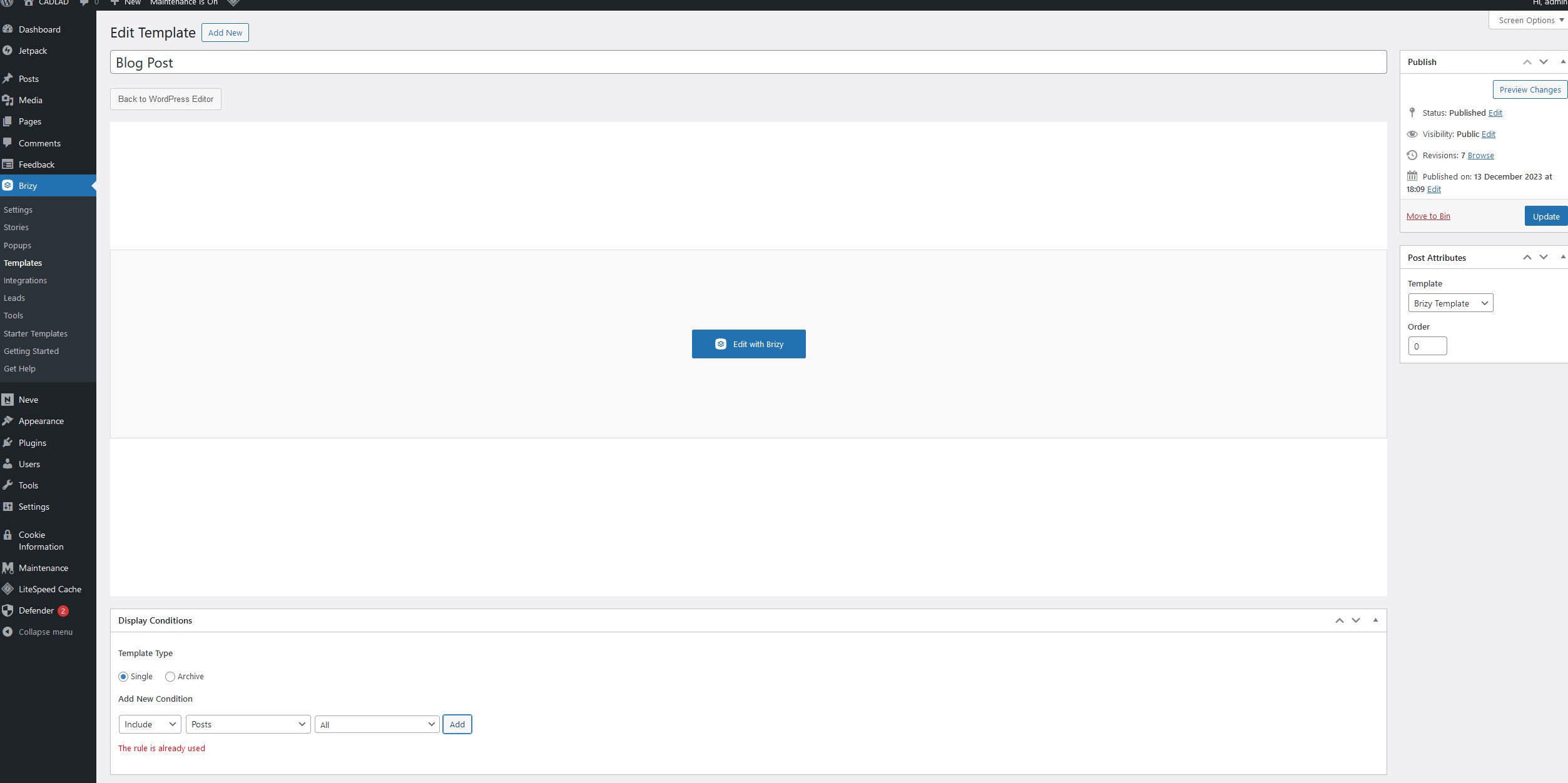
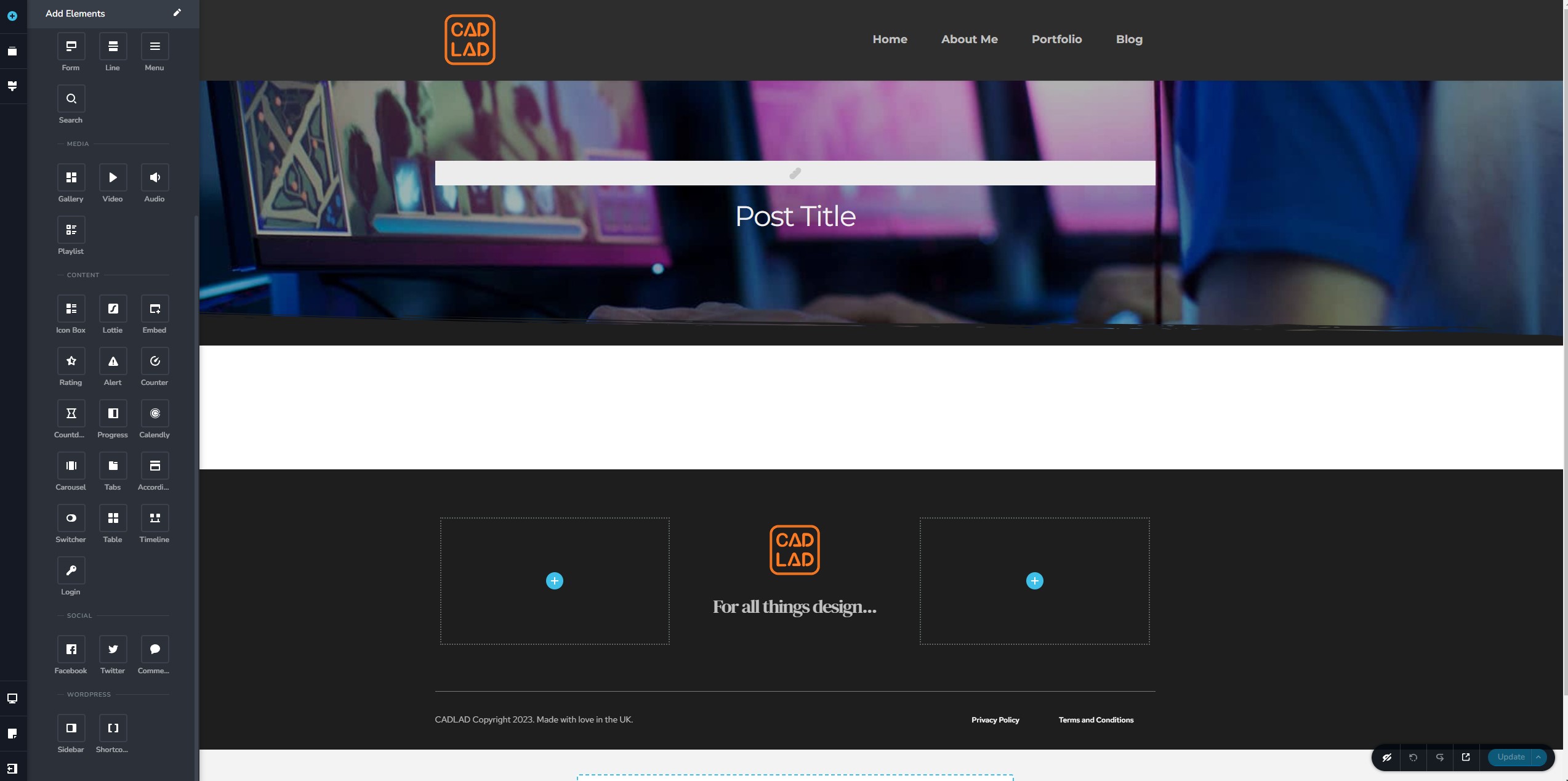
It doesn't seem to work and says it is already active. The pro features in the brizy interface are not showing up either.
 0
0 -
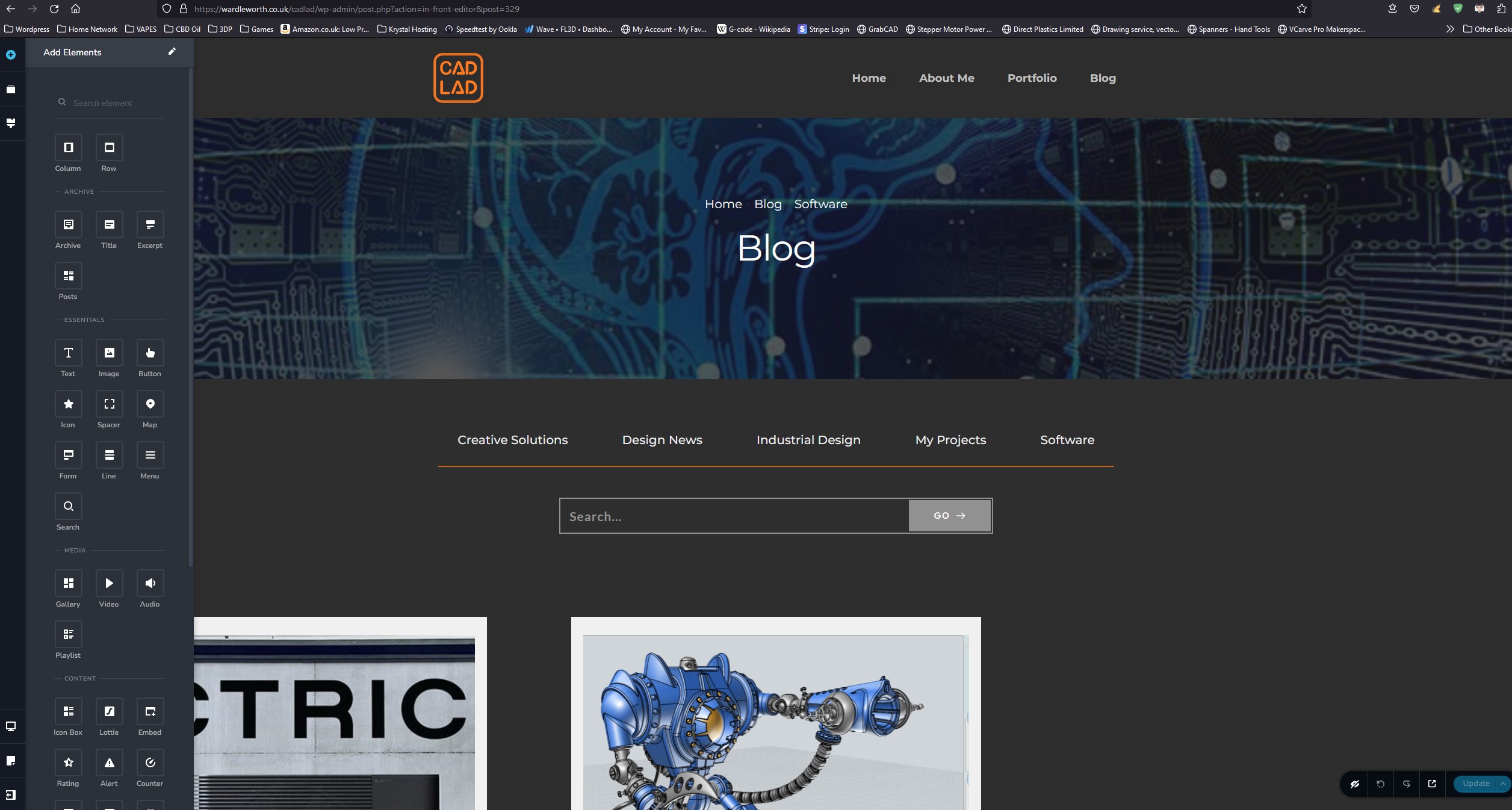
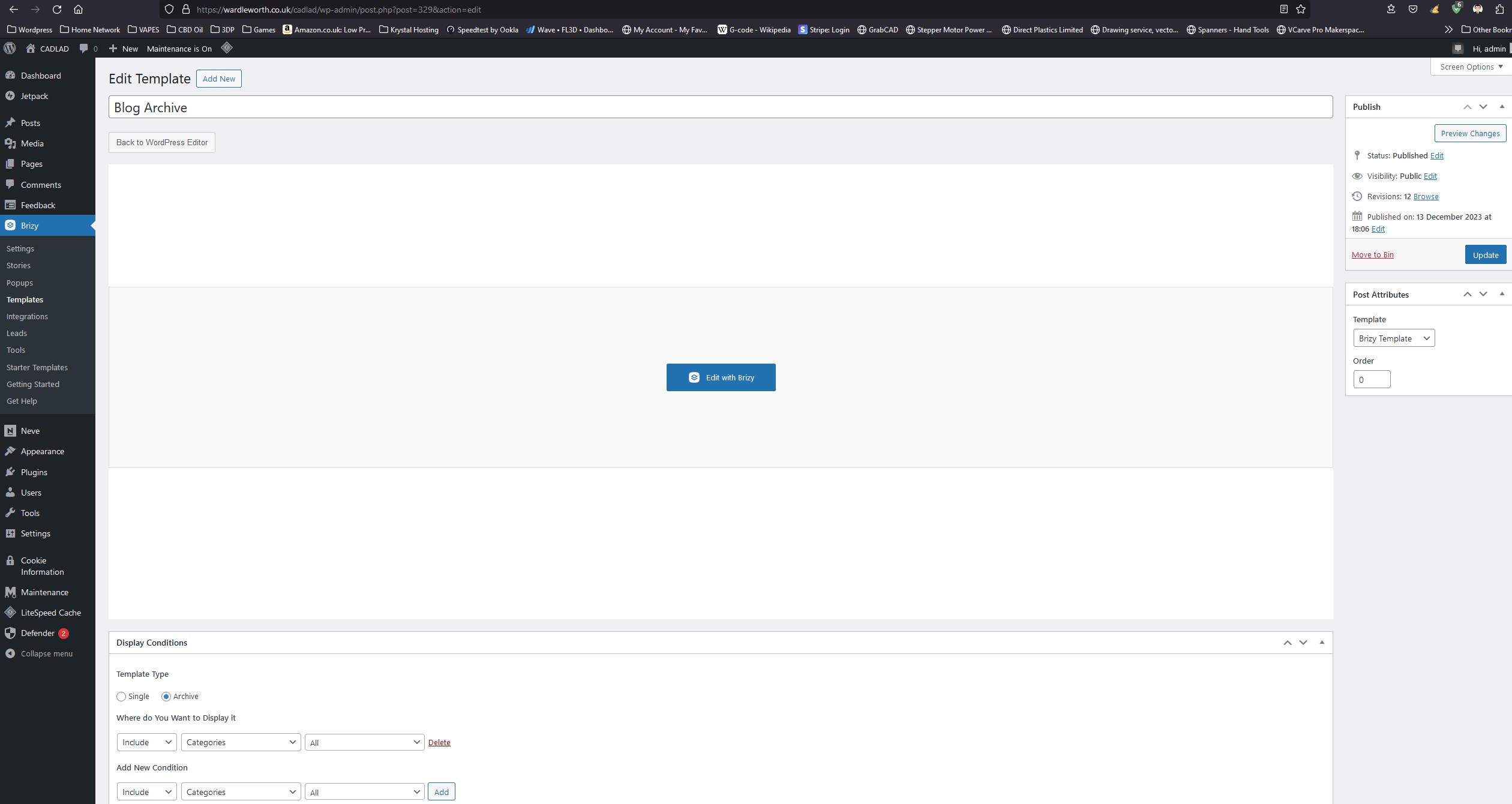
This is the blog archive template and is saved with the ADD all categories, but nothing shows up on this page in the frontend, page is just blank. So the templates are not working! I have used this workflow before without any issues, be it a year ago. Has something changed?
 0
0 -
 0
0 -
 0
0 -
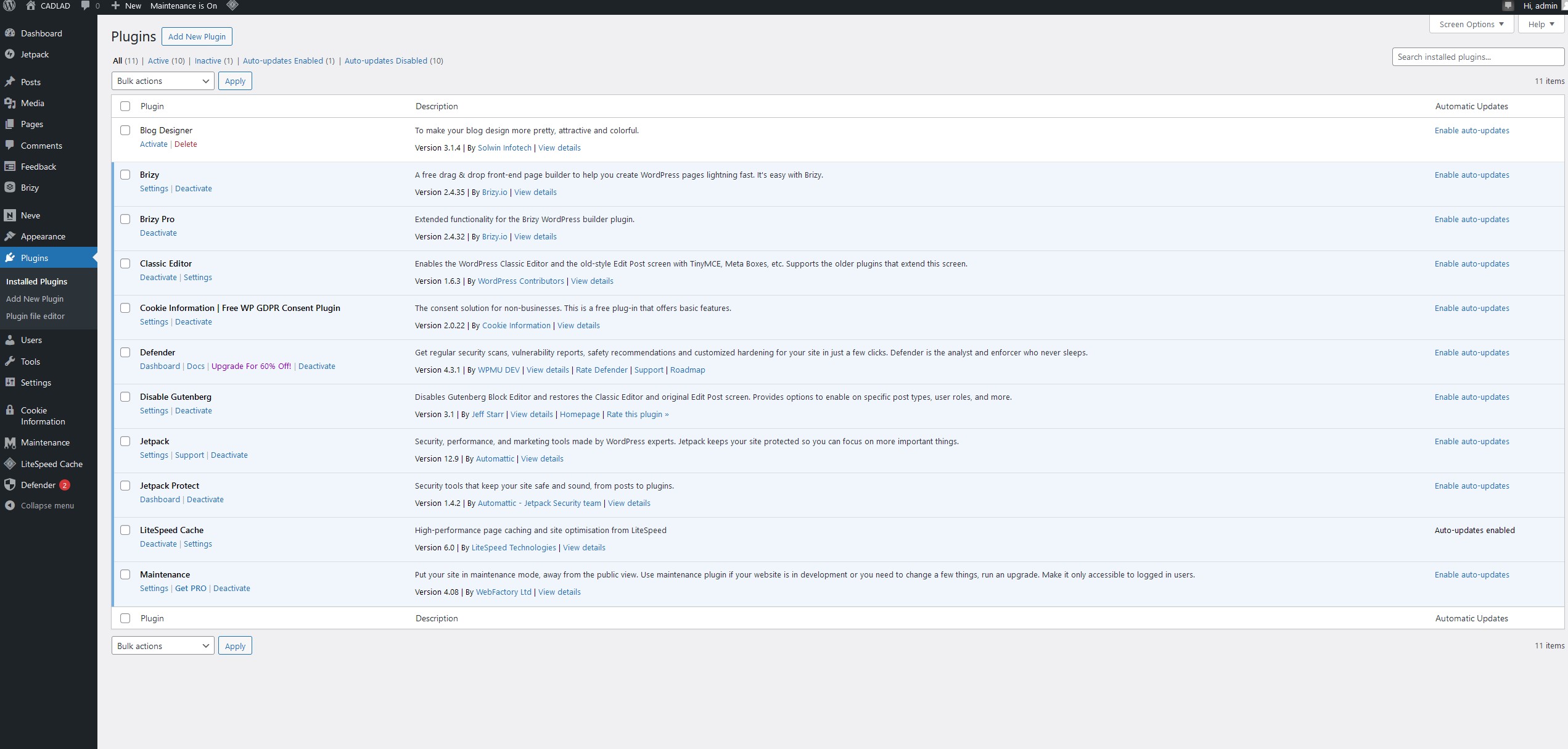
These are the plugins I have used, the top plugin blog designer I have only installed but yet activated it. I maybe a workaround if brizy pro doesn't work anymore.
 0
0 -
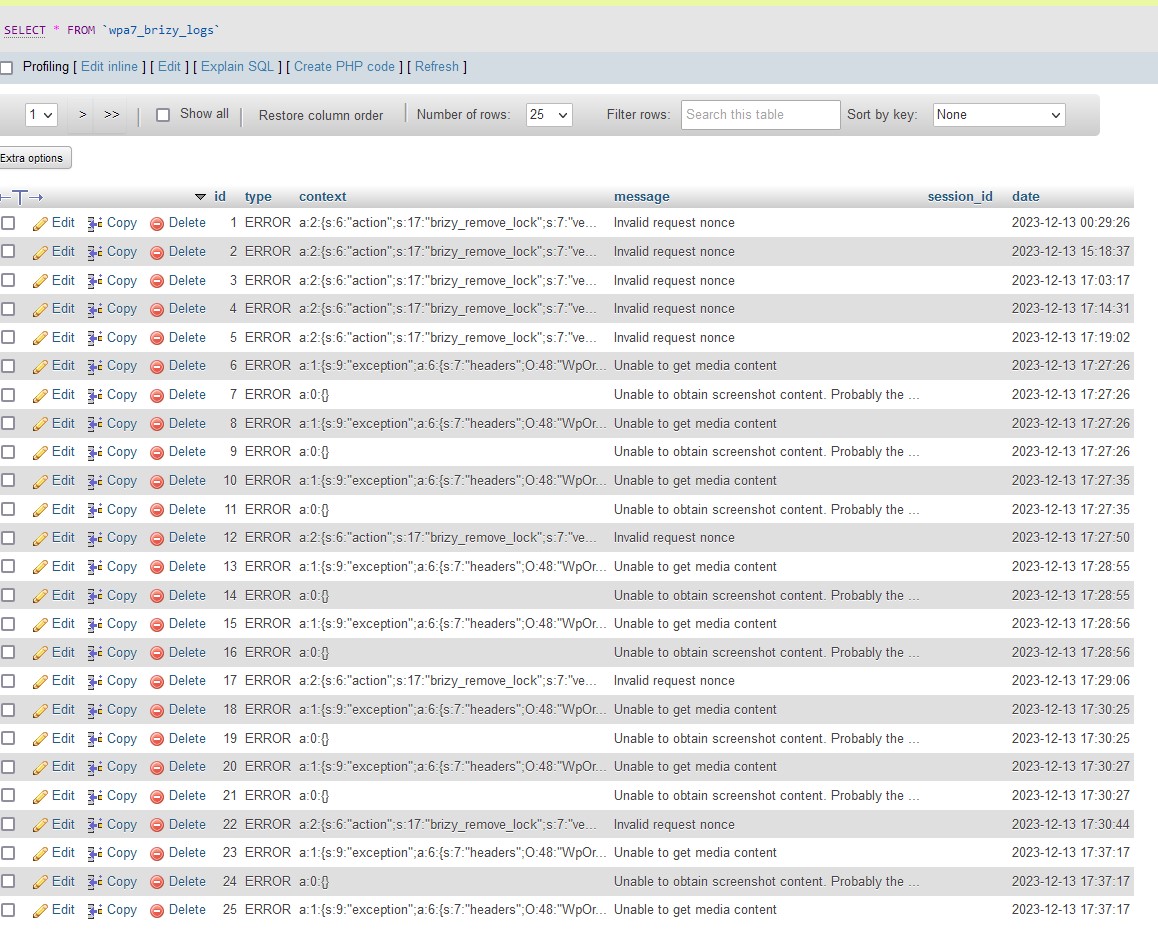
There appears to be quite a few error in the database pointing brizy.
 0
0 -

Hi Ben,
Thank you for the update.
Sorry that you're having a hard time with this issue. We need to examine this from your WP Admin page. Could you please add us as an Admin user to your WordPress Dashboard and forward the following details to communitysupport@brizy.io?Community Post link: https://support.brizy.io/hc/en-us/community/posts/15777756606226
WordPress Admin URL:
Username:
Password:Meanwhile, I suggest you try the following steps:
1. Consider updating to PHP 8.0 or higher. You can check the PHP version running on your site by following the steps in this link - https://imgur.com/ggUXpwG2. If the above step doesn't resolve the issue, try disabling all other plugins except Brizy and Brizy Pro. Then, attempt to create your dynamic template again to see if there's any change.
Please try this and let me know how it goes.
Best regards,
Ariel H.0 -

Hello,
I would like to report an issue regarding the malfunction of PRO elements in the Brizy Builder version for WordPress, for which I have a purchased license. This issue has been previously described by another user as well. Despite thoroughly going through all available information and guides on your support website, I am still facing difficulties with the functionality of PRO elements.
Specifically, I have identified the following problems:
Missing Elements (Content): PRO elements that should be available in the PRO/WordPress version are not accessible. The menu for these elements is not displayed, making it impossible to add them to the content.
Limited Element Creation Menu: The menu for creating elements ("Add Elements") only contains elements available in the "free" builder version. PRO features are not included in this menu, preventing the full utilization of the purchased license.
I conducted tests on another server with a different configuration and a clean installation of the latest WordPress version. The elements are also missing in the menu for adding blocks in your builder, confirming that the "PRO" functionality is not available.
Details about my installation:
Server Information:
Server Architecture: Linux 5.10.0-26-amd64 x86_64
Web server: Apache
PHP Version: 8.2.13 (Supports 64-bit values)
PHP SAPI: fpm-fcgi
PHP max input variables: 1000
PHP time limit: 30
PHP memory limit: 256M
PHP Max. Input Time: 30
Max. upload file size: 80M
PHP post max size: 80M
cURL Version: 7.74.0 OpenSSL/1.1.1w
Brizy Builder Plugin Version for WordPress: Brizy Version 2.4.35, Brizy Pro Version 2.4.32
Used WordPress Version: 6.4.2
Other Relevant Plugins: Blocksy Version 2.0.11
I have tried various steps as per the guides, including updating the plugin, checking compatibility with the latest WordPress version, and deactivating other plugins. Unfortunately, despite these efforts, I am still unable to achieve full functionality of the PRO elements.
I would like to request additional information or a solution to this problem, as it is crucial for me to fully utilize all the features of Brizy Builder PRO.
Thank you for your prompt assistance.
Best regards,
Alex
0 -
Hi Alex,
I want to apologize for any misunderstanding or confusion on our end.
It appears that we may not fully grasp the nature of your concern or we might be replicating the issue in a different manner.Would it be possible for you to create a short screencast to demonstrate the specific issue you're facing? This would greatly assist us in understanding the problem accurately. You can use a platform like loom.com to easily create and share the screencast.
Best regards,
Ariel H.0 -
Hi Alex,
Thank you for your cooperation.
1. About your screenshot which says "The rule is already used" it appears that you have already used this template type in your Header / Footer template. I suggest deleting this template and create a global header and footer, using the approach described on this tutorial video - https://youtu.be/Fdd4MlvuxC4?vq=hd1080
2. Once you have deleted the Header/Footer template, you should be able to assign the Template Type to your Single blog post template. This will allow you access to the appropriate pro elements for creating your single post templates.
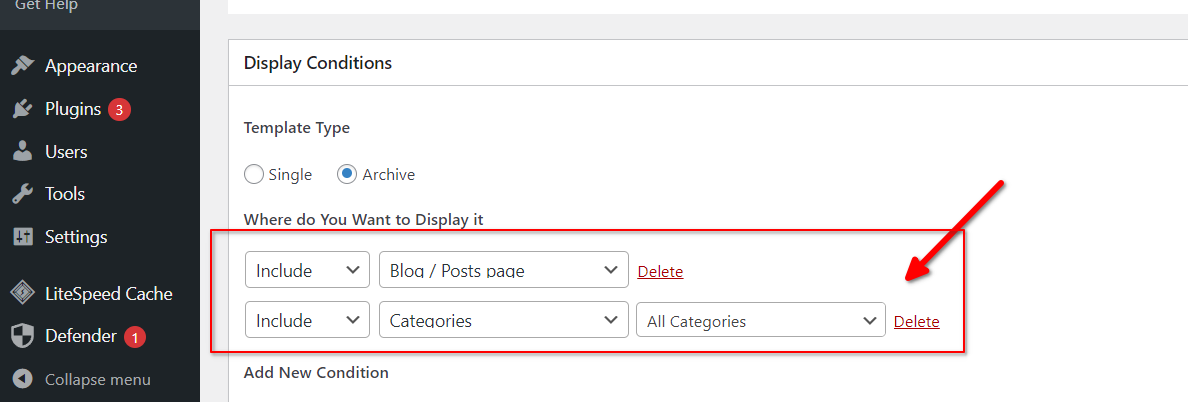
3. To resolve the issue with the Blog Archive, you can add a second display condition to include the blog/posts page.
4. As for the nonce_failure errors appearing in your database, it's possible that one of your security and cache plugins is causing this problem. I suggest temporarily disabling these plugins while your site is under development.
For more information, please refer to the following links:
https://passionwp.com/nonce_failure-error-in-wordpress/
https://blog.hubspot.com/website/nonce-error?tag=
https://wpdean.com/nonce-errors/
https://webtalkhub.com/how-to-fix-wordpress-nonce-failure/I hope this helps. If you have any further questions, please let us know.
Best regards,
Ariel H.0
Please sign in to leave a comment.
Comments
12 comments