Hamburger Drop-down menu

Is it possible to control the opacity of the hamburger background instead of having it black?
And if so, how to do this?
Kindest regards,
Mike Commins
0
-

Hi Mike,
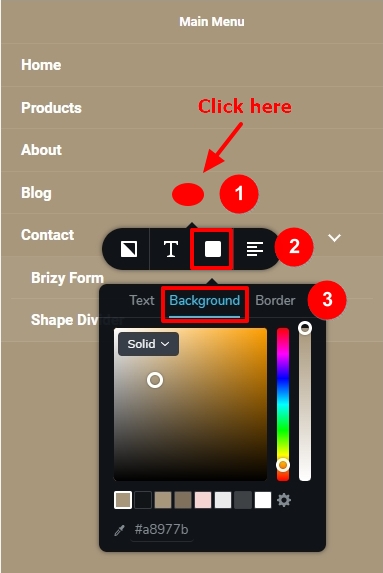
To set background color for your hamburger menu, please
- Click somewhere in the middle of the screen (see the red dot in the screenshot)
- Select the color icon
- Select the 'Background' tab within the color toolbar and set background color
 0
0
Please sign in to leave a comment.
Comments
1 comment