icon box it is not displaying correctly after update

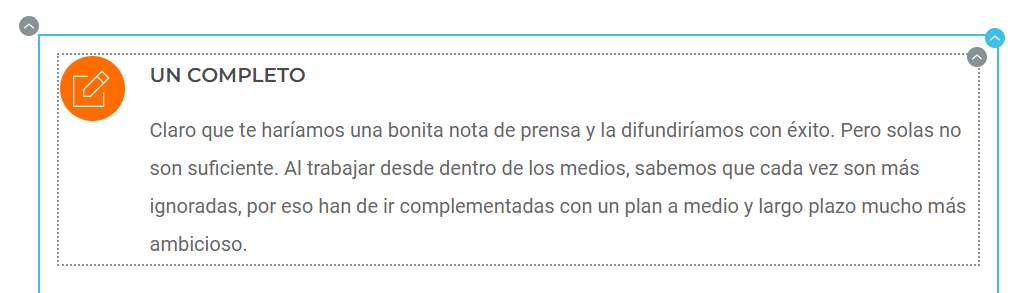
Dear, after Brizy update 2.4.18 & 2.4.19 the icon box it is not displaying correctly. It looks fine in the editor, but once published, it doesn't.
Editor:
Published: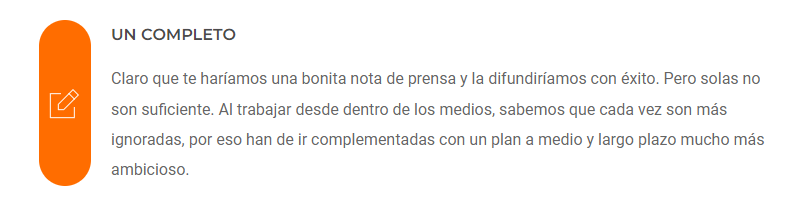 Thanks in advance!
-

Hi Fredi,
I attempted to reproduce this issue at my end. Icon box seems to work fine at my end with the latest Brizy versions. https://brizytest.online/iconbox/
Can you please share the URL of the page where you are facing this issue?
0 -
Hi KC George,
The issue arises if we want the background of the icon to be different from the background of the page.
Thanks,
Fredi Vinyals Estany
0 -
Additionally, the icon always remains vertically centered. It doesn't matter if you align it to the top or bottom.
0 -
Hi Fredi,
I setup a page with an icon background different from the page background. Please have a look at https://brizytest.online/iconbox/ The page displays well in preview at my end.
The URL you shared is accessible only to logged in users. Can you please share a preview URL so that we can take a look at this issue?
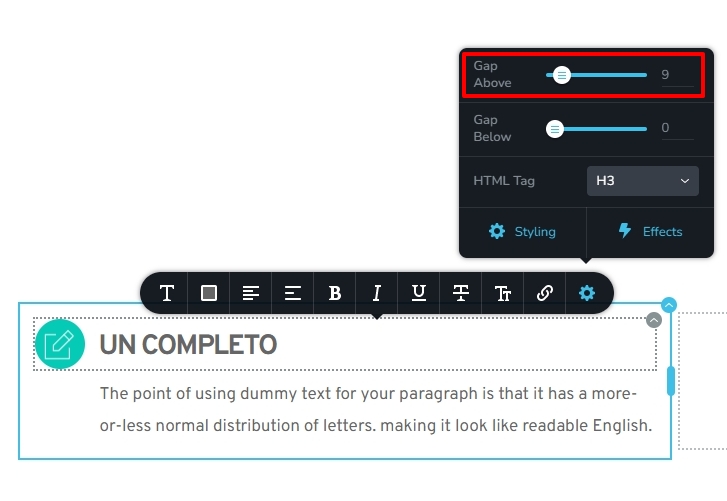
To align the text and the icon, click on the Text element, then on the gear icon and adjust the "Gap above" the text.
 0
0 -
Hi Kc George!
Finally, I see that you have found the error and it has been corrected in the latest update.
Good job!
0
Please sign in to leave a comment.
Comments
5 comments