Issue with Brizy Pro 2.4.18

The page is a mess after updating from Brizy Pro 2.4.17 to 2.4.18.
Please see the screen recording and screenshots below.
https://share.cleanshot.com/kVJz347k
Thanks.
-
Official comment

Hi ,Amata
Thanks for reaching out to us.
We apologize for the inconvenience caused due to our latest update. For this issue, the fix is ready, and we are working on a new update, we will try our best to release this update by the end of this day.
Regards Basharat
-
Hi everyone,
Thanks a lot for your patience, we just released an update for Brizy WordPress to fix all the issues that were caused by the last update. Please update the Brizy plugins and let us know if you face any other issue.
Regards, Basharat0 -
After updating to version 2.4.20 and 2.4.19 for the Pro version, there's still an issue with some buttons. Please see the screen recording here. https://links.amata.agency/ue9gKm
0 -
I also received this email message from Wordpress for the Brizy Pro.
Howdy! Plugins failed to update on your site at https://thai.amataliving.com.
Please check your site now. It’s possible that everything is working. If there are updates available, you should update.
These plugins failed to update:
- Brizy Pro (from version 2.4.17 to 2.4.19) : https://www.brizy.io/changelog-pro/These plugins are now up to date:
- Blocksy Companion (from version 1.8.88 to 1.8.89) : https://wordpress.org/plugins/blocksy-companion/
- Brizy (from version 2.4.19 to 2.4.20) : https://wordpress.org/plugins/brizy/To manage plugins on your site, visit the Plugins page: https://thai.amataliving.com/wp-admin/plugins.php
If you experience any issues or need support, the volunteers in the WordPress.org support forums may be able to help.
https://wordpress.org/support/forums/The WordPress Team
0 -

Hi Amata,
The above WordPress notification confirms that Brizy Pro plugin could not be updated from version 2.4.17 to 2.4.19. To solve this problem, please follow these three steps.
- In your WordPress Dashboard under Plugins, please deactivate and delete the Brizy Pro plugin
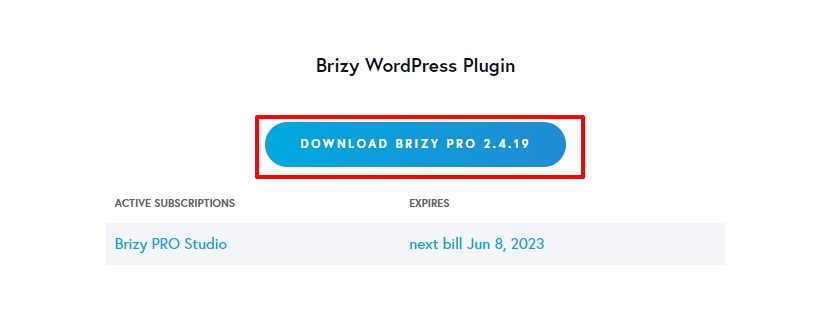
- Sign into your https://www.brizy.io/ dashboard and click on the button 'Download Brizy Pro 2.4.19' to download the latest Brizy Pro. (You could also download it from here https://jmp.sh/f9gihHbS)
- In your WordPress Dashboard under Plugins - Add New click on 'Upload Plugin' and upload the ZIP file you have downloaded in step 2 and click on 'Install Now'
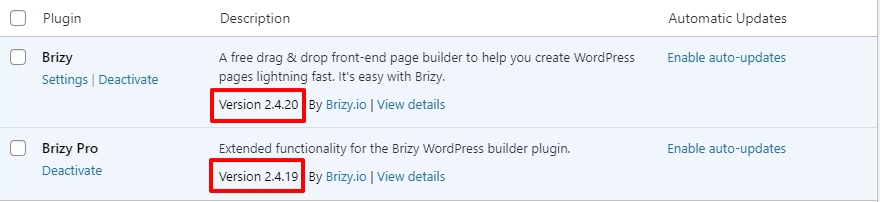
Now you should have Brizy 2.4.20 and Brizy Pro 2.4.19. Please check again if the image enlargement issue is resolved.
 0
0 -
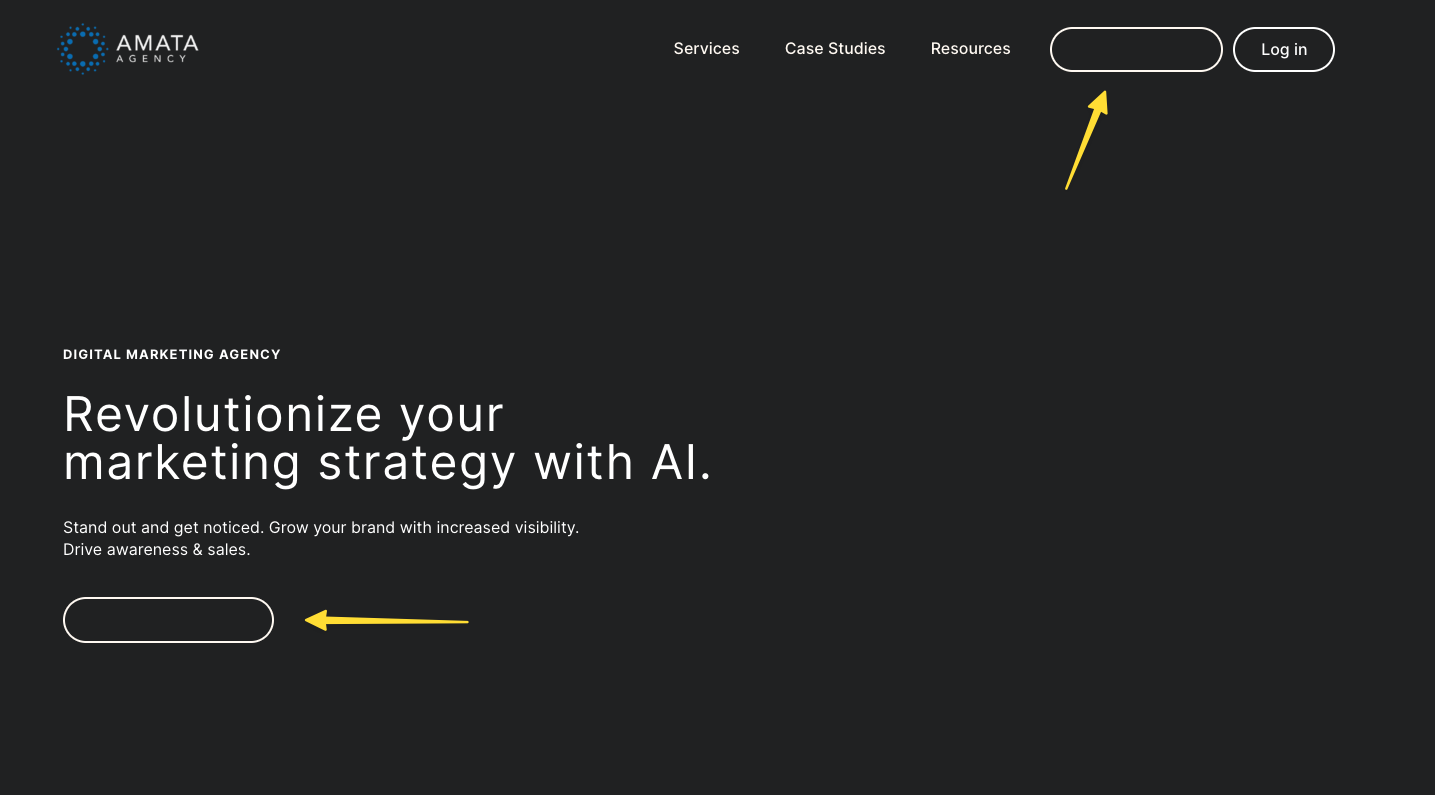
After following your instructions, the buttons still don't work properly.
Please see the screen recording here: https://share.cleanshot.com/6sGh0jg9
The URL of the site: https://aa4.staging.xeoncluster.cloud/
Before the update:

After the update:
 0
0 -
Hi Amata,
Brizy 2.4.20 and Brizy Pro 2.4.19 has a fix for the image resizing issue. Upgrading to these versions helped fix the logo resizing issue.
As I understand, the unresolved issue is with button background color. In the Brizy Editor you have set the button background as white and in preview you see black background.
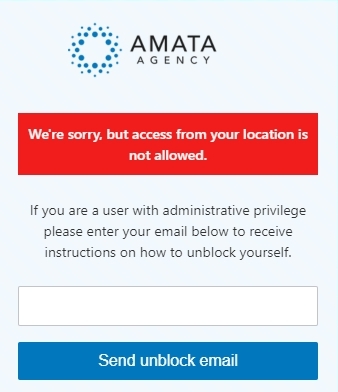
I would like to check your website frontend. I see this message when trying to access your URL https://aa4.staging.xeoncluster.cloud/ from India. Can you please open up access to this page from India?
 0
0 -
I have unblocked the site. Please try again; thanks.
0 -
Hi Amata,
I would like to take a look at your project to troubleshoot this issue. Can you please give us access to your project? Please add me as a user to your WordPress Dashboard and send the following details to our email: communitysupport@brizy.io
- Community Post link: https://support.brizy.io/hc/en-us/community/posts/15758924118289
- WordPress Admin URL:
- Username
- Password
Please let us know here when you send us the email.
0 -
The email has been sent as the subject line: WordPress Dashboard for Amata Agency. Thank you.
0 -
Hi Amata,
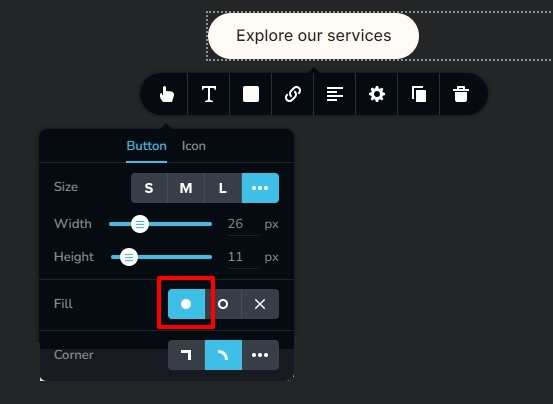
I have fixed the issue with the buttons by enabling the button fill option. Please check if everything looks fine.
 0
0 -
Thank you.
Does this mean the buttons will not be the same and must be fixed when updating the plugin?
0 -
Hi Amata,
This problem was caused by a bug in the most recent Brizy versions. We are currently working on a quick fix for this. When we roll out the fix, this issue will be automatically fixed on your website when you update to the newest Brizy versions (and no manual fix will be necessary).
0 -
Got it. Thanks!
0
Please sign in to leave a comment.
Comments
14 comments