problem with brizy front-end on wordpress as of this morning

Good morning,
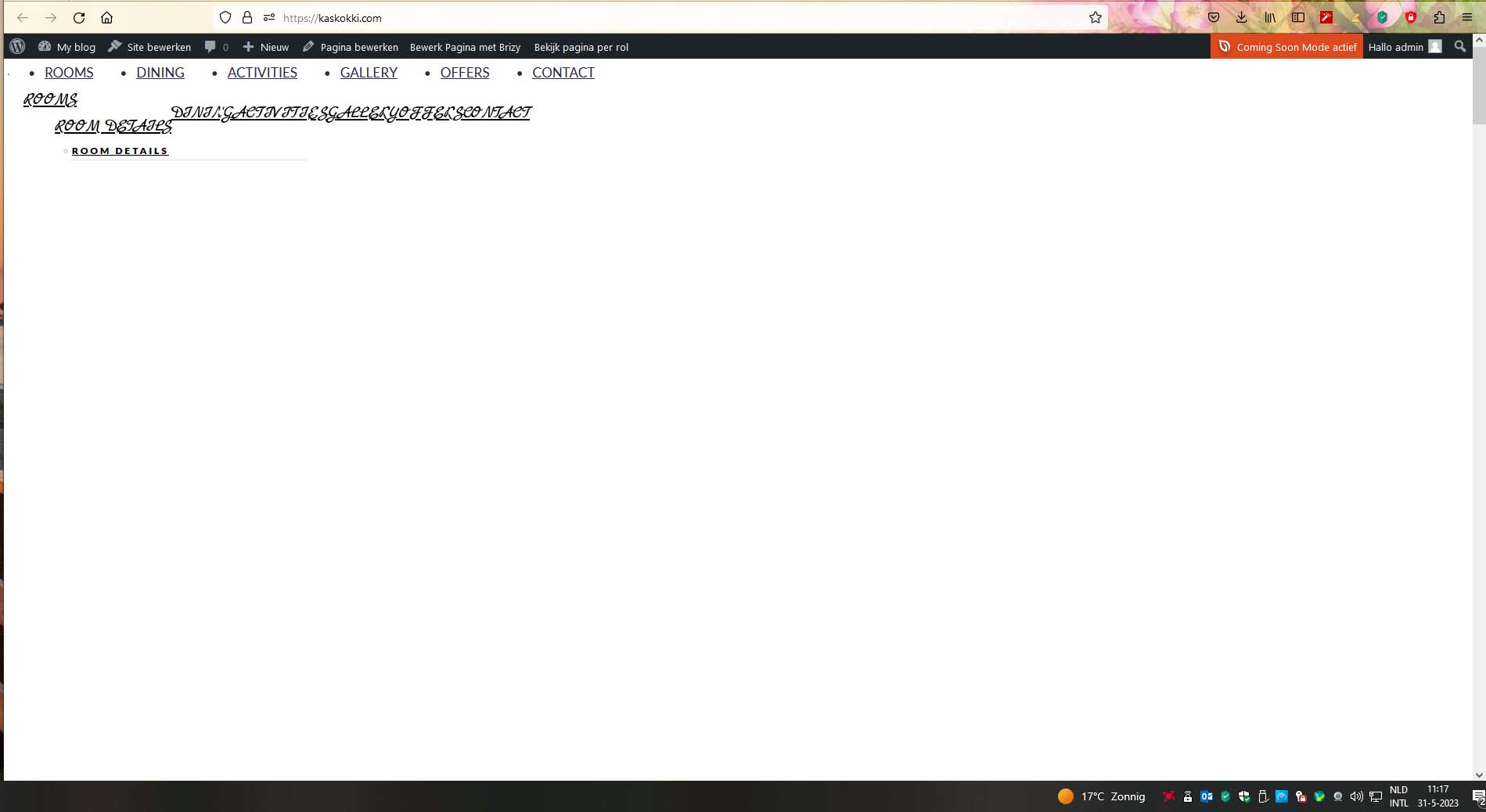
As i wanted to continue with creating a website www.kaskokki.com the front-end of the website did not look like it used to yesterday. only double menu and no homepage.
But on the back-end everything looks normal on the home page. I have also updated to the latest brizy pro plugin but then the logo is very big and template has different blocks etc.
So i think something is wrong with combo wordpress and Brizy.
I hope you can help me with solving this problem.
Thank you very much.
Best regards,
Walter Preij.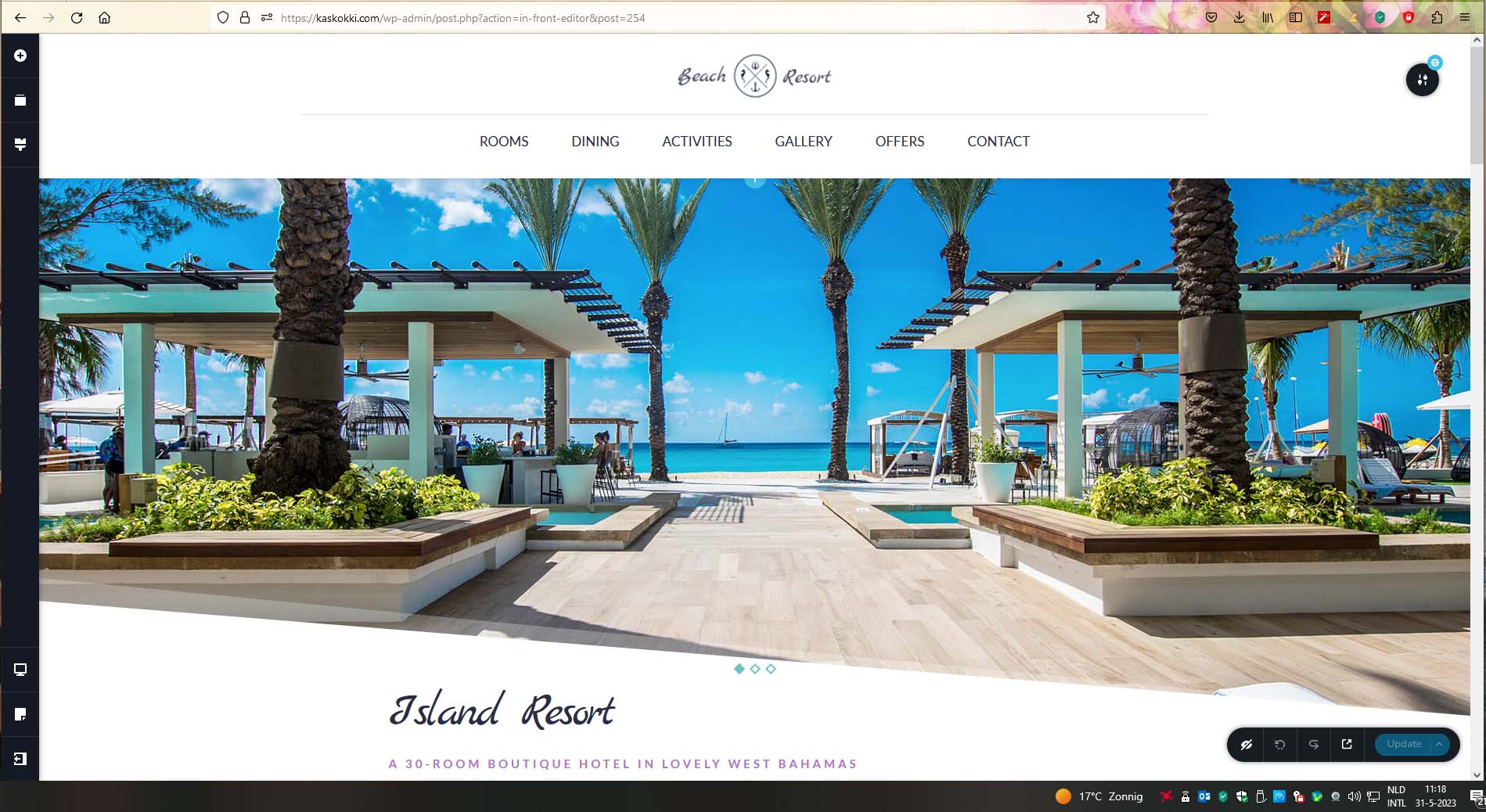
-

Hi Walter,
We apologize for the inconvenience. This issue could be due to a bug with today's Brizy update. Please try rolling back to previous versions and see if it fixes the issue. Please use these links to roll back.
- Brizy 2.4.18: https://jmp.sh/7jb1iP24
- Brizy Pro 2.4.17: https://jmp.sh/xzdANfh4
Please follow this procedure.
- Deactivate and delete Brizy Pro
- Deactivate and delete Brizy
- Download Brizy 2.4.18 and in your WordPress Dashboard under Plugins - Add New - Upload Plugin, upload Brizy
- Download Brizy Pro 2.4.17 and under Plugins - Add New - Upload Plugin, upload Brizy Pro
0 -
Yes, i already solved the problem. Thank you.
0 -

This also happened to my site as well and deleting the updated Plugins and returning to the older versions corrected the site. When I updated to the new versions of the plugins, my homepage and other pages were looking scrambled. This fixed the issue. Thank you Mr. George
0
Please sign in to leave a comment.
Comments
3 comments