Popup Trigger conditions don't show

Dear Community,
I have wanted to add a pop-up on one of our pages (https://www.traineffective.com/pricing-overview) and trigger it after 30 seconds. But the problem is that the Popup Trigger conditions don't show.
Does anyone know why?
Thank you!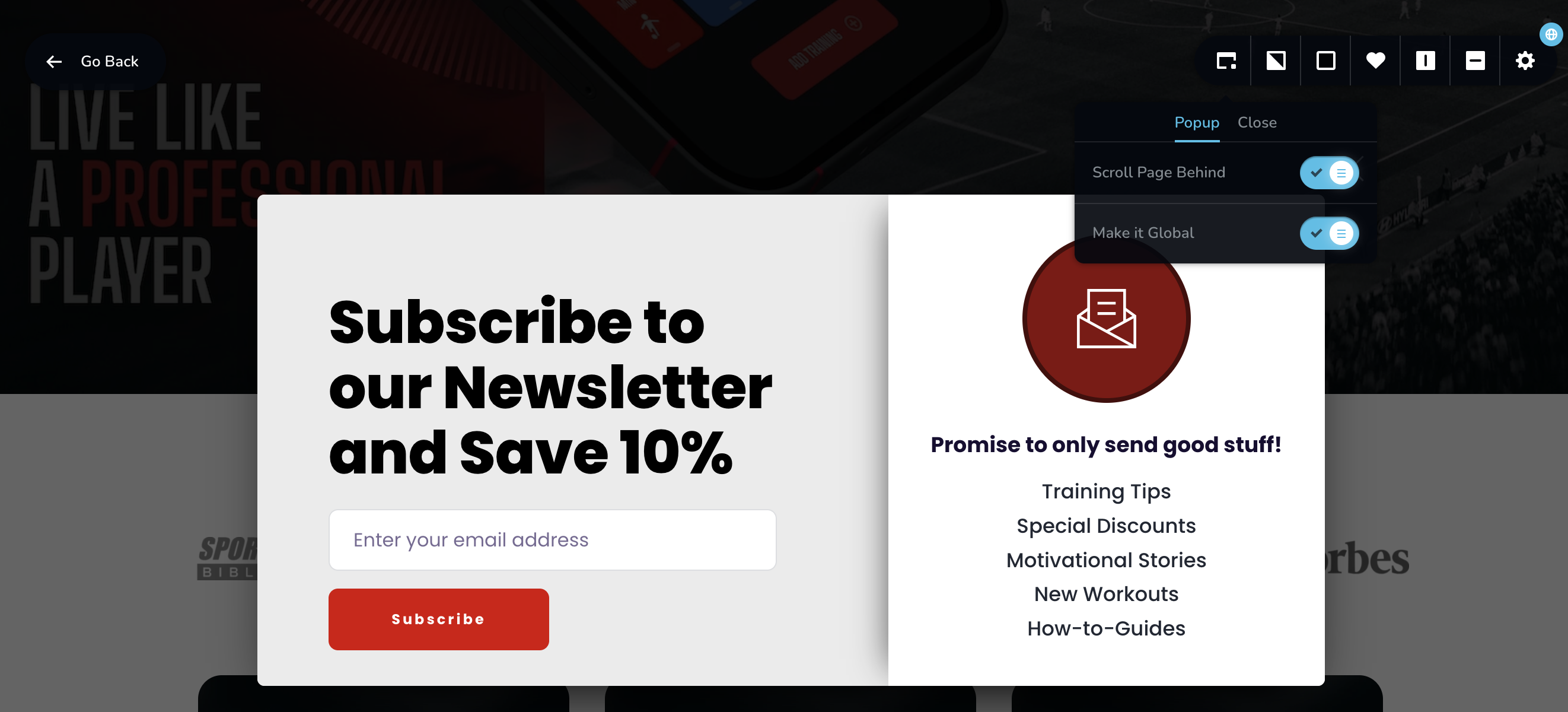
-

With the Brizy Popup builder, you can setup two types of popups and only one of them have Display and Trigger conditions and the other does not.
- On-click popups. These popups are triggered when clicking on a button, icon, text or an image. You design an on-click popup by selecting the popup tab under the link toolbar. On-click popups do not have Display and Trigger conditions.
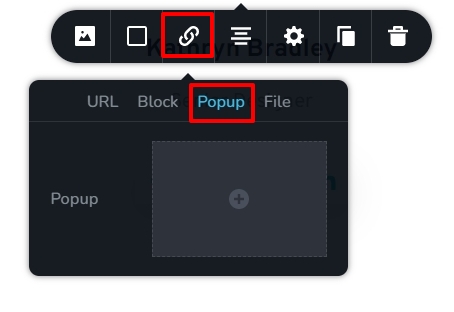
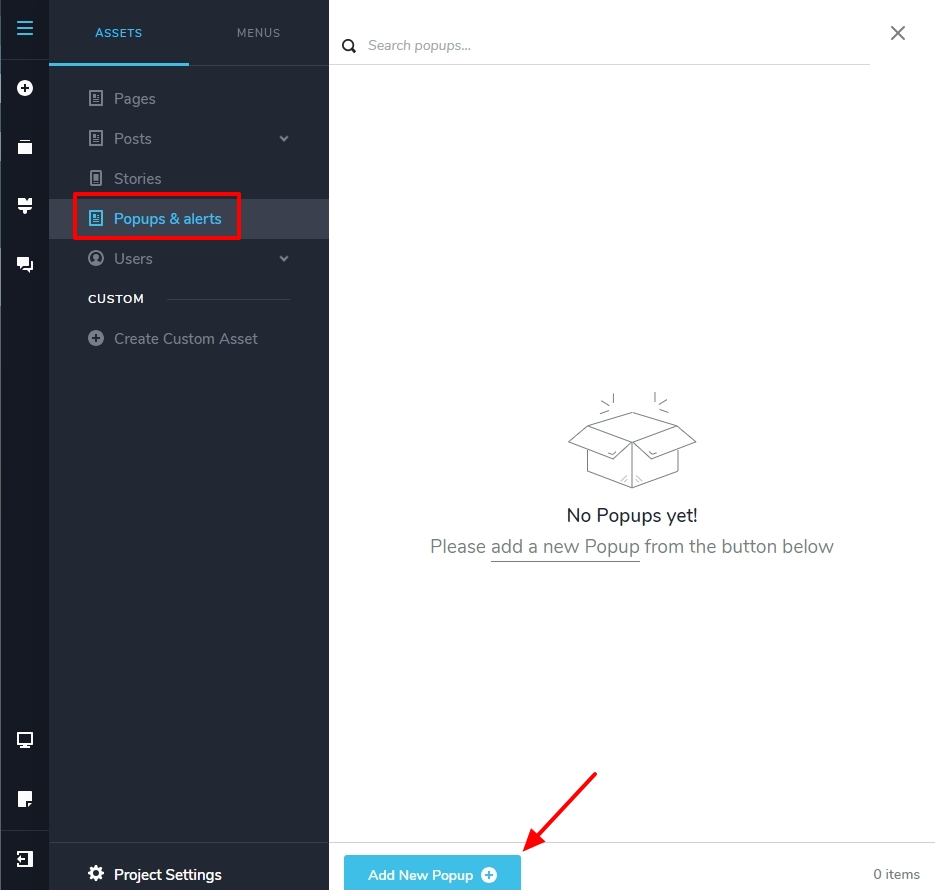
- Conditional Popups. These popups are triggered automatically when a condition is fulfilled. You design conditional popups under CMS - Popup and Alerts. These popups have trigger and display conditions.
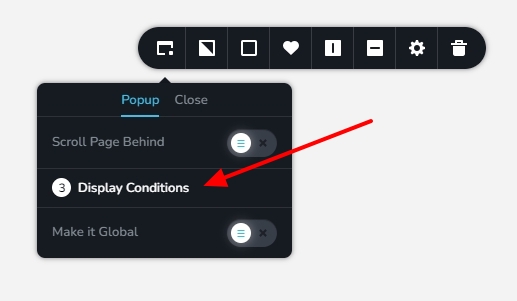
When developing a conditional popup and clicking on the popup icon you can see the 'Display Conditions' option.
 0
0 -
Thank you so much!
Can I also only select specific pages where to show the popup under these conditions?
In this video, it shows the option to only select specific websites: https://www.youtube.com/watch?v=LuJdeewseZY
But I can only select to show it on All Pages or All Posts, etc. but not individual pages.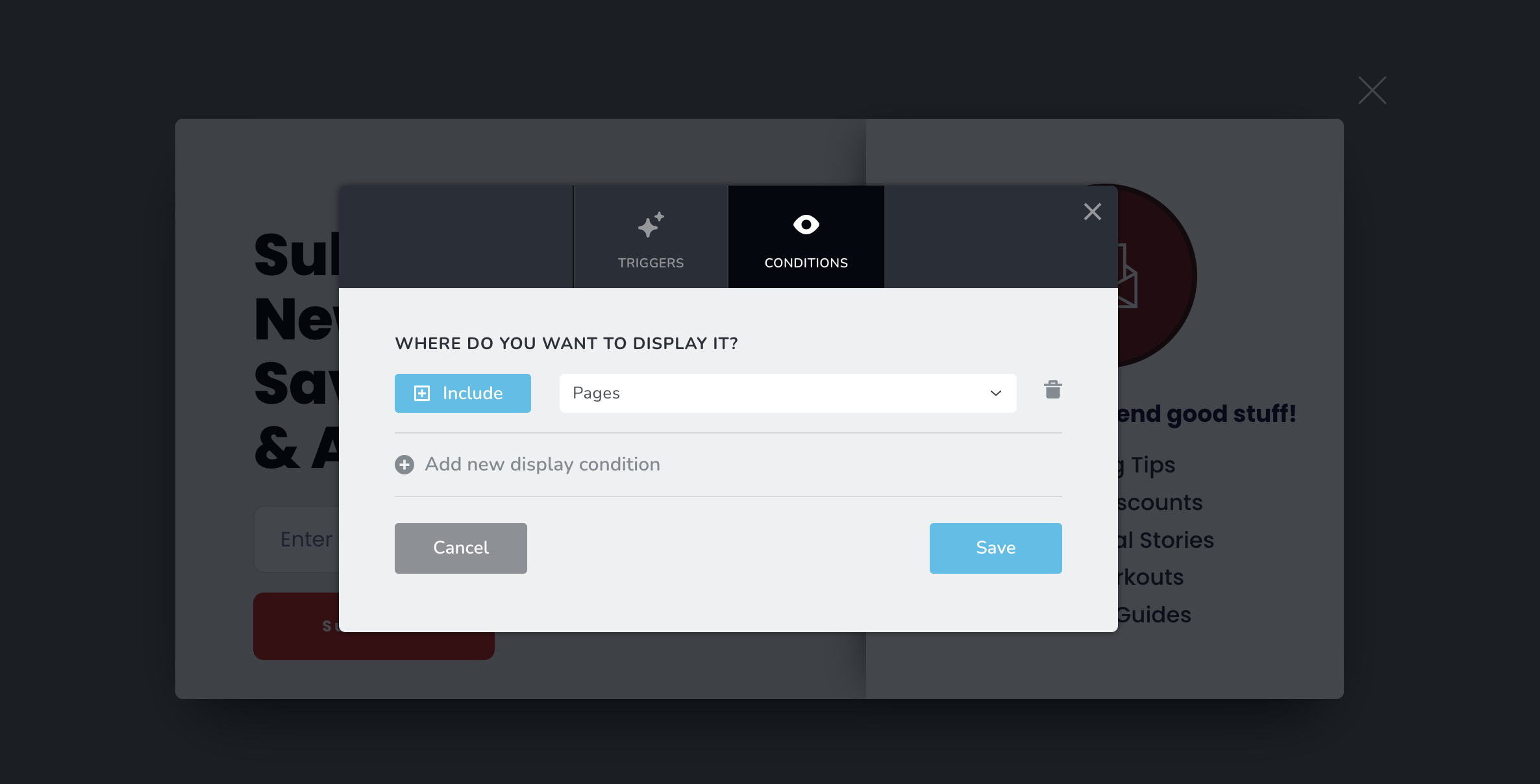 0
0 -
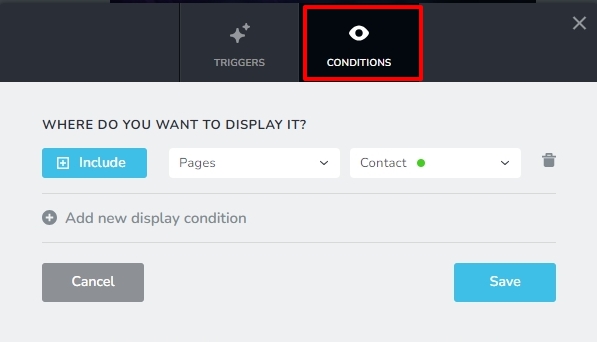
Yes; under the Conditions tab of the Display Conditions screen, you can set the pages where you want to display the popup.
 0
0 -
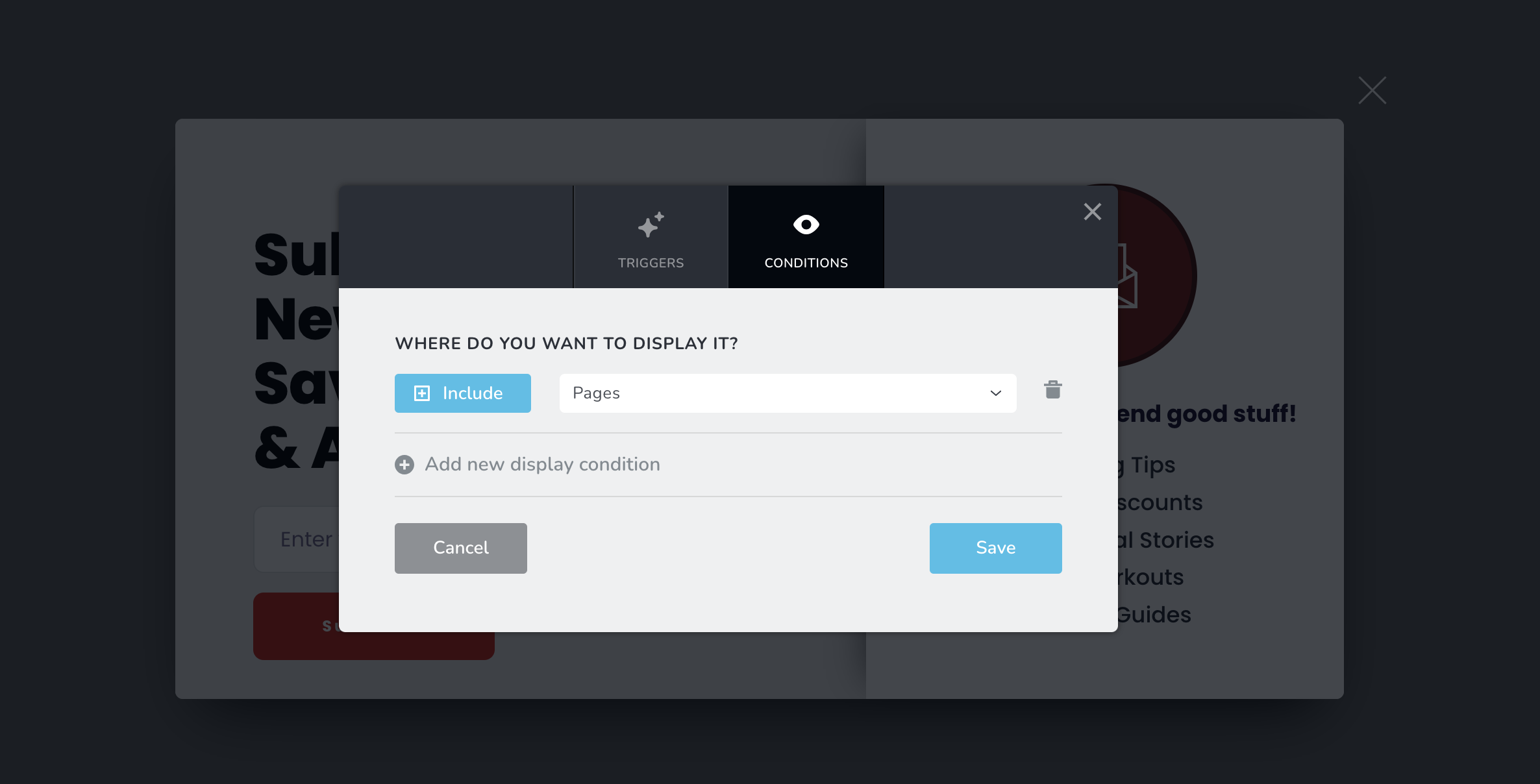
I don't have the option to subselect pages - I can only select to show it on All Pages or All Posts, etc. but not individual pages.
 0
0 -

Hi,
Thank you for your patience.
We've escalated this issue to our developers so they can address it as soon as possible. Rest assured, we'll reach out to you once we have an update.
If you have any further questions, please let us know.
Best regards,
Ariel H.0 -
Great, thank you so much, Ariel!
0 -
Hey, any updates on this matter?
0 -
Hi,
Thank you for keeping in touch.
Unfortunately, this issue is still in progress and our team is actively working on resolving it. We will make sure to keep you updated with any new updates as soon as they become available.
Sorry for the inconvenience.
Best regards,
Ariel H.0
Please sign in to leave a comment.
Comments
8 comments