Brizy Editor is not working

I want to move a WP site to another web hosting.
I made a fresh new web hosting and installed wordpress and brizy.
They worked both well.
After I imported contents from another site, Brizy Editor is not working.
Screencast below.
https://video.leetaewon.com/conversations/a0689fd8-8198-5cf1-8d82-ae1047688865
Sincerely.
-

Hi Taewon,
I tried accessing your WordPress Dashboard. I get the Forbidden error. This normally happens when you have setup a web application firewall which blocks unknown IPs.
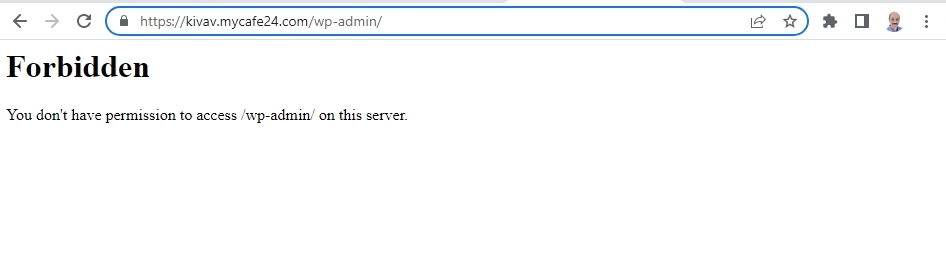
Please log into your hosting account and check if any of this software is turned on in your server management system (like cPanel). Disable these systems one at a time and see if helps resolve the looping pre-loader issue.
- Security system
- Malware protection
- Firewall
- DDOS
0 -
/wp-admin/ directory has been blocked outside Korea by web hosting setting. I got read of the restriction. Would you try again? If you have same problems again, you can give me your IP Address to whitelist. Sincerely.
0 -

Hi Taewon,
Thank you for the update.
Upon checking, the issue appears to be related to your server.
Please try the following and see if this will help.- Please try raising the PHP Memory limit to 256MB or higher. - https://www.wpbeginner.com/wp-tutorials/fix-wordpress-memory-exhausted-error-increase-php-memory/
- Also, please ensure that you are using PHP 8.0 or higher.
If this made no difference, please also provide us with temporary access to FTP / cPanel, so we can further check the issue.
I am looking forward to your response.
Best regards,
Ariel H.0 -
Thank you Ariel, but I still have the issue. I raised memory limit to 256MB PHP version = PHP7.4 (Web hosting option is limited to 7.4. I can't handle it.) One thing important is, Before I import contents with WordPress XML, it doesn't have any issues. I could create and edit page with Brizy plugin.
0 -
Hi Taewon,
Thank you for the update.
Unfortunately, the FTP credentials don't work, we also encountered an issue accessing files using the File Manager - https://jmp.sh/PkGRWtCo
This issue will require temporary access to FTP (cPanel or your hosting dashboard) to further investigate the problem.
I am looking forward to your response.
Best regards,
Ariel H.0 -
Sorry for the wrong password. I modified it below.--------
0 -
Hi Taewon,
Thank you for your patience.
We're still looking into this issue, I will get back to you as soon as I have an update.
Best regards,
Ariel H.0 -
Hi Taewon,
Thank you for patiently waiting, sorry that it's taking us some time to resolve this issue.
Meanwhile, please install the latest versions of Brizy and Brizy Pro on a new instance of WordPress created on a different subdomain. Once you have completed this installation, please let us know if the issue persists.
I am looking forward to your response.
Best regards,
Ariel H.0
Please sign in to leave a comment.
Comments
8 comments