Issues with new update

Hi, I have many WordPress websites that I have built with Brizy and manage. I went through and did updates recently, and 2 of my websites had the Brizy design break on them. These 2 websites are always the 2 I have issues with. I don't understand why, though. Could someone please help me troubleshoot this problem? It is so frustrating each and every time it happens. Thank you!
-

Hi Cari,
Thank you for reaching out to us.
This issue often occurs when there is a mismatch between the versions of Brizy and Brizy Pro. To resolve this, please make sure that you have the latest versions of both plugins installed.

Before proceeding with the updates, it may be helpful to temporarily disable all other plugins on your website to determine if the website layout remains intact. If the layout appears as expected, you can gradually enable the remaining plugins while testing your site to identify any potential conflicts.Please try this and let me know how it goes.
Best regards,
Ariel H.0 -
Ok. I will give it a try tonight after their business hours. Thank you.
0 -
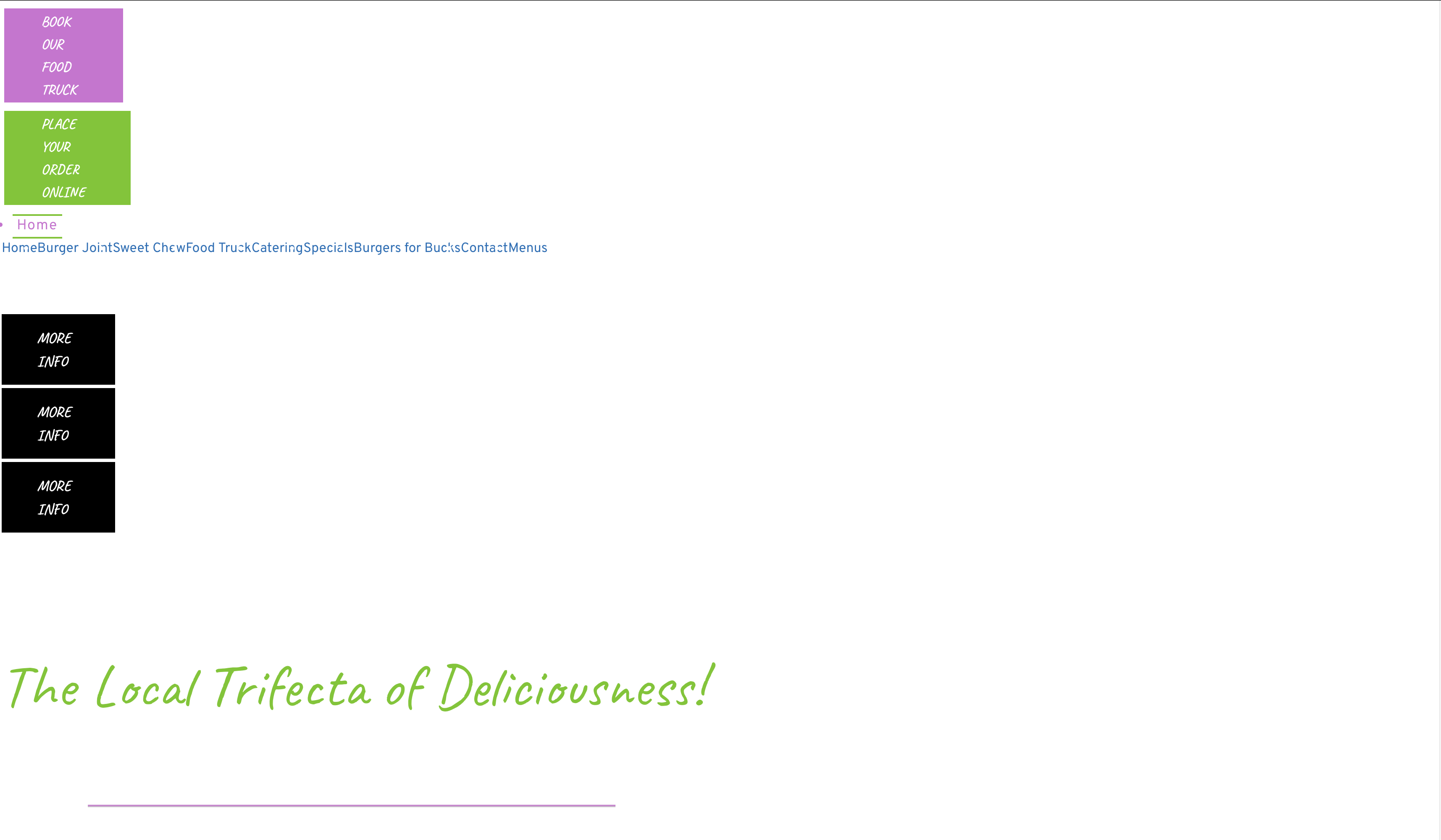
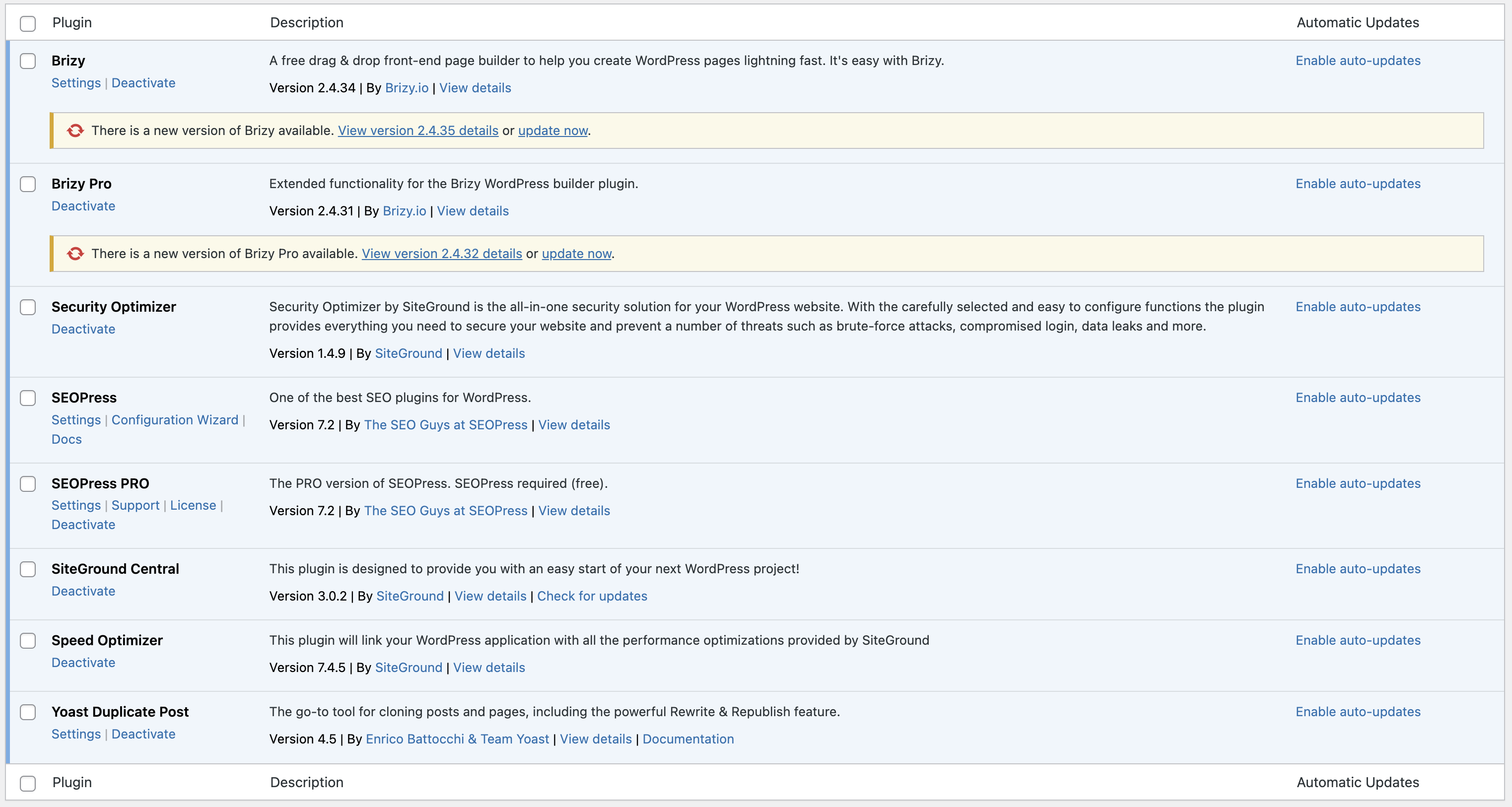
Hi I tried this with both websites. One of them it appears to have solved the issue as far as I can tell. But the other does not appear as it should. I deleted the versions of Brizy I had. Disabled all plugins, then Uploaded the most recent versions of Brizy and activated them. The layout was still messed up. What can I try next? This particular website always has problems. I don't understand why. Its on the same hosting, theme, and plugins as most sites I build. Why would this one particular website have issues? Here is a list of the plugins I use (this is after I switched to a backup from yesterday) and what the site looks like before activating the other plugins and only brizy activated. I would love to resolve this issue once and for all, please. This is exhausting, and my client is getting sick of my issues with their site.
 0
0 -
I spoke too soon. I was just checking again on the first website that I thought was fixed, but when I view the mobile version, it is not formatted correctly. sigh...
0 -

Hi Cari,
Please share with us the URLs of the websites where you are facing this issue. If you want us to remove the URLs before making your comment public, please let us know
0 -
Hi Cari,
Both websites appear loading well at my end on the desktop and mobile. I see this these designs on a desktop at my end
Are the mobile versions of these websites formatted correctly? If not, what are the issues you see? Can you share screenshots?
0 -
The websites are fine right now because I reverted them to a previous save of the site. If I update Brizy, the websites will no longer be formatted correctly.
0 -
Hi Cari,
Thank you for the update.
Could you possibly set up a staging version of one of these websites where we can replicate the problem? If you can do this, we would appreciate temporary Admin access so we can take a closer look into this issue. Once you've set up the staging version of your website, kindly add us as an Admin user to your WordPress Dashboard. Please send the necessary details to communitysupport@brizy.io.
Community Post link: https://support.brizy.io/hc/en-us/community/posts/15671794204818
WordPress Admin URL:
Username:
Password:Best regards,
Ariel H.0 -
Unfortunately, neither client has an account that offers staging. Is there another way?
0 -
Hi Cari,
Thank you for the update.
You can provide us access to the live site, however, please confirm that you have a full backup.
Or, you might consider setting up a staging version of your website. I have included a tutorial video and a link to help you accomplish this. You can also use it to create a full backup so you can revert it to previous state in case you prefer not to make a staging version of your site.
https://www.youtube.com/watch?v=Dl9G9b6ztto
https://docs.wpvivid.com/wpvivid-backup-pro-create-staging-site.htmlBest regards,
Ariel H.0 -
I am working on getting my clients to sign up for accounts that offer staging so we can work on this safely. I should have this situated by the end of the week and will be back with login info.
0 -
I just emailed over the information for one of the staging sites. Please let me know if /when you have questions or need something
0 -
Hi Cari,
Thank you for the update.
I have updated both Brizy and Brizy Pro on this staging site, however I am unable to reproduce the issue as described. This is demonstrated on this screencast - https://youtu.be/ZpoLPXrK0mE
It seems like the issue is happening on pow********itiv******ts.com, the issue appears to be coming from SG Cache. To fix this issue, we recommend disabling "Minify JavaScript Files" and check if that makes a difference. https://jmp.sh/zCgTD3jw
Also, don't forget to purge the SG Cache after updating both Brizy and Brizy Pro. This video tutorial can guide you through the process - https://youtu.be/GplNASMBw1o
Please try this and let me know how it goes.
Best regards,
Ariel H.0 -
That's so strange. I have had issues with the plugin updates for Brizy so many times with these two sites specifically.
I went ahead and disabled the minify javascript for the website you suggested.
I will also purge the SH cache after updating moving forward.
After business hours, I will attempt the update on the live site tonight and will be in touch if I continue to have issues.
Thank you!
0 -
Hi I was able to get the powerful.... website to update successfully.
I am still unable to get theburgerjoint to update successfully. Please advise
0 -
I was able to get both sites up and working with the updates. TY!!
0
Please sign in to leave a comment.
Comments
16 comments